Introduction
Organizations running SAP workloads often struggle with a familiar challenge:
Business users want answers immediately, but data lives in complex systems that require technical expertise to access.
In this implementation, we helped a global industrial products and solutions provider unlock conversational analytics on top of SAP BW sales open order data by leveraging Microsoft Fabric and Microsoft Copilot Studio.
The goal was simple:
Allow business users to ask questions in natural language
Remove dependency on analysts
Provide trusted answers from governed enterprise data
What made this interesting was the hybrid architecture: SAP on-prem, cloud analytics, and AI-driven querying.
Business Scenario
Client runs SAP ECC on SAP HANA, with reporting logic exposed via BW queries.
The sales team frequently needed answers to questions like:
- What are the open orders by sales office?
- Which customers have the highest pending quantities?
- What is scheduled for delivery in the next 30 days?
- Orders created by which user are delayed?
Traditionally, this required:
Access to BI tools
Knowledge of filters
Waiting for analysts
The business wanted a chat experience instead.
Target Vision
Enable users to simply ask:
“Show me open orders for material X next week”
…and receive accurate, governed results sourced from SAP.
High Level Architecture

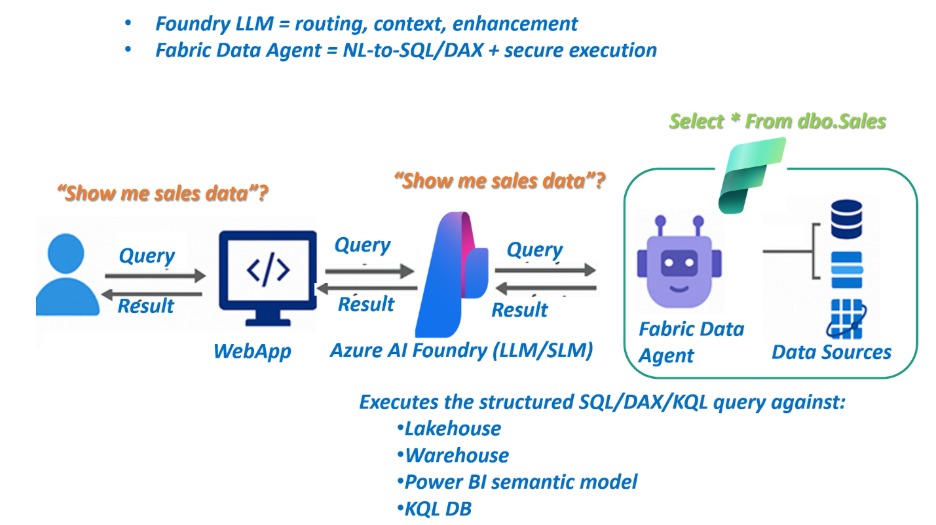
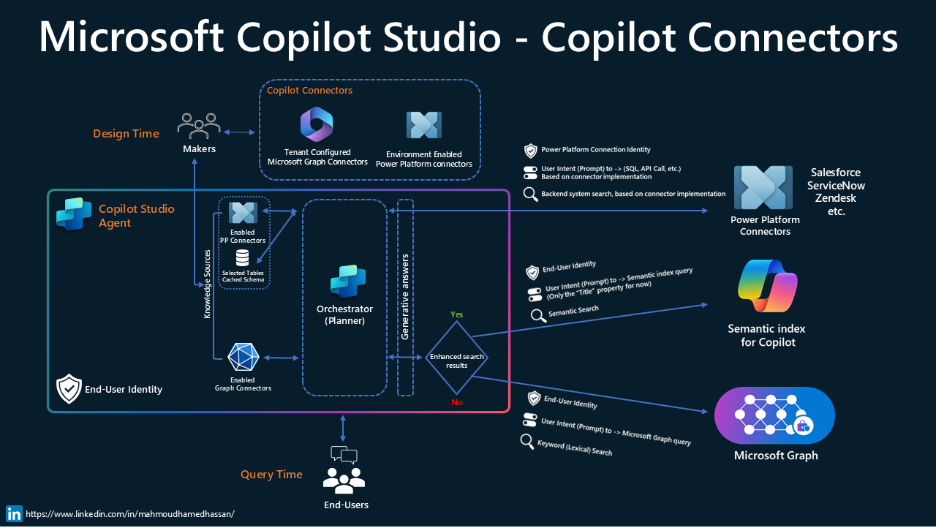
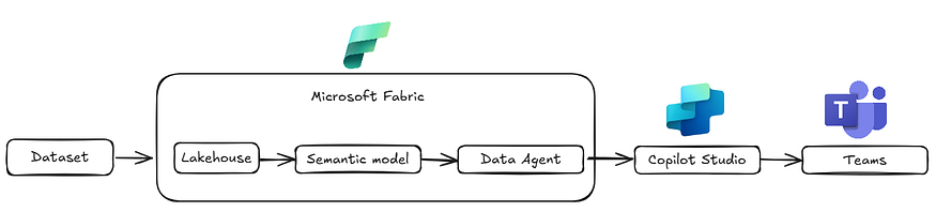
Flow:
SAP BW → Dataflow Gen2 → Lakehouse → Semantic Model → Data Agent → Copilot Studio → Teams
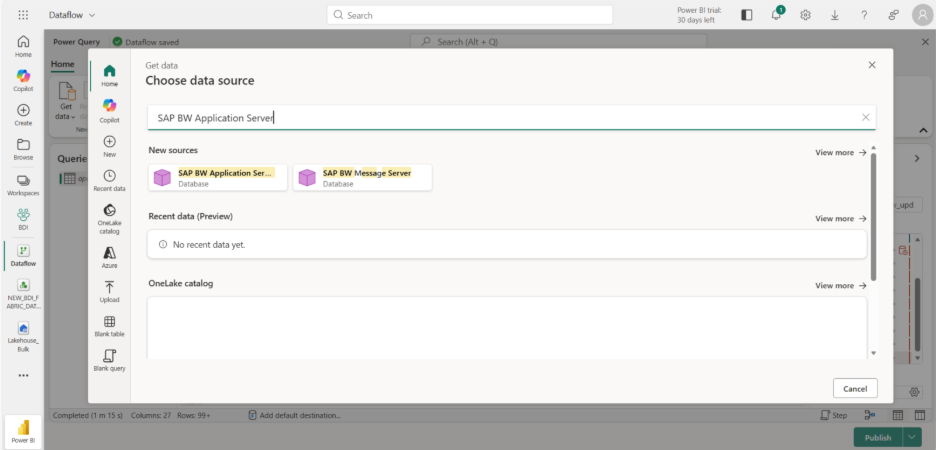
Step 1 – Extracting SAP BW data into Fabric
We used Dataflow Gen2 with the SAP BW Application Server connector to pull cube data from the BW query.
The extraction included:
- Measures (order quantity, confirmed quantity, totals)
- Dimensions (customer, material, sales office, document, schedule dates)
- Technical keys for joins & traceability
Step 2 – Transformations & Standardization
During ingestion, several transformations were applied:
- Expanding dimensions
- Creating readable business column names
- Extracting keys
- Date format corrections
- Data typing
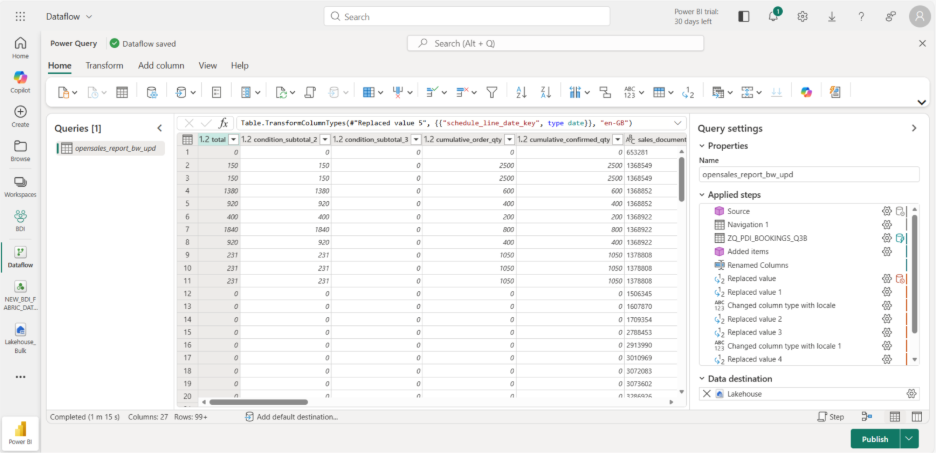
The Issue We Encountered (and Why It Matters)
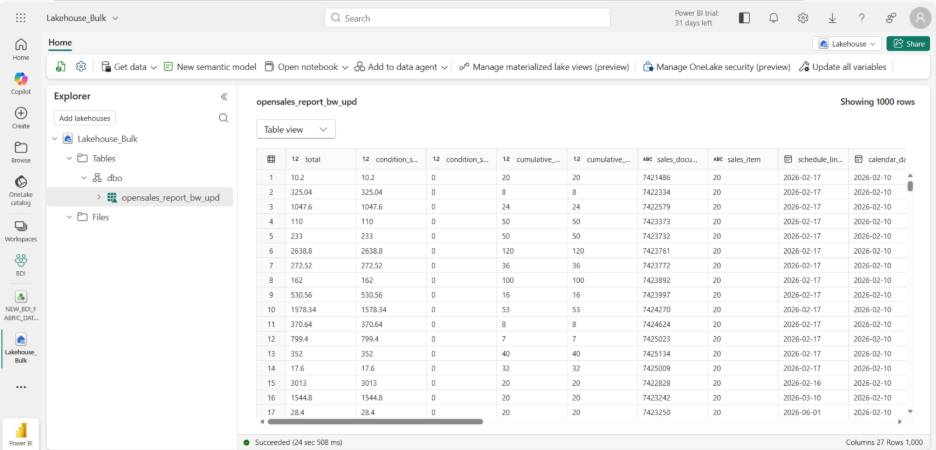
After loading into the Lakehouse, we observed something confusing:
Tables showed blank rows.
However, reports built via the semantic model still returned data.
Why?
Because the semantic layer reading Delta sometimes interpreted metadata differently, masking underlying structural issues.
Root Cause
Column names containing spaces and special characters were breaking consistent interpretation between ingestion, storage, and query layers.
Fix
We standardized naming (snake_case, no spaces) inside Dataflow Gen2.
Result:
Data visible in Lakehouse
Consistency across layers
Reliable AI interpretation
Better downstream governance
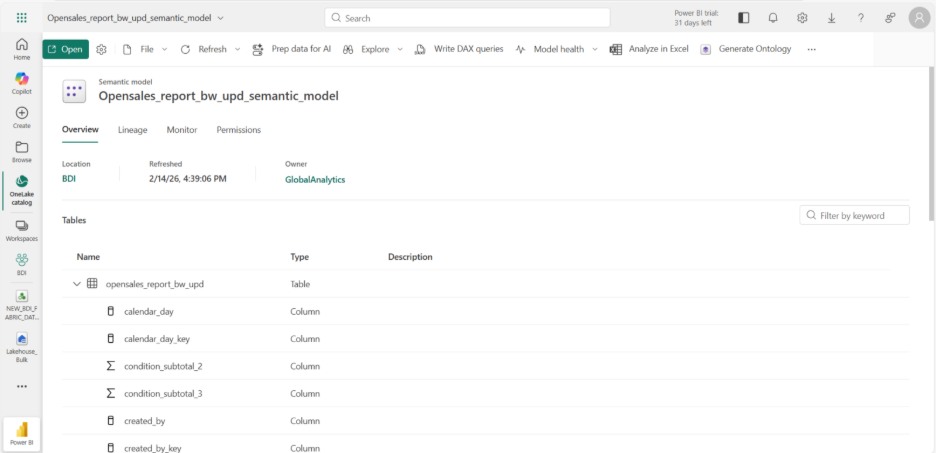
Step 3 – Building the Semantic Model
Once the Lakehouse was clean, we created a semantic model defining:
- Business relationships
- Measures
- Aggregations
- Friendly naming
This step is critical.
The Data Agent depends heavily on semantic clarity to translate human language into accurate queries.
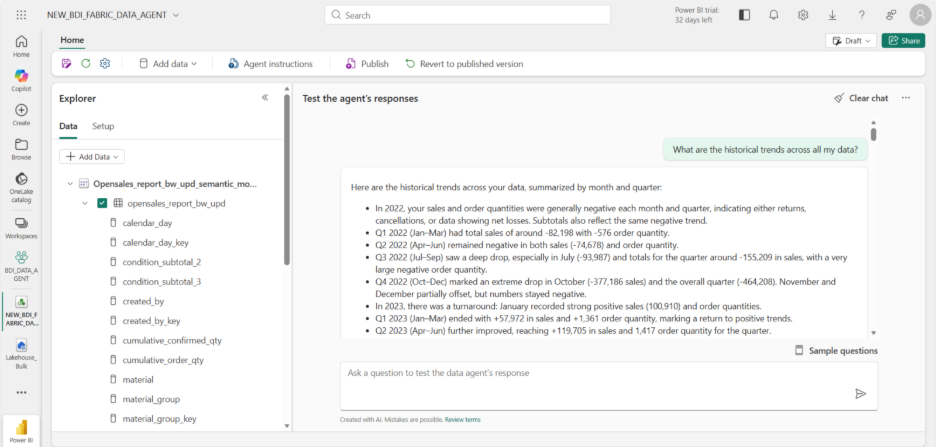
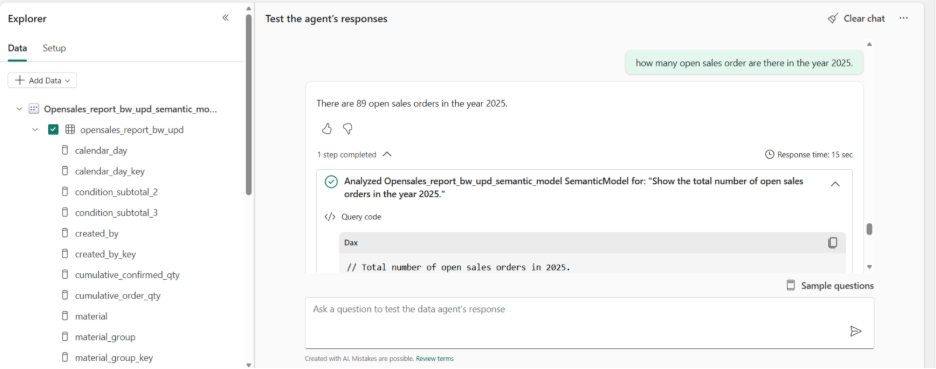
Step 4 – Creating the Fabric Data Agent
We then created a Fabric Data Agent and attached the semantic model.
Now the system could:
Understand intent
Translate questions into queries
Return structured answers
Respect model governance
Step 5 – Connecting to Copilot Studio
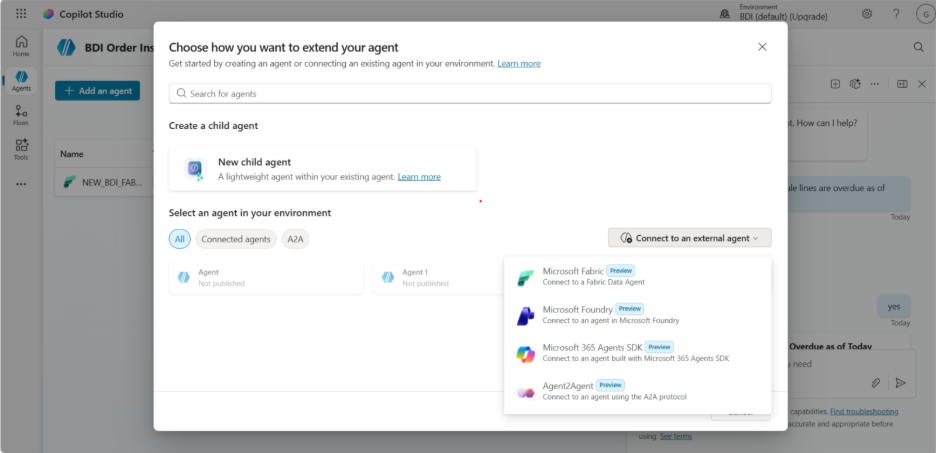
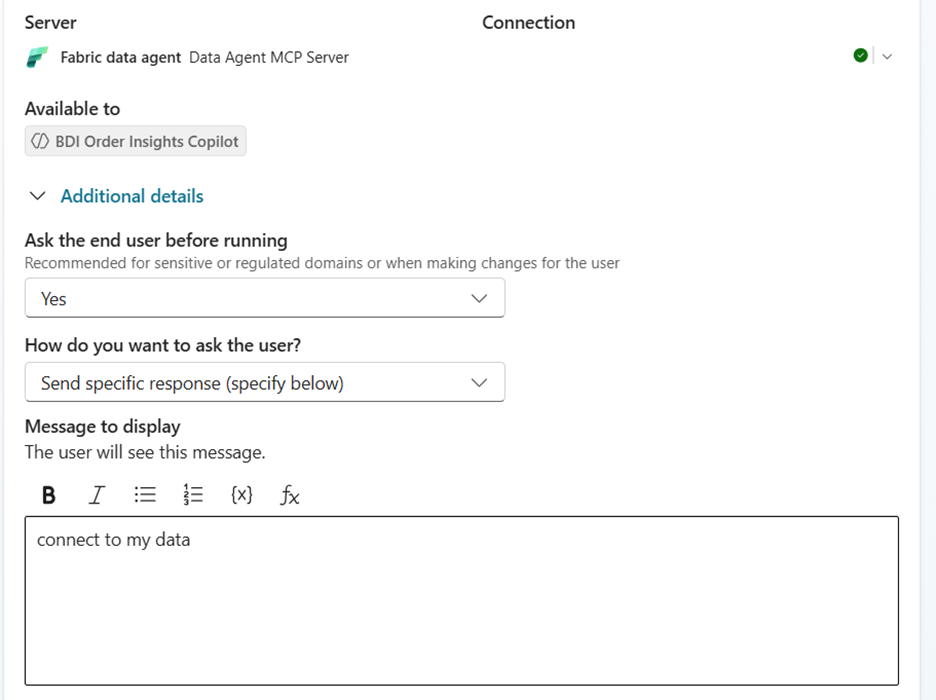
Next, we integrated the agent into Copilot Studio using the external agent connector (MCP-based communication).
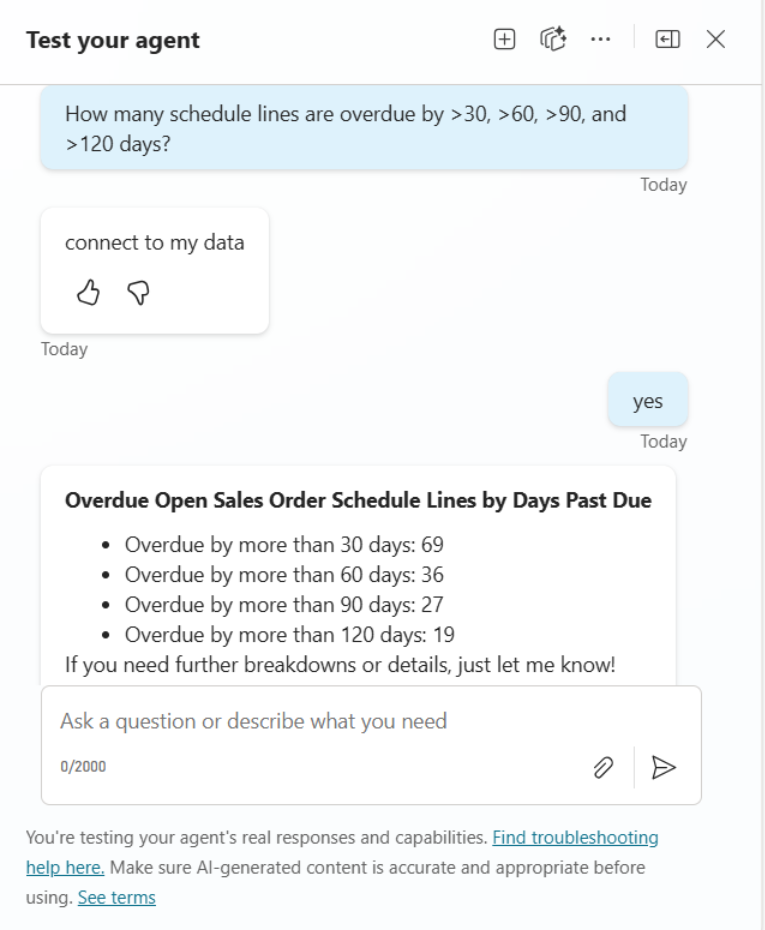
We configured prompts such as:
“Connect to my sales open order data”
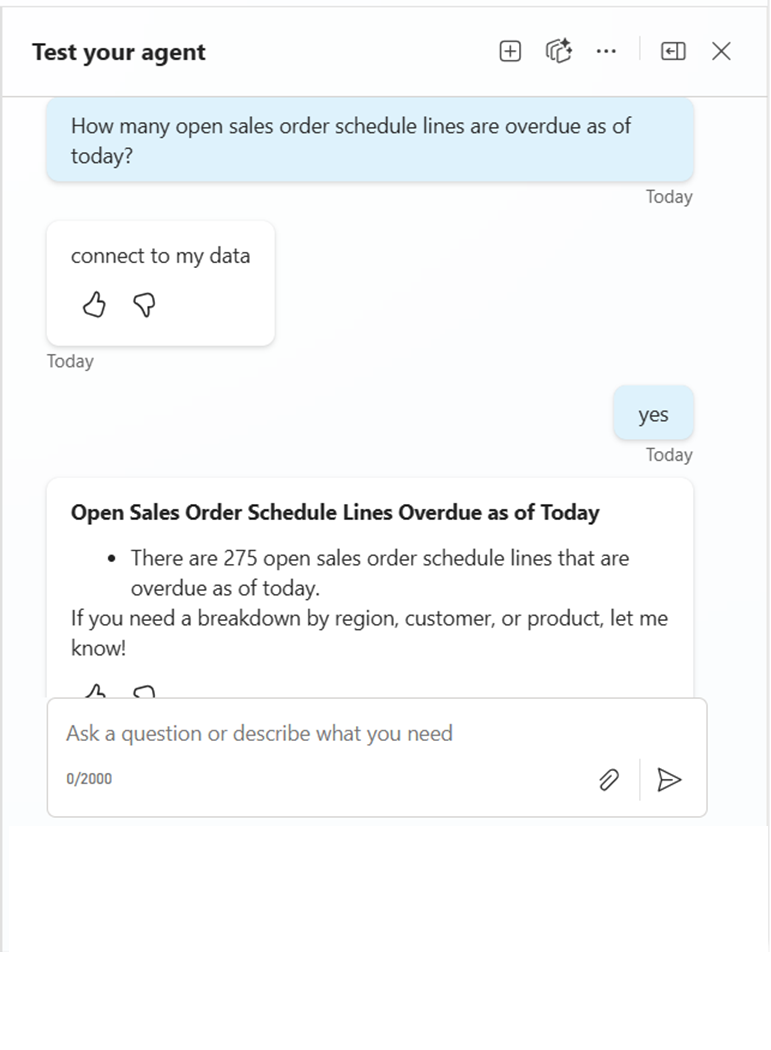
This allowed the copilot to delegate analytical reasoning to the Fabric agent.

Step 6 – Publishing to Teams
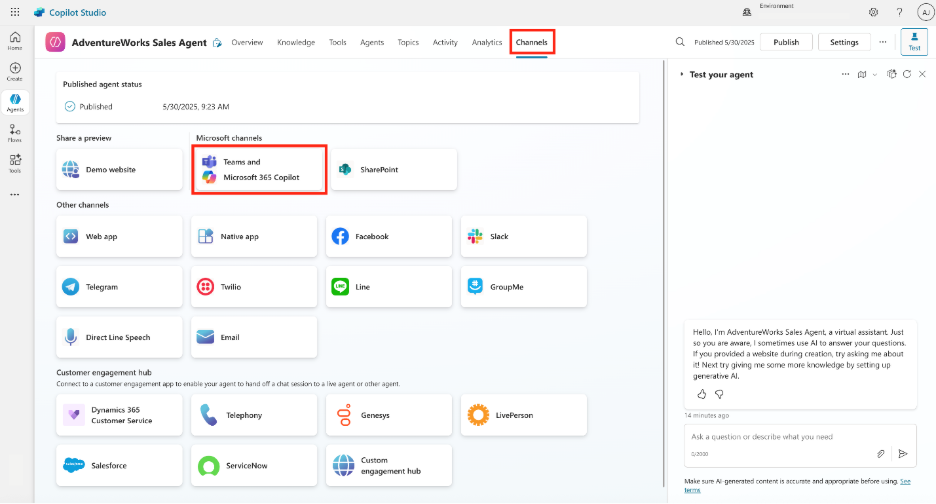
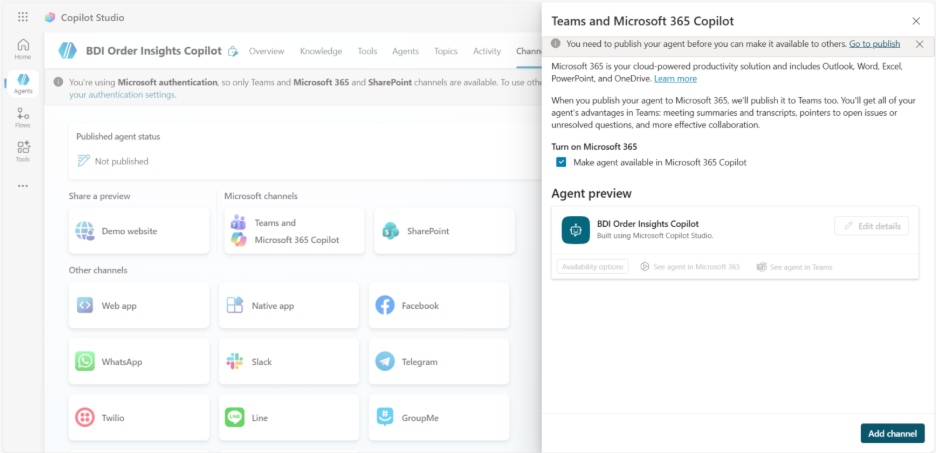
Finally, we deployed the copilot into Microsoft Teams.
Business users could now ask questions directly within their daily workspace.
No extra tools.
No training.
What Users Can Ask Now
Examples:
- Open orders by shipping point
- Orders by created by user
- Late deliveries
- Top customers by backlog
The AI translates → queries → responds in seconds.
Business Impact
After rollout:
Faster decision making
Reduced dependency on BI teams
Consistent answers
Increased data adoption
Executive visibility
Most importantly:
Data became conversational.
What We Learned
- Semantic quality is EVERYTHING.
- Naming conventions directly impact AI accuracy.
- Clean modeling reduces hallucination.
- Hybrid SAP → Fabric scenarios are extremely powerful.
- Early validation in Lakehouse prevents downstream surprises.
What We Would Enhance Next (Recommended)
If extending the solution, we would introduce:
Ontology Layer
Mapping synonyms like:
- Open orders = backlog
- customer = sold-to party
This would further improve intent recognition.
Curated Prompt Library
Pre-built business questions for faster adoption.
Usage Analytics
Understand what users are asking most.
Why This Matters for Enterprises
Many companies are modernizing SAP analytics but struggle to bridge:
ERP → Cloud → AI → End Users
Fabric Data Agents close that gap in a governed, scalable way.
Final Thoughts
This implementation proved that conversational analytics is not futuristic — it is achievable today with the right architecture.
By combining SAP BW, Fabric, and Copilot Studio, we moved from static reporting to interactive intelligence.
If you are exploring similar scenarios, start with:
clean ingestion
strong semantic modeling
standardized naming
Everything else becomes exponentially easier.
RFIs, submittals, change orders, and daily reports see the biggest impact because they occur frequently and directly affect project schedules. Safety permits, inspection records, and compliance documents benefit from automated audit trails and consistent review processes. Any document requiring approvals from multiple stakeholders across different locations gains efficiency from automated routing.
Construction firms typically see a 40-60% reduction in approval cycle times and 70-90% improvement in meeting service level agreements. Time savings translate to labor cost reductions, while faster approvals improve project schedules and reduce delay-related costs. Most firms achieve positive ROI within 12 months when implementing active project portfolios.
Initial implementation for core document types typically takes 30-90 days, depending on workflow complexity and system integration requirements. Start with a pilot covering one project or document type, validate the workflow, then expand to additional projects and document types. Full portfolio implementation across all document types may take 6-12 months for large construction firms.
Most modern construction management platforms offer APIs that enable integration with workflow automation tools like Microsoft Power Automate. Integration connects document libraries, project data, and approval workflows so information flows automatically between systems without manual data entry. Firms using legacy systems may need middleware solutions or phased platform upgrades.