
How airports are using RFQ and vendor comparison tools to streamline terminal procurement

A terminal expansion just got approved. The scope involves HVAC overhauls, security system upgrades, concourse fit-outs, and baggage handling equipment. Now, the procurement team has to source vendors for dozens of categories, compare bids across incompatible spreadsheets, route approvals through multiple stakeholders, and do all of it under regulatory scrutiny and a hard deadline. Most airport procurement teams know this pressure well. The volume of vendor interactions, compliance documentation, and pricing evaluations makes manual processes a liability, not just an inconvenience. And the gap between how airports need procurement to work and how most of them currently operate is widening as terminal programs grow more complex. The global procurement software market is projected to grow from approximately $9.81 billion in 2025 to over $17 billion by 2031, driven largely by organizations moving from spreadsheet-based processes to cloud-native platforms with automation and AI capabilities. Airports, with their multi-vendor environments, long procurement cycles, and strict audit requirements, stand to gain significantly from that shift. Why airport terminal procurement is different from standard construction sourcing Airport procurement carries constraints that most construction or infrastructure projects do not face. Terminal programs run on fixed operational windows because the airport cannot shut down. Procurement teams coordinate across airport authorities, airlines, regulatory bodies, engineering consultants, and sometimes government agencies, each with different approval timelines and compliance requirements. A single terminal renovation can involve hundreds of separate vendor categories, from fire suppression systems to retail fit-out contractors. Each category may require a different evaluation method, different compliance documentation, and different lead times. Manual sourcing processes break down quickly in this environment. When vendor quotes arrive in different formats, through different channels, with different pricing structures, comparisons become subjective. Approvals stall because decision-makers do not have side-by-side visibility into what they are evaluating. Compliance gaps appear when documentation gets scattered across email threads and shared drives. The result is procurement cycles that are longer, more expensive, and more risk-prone than they need to be. And when deadlines compress, as they always do in terminal programs, procurement teams end up making decisions without complete information. What RFQ and vendor comparison tools actually do for airport procurement teams An RFQ (Request for Quotation) tool is procurement management software that structures the entire vendor solicitation cycle. Rather than assembling bid packages manually, the procurement team creates a standardized quotation request, sends it to a qualified vendor list, collects responses in a consistent format, and evaluates submissions through a centralized interface. Vendor comparison tools sit alongside the RFQ workflow. Once quotes arrive, the comparison module normalizes pricing data, scores vendors against evaluation criteria, and produces side-by-side assessments that procurement managers and stakeholders can review in minutes instead of days. For airports, the combination addresses three core problems at once: speed, transparency, and auditability. Speed improves because vendor communication happens through a single portal rather than scattered email chains. Automated notifications track which vendors have viewed the RFQ, which have submitted, and which need follow-up. Transparency improves because all bids are evaluated against the same rubric. When an airport authority asks why a particular vendor was selected for a security system upgrade, the procurement team can point to a scored comparison with documented criteria instead of reconstructing the rationale from memory. Auditability improves because every action, from initial RFQ publication to final award, is logged in one system. For public airport authorities that must comply with federal or state procurement regulations, that audit trail is not optional. How e-procurement software fits into the terminal operations management stack Airport procurement does not exist in isolation. Terminal operations management spans construction scheduling, project portfolio management, asset tracking, and ongoing facilities management. E-procurement software works best when it connects to the broader technology environment rather than operating as a standalone tool. When procurement is integrated with an Enterprise Resource Planning (ERP) system like Microsoft Dynamics 365 Business Central, approved vendor quotes can automatically convert into purchase orders. Budget checks happen in real time. Spend data flows into dashboards that give finance teams and airport leadership visibility into where capital is being allocated across the terminal program. Platforms built on Microsoft Power Platform extend procurement automation even further. Approval workflows can be tailored to match the airport’s internal governance structure, routing low-value purchases through a streamlined path and escalating high-value or sole-source contracts to senior management. Business process automation reduces the time procurement professionals spend on administrative tasks and shifts their focus toward strategic sourcing decisions. For airports managing complex vendor ecosystems, Peripheral Automation offers a practical framework. Rather than replacing core ERP systems, peripheral automation layers adapt data, process, and AI-led automation on top of existing platforms. Airport procurement teams get specialized functionality, such as RFQ scoring, vendor compliance tracking, and spend analytics, without disrupting the technology investments they have already made. What to evaluate when choosing strategic sourcing software for aviation procurement Not every procurement tool is built for the complexity airports face. When evaluating strategic sourcing software or supplier management software for a terminal procurement program, these capabilities matter most: Standardized RFQ templates that can accommodate different procurement categories, from construction subcontracts to specialty equipment, without rebuilding the solicitation structure each time Side-by-side vendor comparison with weighted scoring across price, compliance, delivery timelines, and qualitative criteria like past performance and safety records Role-based approval routing that reflects the multi-stakeholder nature of airport governance, where engineering, finance, operations, and the airport authority board may all have sign-off responsibilities ERP and project management integration so that procurement data feeds directly into construction schedules, budget tracking, and contract management systems Compliance and audit logging that satisfies both internal governance requirements and external regulatory obligations, including federal or state procurement mandates for public airports Vendor portal functionality where suppliers can view active RFQs, submit responses, ask clarification questions, and track the status of their bids through a self-service interface The Purchase Requisition App for Dynamics 365 Business Central addresses several of these requirements directly. Procurement teams can collect purchase requests, run approval workflows, apply budgetary and inventory
Sales management: Transforming bottlenecks into catalysts for growth

In today’s rapidly evolving business landscape, the role of sales management is more critical than ever. Yet, it is often perceived as a bottleneck to growth. This perception stems from traditional sales management practices that can stifle innovation and agility. However, by reimagining sales management, we can transform these bottlenecks into catalysts for growth. At Advaiya, we believe in empowering our customers to achieve more. This philosophy extends to how we approach sales management. The key lies in leveraging technology and fostering a culture of continuous learning and adaptability. The integration of advanced analytics, artificial intelligence, and machine learning into sales processes can revolutionize how we manage sales teams. These technologies provide real-time insights, predictive analytics, and automation, enabling sales managers to make data-driven decisions and focus on strategic initiatives rather than administrative tasks. A growth mindset is essential for transforming sales management. Encouraging sales teams to embrace challenges, learn from failures, and continuously improve can drive innovation and performance. Sales management should not operate in isolation but work closely with marketing, product development, and customer service teams. This holistic approach ensures that customer needs are met more effectively, leading to increased customer satisfaction and loyalty. Investing in the development of sales talent needs to be a strategic priority. Providing ongoing training, mentorship, and career development opportunities empowers sales teams to excel. By embracing technology, fostering a growth mindset, enhancing collaboration, and investing in talent development, we can transform sales management into a powerful driver of growth.
From manual errors to precision: Simplify GST with E-Way Bill
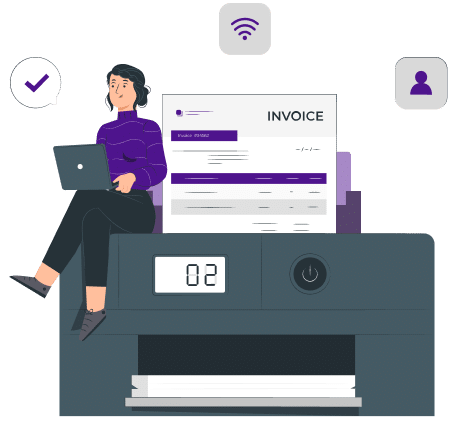
Navigating the complexities of GST compliance requires efficient solutions, especially when it comes to managing E-Way Bills. These essential documents streamline the movement of goods while ensuring transparency and adherence to tax regulations. However, with the strict and long GST compliances enforced today, managing E-Way Bills can often feel confusing. E-Way Bills are crucial documents for the movement of goods, ensuring tax compliance and transparency in logistics. However, their manual generation and management often result in human errors, inefficiencies, and increased operational costs. This is where we introduce the E-Way Bill App for Microsoft Dynamics 365 Business Central—a tool designed to revolutionize how businesses approach E-Way Bill generation, storage, and tracking. This app integrates seamlessly with existing systems and GSP (GST Suvidha Provider) partners, offering automated solutions to simplify the GST compliance journey. Its intuitive interface, coupled with advanced features such as real-time status updates and error-proof validations, ensures precision and efficiency. For businesses, this means not just compliance but also significant improvements in logistics and operational workflows. How to streamline GST compliance with automation? One of the most significant challenges in GST compliance is the risk of manual errors during E-Way Bill generation. These errors can lead to penalties, delays in logistics, and strained customer relationships. The E-Way Bill App addresses this by automating the entire process. With just a single click, businesses can generate E-Way Bills for both incoming and outgoing goods. The app includes unique validation controls that automatically check entries for compliance, ensuring accurate documentation every time. This automation not only saves time but also enhances productivity by freeing up resources for more strategic tasks. Additionally, real-time updates allow businesses to monitor their compliance status, keeping them ahead of regulatory requirements. Simple and user-friendly interface The E-Way Bill App for Dynamics 365 Business Central is designed with user experience in mind. Its setup is simple, allowing businesses to enable or disable features with ease based on their operational needs. Enhanced transaction lines simplify workflows further by providing direct options for E-Way Bill generation and allowing users to capture crucial details like E-Way Bill numbers directly in the system. Moreover, the app’s custom ledger ensures visibility over all generated E-Way Bills. Businesses can access detailed information, including the responsible user, E-Way Bill number, associated document type, date, and transporter details, at a glance. This centralized approach to managing E-Way Bills reduces confusion, boosts transparency, and facilitates smoother audits. How the app overcome challenges in E-Way Bill management? Before the advent of such tools, businesses faced a slew of challenges in managing E-Way Bills. The manual entry of data often resulted in errors, while the lack of a centralized system led to inefficiencies in tracking. Furthermore, handling large volumes of data was cumbersome and prone to mishandling. The E-Way Bill App tackles these challenges head-on. It simplifies the complexities of GST compliance by automating processes, reducing manual interventions, and providing comprehensive data storage and management capabilities. With features like order status tracking, users can instantly identify the progress of E-Way Bills, facilitating quicker decisions and ensuring that goods are transported without unnecessary delays. What are the key benefits of the E-Way Bill App? The E-Way Bill App offers several advantages that make it indispensable for modern businesses striving for precision in GST compliance. First, it saves time by automating the generation and management of E-Way Bills. Manual processes that took hours can now be completed in minutes, allowing businesses to focus on growth-oriented activities. Second, it enhances operational efficiency by streamlining workflows. Businesses can reduce dependency on manual efforts, cutting down on repetitive tasks and boosting productivity. Third, the app provides improved visibility into compliance activities. With features like detailed reporting and tracking, businesses can maintain accurate records and gain valuable insights into their logistics operations. Another crucial benefit is the reduction of manual errors. Built-in validation mechanisms ensure that E-Way Bills are generated accurately, mitigating the risks of penalties or compliance lapses. Additionally, the app offers seamless integration with existing logistics systems, ensuring that businesses can incorporate it into their workflows without disruptions. Customizable features designed for diverse needs The versatility of the E-Way Bill App makes it an excellent fit for businesses across industries. Whether it is e-commerce, manufacturing, or distribution, the app adapts to unique operational requirements with ease. Features like automatic numbering help avoid duplication and errors, while enhanced security mechanisms protect financial data from unauthorized access. For industries handling large-scale logistics, the app’s ability to maintain a comprehensive ledger is a game-changer. It ensures that businesses always have access to critical information for audits and regulatory reviews. Furthermore, the app supports customization, allowing businesses to tailor their functionalities to meet specific operational needs, thereby enhancing collaboration across teams. By automating repetitive tasks and ensuring compliance accuracy, the E-Way Bill App significantly enhances customer experiences. Timely generation and tracking of E-Way Bills ensure that goods are transported without delays, boosting customer satisfaction. Additionally, businesses can maintain a professional edge by ensuring transparent and error-free compliance practices, fostering trust among clients and partners. Why businesses should use the E-Way Bill App? The choice of the E-Way Bill App for Dynamics 365 Business Central is not merely about compliance; it is about future-proofing logistics and operations. With effortless integration capabilities, businesses can implement the app without overhauling their existing workflows. Its adaptability ensures that it remains relevant even as operational requirements evolve. The app’s predictive numbering and enhanced tracking capabilities set it apart from conventional solutions. It allows businesses to maintain precise records while gaining the flexibility to monitor their logistics in real-time. Additionally, the app’s emphasis on security ensures that sensitive financial data remains protected against fraud or unauthorized access. A super-app for simplifying GST compliance The E-Way Bill App for Microsoft Dynamics 365 Business Central provides businesses with the tools to automate, streamline, and optimize their E-Way Bill processes. The app is a comprehensive solution for achieving hassle-free compliance, from reducing manual errors to ensuring real-time visibility into logistics operations.
Microsoft Syntex – Simplifies document management with AI brilliance!

As organizations go digital, they’re accumulating a lot of digital stuff. Businesses use content like proposals, contracts, invoices, designs, plans, and training videos. But here’s the thing: important info is scattered everywhere, and digging it out from thousands of documents each week is a real hassle. In the age of AI, can’t we simplify the process? Instead of sorting through hundreds or thousands of files, imagine one smart solution extracting data, streamlining searches, and understanding content automatically. Can we directly build content understanding and classification capability into the content management flow? SharePoint stands out as a leading platform for efficient document management, widely adopted by organizations. Having utilized it for years, I appreciate its robust features—streamlining the loading, storing, organization, and retrieval of documents. SharePoint excels in sorting files to your preference, facilitating easy search and retrieval. Beyond these essentials, it offers crucial document management features such as version control, configurable permissions, and onboard editing tools. What sets SharePoint apart for me is its user-friendly customization, allowing the addition of custom columns for capturing file metadata. Moreover, creating multiple tailored views caters to diverse business roles, enabling filtered and sorted displays. These customizable views can be strategically placed within a SharePoint site, efficiently directing individuals to the precise information needed for their tasks. Hello, I’m Kamal. I’m an experienced communications and learning professional with a background in SharePoint. I’ve been an end-user and a designer, creating solutions using SharePoint and Microsoft 365 services. Extracting valuable insights from documents within SharePoint libraries has been one of the most challenging tasks I’ve tackled. On the SharePoint platform, when storing documents or filling out forms, it would be ideal if information could automatically be extracted into SharePoint libraries. For instance, imagine automatically importing numerous proposals into a document library and having SharePoint recognize clients, participants, costs, and timelines. You could also extract totals from a group of contracts and add that data directly to a SharePoint library column. While possible, it currently demands significant manual effort, time, and technical skills. Some users have started using Power Automate workflows to extract limited information from specific document types, but this requires technical expertise and a separate workflow for each document library. I have a solution for you! So, I have a treat for you. Welcome to Microsoft’s SharePoint Syntex. Microsoft Syntex is a Microsoft 365 service that uses advanced content artificial intelligence (AI) and machine learning to provide an end-to-end intelligent document processing solution for your organization. Microsoft Syntex is a set of content Artificial Intelligence (AI) services available as a premium offering with Microsoft 365 to help you discover information, process content, and ensure content compliance with your organization’s documents stored in SharePoint. SharePoint Syntex. Welcome to Microsoft’s SharePoint Syntex! Syntex, part of Microsoft 365, is a powerful service that leverages advanced artificial intelligence (AI) and machine learning to offer a comprehensive solution for intelligent document processing in your organization. SharePoint Syntex. This set of content AI services, available as a premium feature with Microsoft 365, is designed to assist you in discovering information, processing content, and ensuring compliance with your organization’s documents stored in SharePoint. SharePoint Syntex. Syntex simplifies the extraction of information from various documents and forms, providing a fast and efficient way to access essential business data. The best part? It doesn’t require coding, making it accessible to users without a developer background. With automation and machine learning, you can effortlessly transform business content into valuable knowledge. SharePoint Syntex. If that sounds intriguing, you’re not alone – it’s captivating to me too! Syntex utilizes AI to automatically read, tag, and index large volumes of content, connecting it where it’s most needed – in search, applications, and as reusable knowledge. Syntex manages your data throughout the content lifecycle with robust analytics, security features, and automated retention. SharePoint Syntex. Exciting, isn’t it? SharePoint Syntex. Conclusion SharePoint Syntex. I believe Microsoft Syntex is a great way for companies to unlock valuable information from their content without the hassle of manual effort. However, it’s still in its early stages and evolving quickly. For the latest tips, troubleshooting, and updates, I recommend checking the Power Apps Community Forum and Microsoft Tech Community resource page for Syntex. SharePoint Syntex. Remember that Syntex may not be suitable for everyone due to its cost and setup time. Yet, its potential is evident, and I anticipate many businesses will find value in this powerful tool. I hope you enjoyed reading about Microsoft Syntex and got some ideas to try!
Apps for project management in Microsoft Teams
Project management teams need to collaborate and communicate across the company. It is important that project managers have the right tools in order to effectively work together. Microsoft Teams is one of the most popular modern workplace solutions that is helping Project Managers become more agile. Let’s look at how this real-time collaboration platform allows project managers to communicate in real time, manage documents, and many other features. Project management success with Microsoft Teams: Microsoft Teams is a great cloud-based solution for project management because it seamlessly integrates other tools into its interface. Multiple apps can be used for different task management within your Teams environment. This list includes business apps that are particularly helpful for project management teams. Planner and To-Do lists This tool is great for managing and collaborating on tasks with your team. You can assign them to the appropriate team members and then separate them into buckets that correspond with your project stages. Planner allows you to set the priority level of each task, create a timeline, modify the progress status, attach files and notes, and leave comments. To receive alerts about new tasks, you can connect your Planner to Outlook. This app is part of Microsoft Teams. It consolidates your To-Do tasks with your Planner tasks into one place. The project portfolio management tool manages and tracks all tasks within one app. You can create, assign, track, and share tasks with your team or individually. All of this is done in one app. You may find Tasks By Planner and To-Do on the left-side navigation of Microsoft Teams. This was previously known as Planning. To add the app, click the Ellipsis icon at the bottom of the navigation list. You can also add this tab to a Teams Channel. Forms Source: https://support.microsoft.com/en-us/office/work-with-colleagues-to-create-edit-and-review-forms-in-microsoft-teams-333b97a3-41d9-48bc-a1cb-84a96bd44e14 You can create questionnaires, polls, or quizzes using forms. This will allow you to gather feedback from your clients and team, assess their satisfaction, and share ideas for improvement. Forms can be used to request that your project team submit the finalized project documentation. You can connect Forms to the correct SharePoint library with a Power Automate flow so that all submissions go there directly. Lists Source: https://www.microsoft.com/en-in/microsoft-365/microsoft-lists This Microsoft app is relatively new and helps you organize your work. Lists are a system of records. You can use them to organize your contacts, plan events, track issues and create project management task lists. It integrates with Teams so you can have conversations about list items, leave comments, and @mention other team members, as well as visualize any list with the date column using a calendar view. Approvals The approvals app is a great way to save time and nerves during the approval process. This app is essential for project management. All requests will be documented properly and readily accessible for future reference. It is no longer necessary to send emails asking for signatures or approvals, especially if multiple approvers are required. The entire process is well-structured by the app. It can be used to request approvals from any member of your team. This includes guests such as contractors, partners, and clients. SharePoint Online SharePoint Online is the backbone of document management in Microsoft Teams. SharePoint has made file sharing easy and reliable for team projects. Each Teams channel has a SharePoint site that includes a document library. The SharePoint document library stores files that are uploaded to and created in Teams. Teams and SharePoint allow team members to collaborate on documents, and updates are instantly synchronized between both platforms. Related: Facilitate higher workplace productivity by using MS Teams document management systems Microsoft PowerBI Adding Power BI reports into Teams makes it easier for people to work together and moves the work forward during meetings. You can add the Power BI app in Teams and share a report to a Channel. Integrations with third-party applications for project management Third-party project portfolio management software may be required depending on the complexity of the projects you manage. You can connect them to Microsoft Teams, so you can all collaborate on different projects with your team without having to switch between platforms. These apps can help you manage your project more efficiently using Teams integration. Asana Asana, which integrates with Microsoft Teams, is a popular application that has millions of users in over 200 countries and territories. Asana is an excellent tool for project managers to keep track of all aspects of the project. Asana allows you to easily build a project and create a workflow. Each member of the team can view their tasks and organize them. They can also prioritize their work and create subtasks. Asana’s task dependencies function is an especially useful key feature of the app. Asana lets team members track the status of their tasks and notify them when they are ready to start their part. Monday.com Monday.com is a cloud-based work platform that allows team members and project managers to customize and create project workflows. Connect Microsoft Teams to monday.com to get access to a range of features such as customizable workflow templates, time tracking, deadline-keeping, dashboards, and insights into the project. You can share and receive real-time updates with the Microsoft Teams Integration. @mention team members to “tag” get their attention on certain tasks and priorities. Search for links from monday.com boards and join conversations on Teams. Receive notifications and customize them to ensure you only get notifications about your most important priorities. Manage time visually using the timeline feature. This is a flexible and intuitive version of Gantt charts. Use the personal space tab to keep track of your inbox and project. Trello Before there were many project management apps, people used to only choose Trello or Asana. Trello, a web-based Kanban-style app that allows you to manage your projects in a focused and simple way, is an excellent choice for anyone who’s looking for an easy-to-use application. The Trello app in Microsoft Teams allows you to link your Trello workspaces to Teams. Trello is automatically started
5 ways telecoms benefit from project portfolio management

Project Portfolio Management (PPM) isn’t just an IT method; it’s a valuable management process that allows organizations to achieve their full potential. Project portfolio management in the telecom industry Many different companies are involved in the telecom industry. They all have their own products, goals, and work methods. Telco employees are required to work in constantly changing environments and various organizational structures. Diversification is a challenging task, that’s for sure. While project managers from all industries may have similar backgrounds, telco project team members are comprised of professionals from different departments. The essential skill for a telco project manager is to recognize and utilize all team members’ expertise and skills, trust them all, and delegate appropriately. What are the characteristics of telecommunications projects when it comes down to services? Projects to add capabilities to an already existing public network Establishing a network of businesses specialized in your field Projects for the establishment and dissolution of a temporary network The relative importance of each category’s constraints on quality, time, and cost varies greatly! In reality, quality is the primary condition for public services. For enterprise networks, the cost is the primary concern. Temporary installations are crucially important. Projects in telecom industries have complex interfaces, both internally and externally, international orientation, multidisciplinary activities, no mass production but many user requirements, and a long planning stage (even temporary installations). Project portfolio management solutions can address all these challenges. The proper foundation and maturation in portfolio management strategies and capabilities will allow telecom organizations to manage their IT departments as a business. This means that they can think and act in terms of business outcomes and business values and provide flexibility for workflows. Telecom companies should be able to adapt PPM best practices and develop and implement a well-defined, end-to-end portfolio management process, capabilities, and services. PPM solutions can provide a wide range of capabilities if done correctly. Facilitates leadership-level enterprise goals & objectives planning Coordination with senior leadership in order to identify areas of strategic and operational growth Leadership guidance through strategic discussions Through enterprise/IT exercises, empowers strategic investment planning Develops program and project delivery frameworks Implements governance processes for portfolio and program management. Delivers projects and programs using a comprehensive and efficient PMO catalog of services Why is project portfolio management valuable in the telecom sector? Project portfolio management is valuable and necessary in the telecommunications sector for many reasons. Organizations that adopt PPM solutions achieve their strategic business goals. They also experience greater productivity, cost savings, and less chaos. This allows them to deliver high-quality results that give their team the best chance to serve the clients. Let’s take a closer look at the reasons why PPM is so important in the telecom sector. To clearly define the objective of projects If the scope of a project is unclear, problems can arise because the most important thing, which is the goals, tasks, costs, deadlines, and costs for each project, was not completed. Insufficient resources may also cause a project to lose money rather than make it rich. The initially unattainable budget means that success is not on the horizon. Project justification and governance are critical components of project portfolio management. PPM solutions allow organizations to evaluate ongoing and proposed projects and programs to accurately assess the allocations of resources, time, and budget. PPM can help improve an organization’s return on investment (ROI) and on-time delivery. Looking for a project portfolio management solution implementation partner? Connect with us. To enable automation Automation is a key feature of PPM. The program management module eliminates multiple-point tools and paper manuals. It automates processes to manage scope, risk and quality, budgets, schedules, and other details. Provides scalability Setting unrealistic deadlines is a bad idea. Not even close. No one expects tasks to be completed in perfect condition. PPM can help telecom companies to scale up or down as required based on critical factors such as unplanned spikes or changes in project estimates, shifts in enterprise strategy or priority, resource constraints that cannot be mitigated, inability to secure the right resources or allocate the right skill sets at the right time, and inability to obtain or allocate the right amount of resources. PPM can guide project managers to help them implement the most appropriate levels of project and program management. Reduces time spent on low-value projects Organizations often fail to stop lower-value projects and instead spend more time on work that doesn’t add value. PPM covers the entire project life cycle, from idea generation through to operation. With project portfolio management solutions, telecom teams can collect more information earlier in the project life cycle, allowing them to drive projects and programs faster and execute them more efficiently. Alleviates Resource Planning Challenges Resource planning is an essential aspect of project and portfolio management. It’s crucial to ensure the best resources are available for the right projects at the right time. Enterprise PPM solutions collect vital information from cross-functional teams (IT Finance, HR, etc.). Portfolio management and IT management teams can align resources at an earlier stage in the project management cycle. This allows for proper analysis and resource reservation. Then resources can be allocated to prioritized projects according to organizational needs. Final thoughts: Project management in the telecommunication industry requires a high level of skill and knowledge. Project managers are responsible for managing and controlling work execution and wave rolling plans, analyzing new constraints and requirements, and reducing time and costs. Effective communication between stakeholders across the globe is essential for team management. It is time-consuming and can be frustrating. The telecom industry has been able to meet all of these challenges thanks to digital transformation. Telcos are taking advantage of AI-powered PPM solutions to simplify their work and give employees a chance to live a more humane life, which increases the likelihood of reaching the project’s goals and allows you to respond to the needs and expectations of project stakeholders proactively and healthily. Looking for PPM partners to get a custom PPM solution ready to cater to your telecom business needs? Connect
Key benefits for SMBs looking to switch to cloud-based ERP solutions
Enterprise resource planning (ERP) solutions are often used by businesses to help consolidate and organize information within an organization. ERP software was traditionally installed on company servers or other infrastructure. These on-premises solutions were able to make businesses more efficient and provide major benefits. However, they are imperfect in certain areas, such as cost, agility, and maintenance. Cloud based ERP solutions solve many of the problems that are associated with traditional on-premises solutions and provide many advantages over their counterparts on-site. The key benefits of Cloud ERP software: Lower initial cost Cloud-based ERP systems are significantly cheaper than traditional on-premises systems. Additionally, ongoing costs are often lower. The subscription costs for cloud ERP software can be reduced after deployment. This is because maintenance and support costs are typically 20% of initial license costs. These costs include hardware costs, as well as the cost to upgrade and maintain the system and IT staff. These costs can be eliminated for smaller companies that cannot afford the upfront costs of on-premises ERP, even though the technology could benefit them. Simplified compliance Businesses in highly-regulated industries such as finance, healthcare, and defense must regularly update their ERP software on-site to comply with regulations. To remain compliant and avoid expensive fees and other legal consequences, companies must be able to keep up-to-date with all the latest federal, state, and international rules updates. The company must then incorporate the changes in its existing system and upgrade hardware and software as required. Cloud ERP software providers, on the other hand, are proactive in complying with international, state, and federal provisions like HIPPA, GDPR, and GAAP. These regulations and others are already integrated into cloud ERP software. They are automatically updated to ensure businesses meet or exceed compliance requirements. Cloud ERP software often includes localization functionality, which allows companies to change between different countries’ regulations to ensure compliance across all global operations. Increased data security Business applications like ERP hold all confidential information of the company. It is, therefore, vital to keep it safe. Many people mistakenly believe that an on-site server is safer than a cloud-based one. However, this is completely false. Cloud based ERP solutions provide multiple layers of encryption to increase the security of your data and ensure that they are safely stored. Employees can access this through an individual account managed from the admin panel. Avoid the trap of ERP implementation by streamlining the deployment strategy High-profile ERP disasters are often caused by difficulties in planning and coordinating the rollout across departments and systems. On-premises ERP deployments can be a difficult and tedious task. Each department has to deal with its own problems while the IT department tries to keep up. Implementation problems can lead to production slowdowns, increased costs, and a halt in innovation. Cloud ERP software was created to address these issues directly. These systems are designed to create solutions that are more flexible, adaptable, and easier to use. Related: Six steps to a successful ERP implementation Maintenance and upgrades Businesses don’t need to worry about software upgrades or maintenance because the ERP solutions company hosts and maintains the entire system infrastructure. The provider manages all the infrastructure, including the database and servers, and pushes updates to all customers. This ensures that the software is safe and compliant with all regulations. Having one vendor handle all issues can increase accountability. Cloud ERP software providers offer 24/7 support, which is a subscription-based service. This allows them to respond quickly to any problems that may arise. Cloud ERP vendors can often provide more uptime and security for their customers than in-house IT staff because their business depends on availability. Get access to additional business intelligence capabilities Cloud ERPs make data storage and collection much simpler. This is crucial for data analysis. Many cloud-based ERPs have built-in analytics features that can be powered by real-time information. This allows your team to spot changes in business conditions, evaluate possible strategies, improve business performance, and make data-driven business decisions that reduce risk, cut costs, and increase revenue. Contrary to cloud ERPs, on-premise ERP software is more susceptible to compatibility issues and may have data silos. Cloud ERPs can easily be integrated with third-party business intelligence software if you need specific capabilities. How can cloud ERP systems help small businesses? We explained above that cloud ERP is a great option for small businesses because it is easy to use. Although ERP systems have the same benefits regardless of the size of the company, cloud ERP systems can be more cost-effective and easy to use for small businesses. Cloud ERP solutions are a great alternative to on-premise solutions that can be expensive and difficult to implement. Small businesses may not have the resources to support on-premise software. Cloud ERP software providers can be an extension of your staff, handling updates, maintenance, monitoring, and other tasks for you. This allows you to focus on the software and your business rather than worrying about how it runs. Related: Microsoft Business Central: The next step for SMEs Better agility for your business A growing business needs agility. Companies must be able and willing to take advantage of opportunities such as new locations, new products, services, acquisitions, and responding to market changes. Cloud ERP systems allow companies to expand their business by providing instant access to data from all departments. Cash flow visibility in the cloud Any growing company needs cash flow to survive. Cloud ERP software integrates accounting processes with business operations to increase information availability, such as working capital, operating costs, and investments. This ensures that every aspect of the company is accurately accounted for, which ultimately leads to growth. Seamless integration in the cloud To keep up with consumers and market demands, small businesses must adapt frequently. Cloud-based ERP solutions like Dynamics 365 Business Central simplify the integration of new software, processes, and solutions. This helps with frequent adjustments. Are you ready to make the switch to a cloud ERP? Advaiya can help. Cloud migration brings better best-practice data, new
7 Ways business leaders optimize ERP systems to mitigate risk

An enterprise resource planning system (ERP) is a vital part of any company’s operation. It supports critical functions such as accounting, financial reporting, manufacturing, inventory management, supply chain management, and human resources. The first ERP systems, as we know them today, were created around 1990. This was before smartphones, before graphical interfaces and before the internet became public-facing worldwide. It is not easy to change your backbone whether you are a person or a business. Many modern, internet-driven, and growing businesses still rely on decade-old ERP systems that were built when business processes needed to be adapted to the ERP. Relying on on-premises legacy ERP systems can lead to inefficiencies that can directly impact a company’s bottom line. Modernizing ERP systems is a priority for businesses that are looking to grow. To streamline operations and ensure that they are always running the latest version of ERP software, more businesses are migrating to the cloud-based ERP solution. This is a critical requirement for modern ERP. Gartner, a research firm that coined “enterprise resource plan” in the 1990s estimates that 53% of all ERP systems were cloud-based in 2021. The cloud will also increase its share of ERP installations to 58% by 2024. Modernizing your ERP system can be a challenge. It is important to know what ERP modernization means for your business and how to modernize your ERP systems in the most efficient way. What is ERP modernization? Modernizing ERP starts with upgrading an ERP system to a newer version and then migrating from on-premises ERP to cloud-based ERP. ERP Modernization can be done for many reasons. These include removing inefficiencies, better-supporting business growth, better meeting business requirements, and improving the ease of use. All these reasons revolve around flexibility and choice. Consider the example of employees who need to access business data remotely while on the go. Cloud-based ERP solutions are required to allow users to log into their accounts from anywhere, on any device. Mobile access to data makes teams more productive and agile which, in turn, increases their business’ competitiveness. An organization may choose to have all its business functionality from one ERP software provider, allowing for flexibility and choice. Cloud ERP: How can it deliver modernization and mitigate risk? Modernization of ERP systems is becoming more popular due to new technologies and business changes. Cloud-based ERP solutions can do much more than just modernize business operations. They remove barriers between data sources and teams, which transforms how employees in your company make decisions. This makes it possible for your teams to collaborate and work more efficiently, which in turn leads to improved enterprise productivity and better customer experiences. Here are seven ways cloud-based ERP solutions can modernize your business. Efficient processing Cloud ERP systems automate and simplify business workflows. This includes an accounting system, financial reporting, vendor and inventory management, and HR tools. They also provide a consistent interface between business processes across departments which makes it easier for employees to work efficiently and simplify their lives. Increased data visibility ERP systems are the core of your business operations. They store and manage data from many critical processes such as accounting and supply chains, warehouse inventory, human resources, and logistics. Modern ERP systems enable companies to consolidate all this data in one location. This allows business leaders to make more informed decisions based on a better view of their operations. Multilayered security Secure access and utilization of data are one of the key reasons modernization is important. These days, businesses are becoming increasingly data-driven. Data that is valuable becomes more susceptible to cyber-attacks. Modern cloud-based ERP software provides a multilayered security architecture model. This allows you to create user-specific authorization so that only authorized personnel can access the database. You can also keep track of user activity to prevent unauthorized access and data breaches. Stress-free customer delivery ERP modernization, like any other technology transformation, is ultimately driven by the desire to better serve customers. Customers, directly and indirectly, benefit from improved business processes. This is dependent on the ERP system’s ability to allow teams to access mission-critical data and make decisions. Cloud-based systems consolidate all this information in one place. This makes customer-facing teams more flexible and less likely to make mistakes, allowing them to deliver better customer experiences. Lower cost Modern cloud-based ERP systems can reduce or eliminate upfront expenses. Instead of paying upfront costs, businesses pay recurring fees to access their ERP software. They also get automatic updates to the most recent version. When delivered as software-as-a-service (SaaS), a cloud ERP also automates many back-end processes, including the transfer of ERP data between systems like finance and sales, or between procurement and supply chain management. Seamless integrations with other technology Cloud-based ERP systems can also be integrated with third-party IT systems, such as your CRM solutions for marketing or your talent management system for HR. These seamless integrations allow these teams to operate more efficiently and make informed decisions without having to deal with the IT headaches associated with patchwork ERP integrations. Boundless scalability The cloud platform can help you to eliminate the need for IT staff and hardware. Your ERP solutions company will only need to charge a monthly or annual subscription. This is enough to ensure that your ERP system runs smoothly and has no downtime. A cloud ERP system is more flexible than an on-premise solution. You can purchase what you need right now and then scale up or down as needed. The system can rapidly adapt to meet the needs of your business, including users and operations. Modernize your ERP system with Microsoft Business Central: To reap the benefits of ERP modernization is among the primary reasons for many growth-oriented companies switching to the cloud-based Microsoft Business Central. SMEs who utilize Microsoft Business Central see benefits all around, from internal improvements like better efficiency and decision-making to improved experiences for workers that increase productivity and employee retention to enhanced customer service, and better cash flow. ERP modernization is becoming a