
What should replace Microsoft Project Online?
The retirement of Microsoft Project Online is leading many organizations to ask an obvious question: what should replace it? It is a reasonable question, but it is not the best place to begin. The more useful question is this: how should the organization manage its portfolio of work going forward? That distinction matters. A direct replacement mindset can easily lead teams into rebuilding old processes, old reports, old governance bottlenecks, and old adoption challenges in a new tool. A business-led approach creates a different conversation. It asks what the organization needs now from portfolio management, project execution, resource planning, investment governance, reporting, and decision support. Project Online retirement should therefore be treated as a portfolio operating-model decision, not only as a technology transition. Start with the operating model, not the tool In many organizations, Project Online started as a project scheduling and governance platform. Over time, it often became much more than that. It may now hold portfolio approval processes, custom fields, executive dashboards, demand intake workflows, financial tracking, resource planning structures, and several years of project history. That does not mean every element should be carried forward. Some processes still create value. Others may only exist because the system was configured that way years ago. A practical current-state assessment should cover: Portfolio complexity: how many projects, programs, and portfolios are managed, and whether decisions are made centrally or by business units. Governance: how work is proposed, approved, prioritized, monitored, escalated, and closed. Resource management: whether capacity planning is limited to project teams or spans shared specialist resources across departments. Financial management: how budgets, forecasts, actuals, benefits, and investment trade-offs are tracked. Integrations: whether the current setup connects with ERP, CRM, HR, finance, data platforms, or reporting tools. Reporting: which dashboards are used for decisions, and which reports are only maintained because they are inherited. User needs: what executives, PMOs, project managers, resource managers, and team members actually need from the future platform. This assessment often brings clarity. The replacement decision is rarely about one product matching another product field by field. It is about what level of portfolio discipline the business needs, how much governance is appropriate, and how work should flow across the enterprise. Understanding the available paths There are several credible paths after Project Online. Each option should be assessed against the organization’s operating model, not only against a feature checklist. Microsoft Planner Microsoft Planner is becoming an important part of Microsoft’s modern work management direction. For organizations already invested in Microsoft 365, it provides a familiar way to manage work across teams, tasks, projects, and collaboration spaces. From an enterprise portfolio perspective, Planner should be seen as a practical execution layer within a broader portfolio ecosystem. It can help standardize how teams plan work, manage tasks, track timelines, collaborate in Microsoft Teams, and surface delivery visibility through Microsoft 365. Premium Planner capabilities also support more structured project planning needs such as portfolios, baselines, dependencies, and Gantt-style views. A Microsoft-centric enterprise portfolio approach with Planner can work in layers: Team execution layer: teams use Planner plans and boards to manage day-to-day delivery, ownership, task progress, and collaboration. Project planning layer: project managers use premium capabilities to manage schedules, milestones, dependencies, baselines, and structured delivery plans. Portfolio visibility layer: PMOs and leadership teams can consolidate project information into portfolio views and dashboards, commonly supported by Power BI and Microsoft 365 reporting patterns. Governance workflow layer: intake, approvals, stage gates, and exception handling can be designed through Power Platform where the organization needs process control beyond basic task management. Collaboration and adoption layer: Teams, SharePoint, Planner, and Copilot-supported work experiences can reduce context switching and improve day-to-day usage because users remain inside familiar Microsoft tools. This approach is useful where the organization wants to simplify tooling, improve adoption, and bring project execution closer to the flow of work. For example, a business unit running multiple improvement initiatives may not need a heavy enterprise PPM system for every project. Planner can help teams manage execution consistently while leadership receives aggregated visibility through reporting. However, organizations should be realistic about the boundary. Planner is strong for modern project execution, collaboration, and portfolio visibility. Where the requirement includes advanced resource capacity modeling, investment optimization, deep financial governance, complex scenario planning, or highly mature enterprise portfolio controls, Planner may need to be complemented by Power Platform, Power BI, Dynamics 365 Project Operations, OnePlan, or another enterprise PPM solution. The key is not to ask whether Planner can reproduce every legacy Project Online configuration. The better question is whether Planner can support the future operating model for work execution, and what complementary capabilities are required for enterprise-level governance. Project Server Subscription Edition Project Server Subscription Edition is relevant for organizations that still require an advanced on-premises project and portfolio management environment or need a closer match to traditional Project Server capabilities. This path is often considered where infrastructure control, regulatory requirements, internal hosting policies, or existing operating constraints are significant factors. For these organizations, the decision is often less about transformation and more about continuity, control, and minimizing disruption for established planning practices. OnePlan OnePlan is typically considered when the organization needs broader enterprise portfolio governance rather than only project execution. It is suited to scenarios where PMO leaders need strategic alignment, portfolio prioritization, resource capacity planning, financial oversight, scenario analysis, and executive decision support. This is particularly relevant for organizations that use PPM to answer questions such as: which initiatives should we fund, where are our resource constraints, what happens if priorities change, and how does delivery align with strategic objectives? In this model, OnePlan can act as the portfolio governance layer while execution may continue across Microsoft Planner, Teams, Azure DevOps, or other delivery tools. monday.com monday.com is often attractive for teams that need configurable workflows, no-code automation, rapid adoption, and flexibility across different operating styles. It can work well in environments where business teams want to shape their own workflow experiences without waiting for heavy system customization. This may suit
Multi-cloud and hybrid data environments: The overlooked governance risk for AI programs

Most enterprises now run AI across more than one cloud, and their governance was built for one. That mismatch is the risk almost no one budgets for. Data governance, access control, and lineage tend to be implemented per environment, so the moment data, embeddings, and model outputs move across clouds and on-premises, the governance that held in each place stops holding across all of them. Data residency can still be intact while actual control quietly breaks. Multi-cloud and hybrid are no longer transitional phases; they are deliberate long-term operating models, and AI is accelerating the shift. That makes the governance gap permanent unless it is designed for directly. The overlooked risk in most AI programs is not a single cloud’s controls; it is the seams between clouds where governance falls through. Why governance breaks across clouds The core problem is that governance does not travel with data by default. Each cloud and on-premises environment has its own access controls, audit logs, and policy enforcement, and those do not automatically align with one another. Industry analysis is direct about the consequence. According to Gartner’s top strategic technology trends for 2026, the drive toward data and operational sovereignty is significant enough that by 2030 more than 75% of European and Middle Eastern enterprises are expected to relocate workloads to reduce geopolitical risk, up from less than 5% in 2025. That movement reflects how hard control across environments has become to assume. When governance, access control, and lineage are re-implemented separately in each environment, the enforcement becomes inconsistent, which is why closing the gap depends on the enterprise architecture and data integration that spans environments rather than stopping at each one’s edge. Where the governance gap opens in AI programs The seams between environments are where AI programs are most exposed. Several specific gaps appear once data and models span multiple clouds. Lineage breaks at the boundary A dataset stored in one location produces embeddings processed in a GPU cloud elsewhere, logged by a third-party service, and reused across inference pipelines. Residency still exists, but the lineage connecting the original data to everything derived from it is broken. Without lineage that crosses environments, you cannot trace what an AI system used or explain its output, which is why unified lineage through the data infrastructure matters more in multi-cloud than anywhere else. Access controls fragment Each environment enforces its own access policy, so a permission tightly controlled in one cloud may be looser in another that holds a copy or a derivative. Fragmented access controls across clouds mean the effective policy is only as strong as the weakest environment the data touches. Audit logs scatter When every environment keeps its own logs, there is no single record of who accessed what across the whole estate. Scattered audit logs make it nearly impossible to answer a regulator’s question or investigate an incident that spans clouds, which is why consolidating oversight through governed analytics and reporting is essential. Sovereignty becomes unenforceable Data localization and sovereignty rules assume control, not just storage location. When derived data and model outputs move freely across borders and clouds, sovereignty stops being enforceable even when the original data never left its region. For AI programs handling regulated data, this is the gap with the sharpest legal edge. How to close the multi-cloud governance gap Closing the gap means making governance travel with the data rather than re-implementing it per environment. That is an architectural decision, made deliberately rather than inherited by accident. Establish governance that spans environments, so classification, access, and lineage follow the data across clouds rather than stopping at each boundary. Unify lineage end to end, tracing data from origin through embeddings, model outputs, and inference regardless of where each step runs. Consolidate audit logging into a single view across all environments, not one log per cloud. Classify data before it moves, routing sensitive data to compliant environments and reserving cross-border processing for non-regulated data. Prove control continuously, since sovereignty in practice is about evidence that control is held, not intent that it should. The discipline that ties these together is treating governance as a property of the data itself, enforced consistently everywhere it goes, grounded in a governed AI strategy and infrastructure approach that assumes a multi-environment reality from the start. Govern the seams, not just the clouds Multi-cloud and hybrid are the operating reality for enterprise AI now, and the governance risk lives in the seams between environments, not inside any single one. Lineage that breaks at the boundary, access controls that fragment, audit logs that scatter, and sovereignty that becomes unenforceable are all the same failure: governance that was built per environment instead of traveling with the data. The AI programs that stay compliant and controlled are the ones that governed the seams deliberately, making classification, access, lineage, and audit consistent everywhere the data goes. Treat each cloud’s governance as sufficient, and the gap between them is exactly where the AI program’s biggest risk hides. If your organization runs AI across multiple clouds and hybrid environments, connect with Advaiya’s team. Advaiya combines Microsoft data platform and enterprise architecture expertise to build governance that spans environments, unified lineage, consolidated auditing, and consistent access control, so your AI program stays governed across every cloud it touches. Frequently asked questions Why is multi-cloud a governance risk for AI? Governance does not travel with data across clouds by default. Access controls, audit logs, and lineage are usually implemented per environment, so when data, embeddings, and model outputs move between clouds and on-premises, the governance thatis held in each place stops holding across all of them, opening gaps in the seams. What happens to data lineage in multi-cloud AI? Lineage breaks at environment boundaries. A dataset in one location may produce embeddings processed in a GPU cloud elsewhere, logged by a third party, and reused downstream. Without lineage that crosses environments, you cannot trace what an AI system used or explain its output, undermining both governance and auditability. How does
Agentic AI in Indian healthcare: where patient data sensitivity limits full autonomy

Agentic AI in Indian healthcare works best when it knows where to stop. An agent can autonomously summarize records, flag anomalies, and handle documentation, but the moment a decision affects a patient’s care, autonomy has to give way to a clinician’s judgment. That boundary is not a limitation to engineer around. The boundary is the design principle that makes healthcare AI safe and legally defensible in India, where patient data is among the most sensitive categories the law protects. The framing that matters is risk-graded autonomy: AI acts independently in low-risk contexts, and human authority holds over critical clinical decisions. Getting that line right, and building the data handling that India’s regulations require around it, is what separates a deployable healthcare AI from a compliance and safety liability. Here is where autonomy pays off in Indian healthcare, and where patient data sensitivity requires it to stop. Why patient data sensitivity sets the boundary Health data is among the most sensitive personal data under Indian law, and that sensitivity shapes what an agent may do with it. The Digital Personal Data Protection Act treats health information as requiring specific, informed consent and strict handling, which constrains how freely an autonomous agent can process it. Industry analysis points to the same conclusion. According to Grant Thornton’s analysis of AI-enabled healthcare in India, the country is moving toward a risk-graded autonomy model, where AI autonomy scales only in low-risk contexts while clinicians retain authority over critical clinical decisions. Building AI that respects that boundary depends on the enterprise architecture and data integration that keeps identifiable patient data inside the consent boundary the law defines. Where agentic AI safely operates autonomously The value of agentic AI in Indian healthcare is real, and it concentrates in the lower-risk operational and administrative work that surrounds clinical care. Documentation and record summarization Agents can autonomously summarize patient records, draft clinical documentation, and extract information from unstructured notes, freeing clinicians from administrative load. Such tasks add value without making the clinical decisions that require human authority, and they run best on the business process automation that connects them to hospital systems. Screening and anomaly flagging AI can autonomously screen images and flag anomalies for tuberculosis, cancer, and eye disease, widening access to early detection. The agent surfaces what needs attention, but a clinician confirms the finding and decides on care, keeping the high-stakes judgment human. Operational and administrative coordination Scheduling, resource coordination, and workflow optimization are areas where autonomous agents operate with limited patient-safety risk. Automating this administrative layer, connected through work and operations management, delivers efficiency without touching clinical authority. Where autonomy has to stop The boundary is clearest where a decision directly affects patient care. Several areas require human authority regardless of how capable the agent becomes. Critical clinical decisions, diagnosis confirmation, treatment selection, and anything affecting patient safety, must remain with clinicians. An agent can inform these decisions, but it cannot own them, both for safety and because Indian liability principles hold deployers responsible for harm from inadequately supervised AI. Data processing that would move identifiable patient records outside the consent boundary is another hard limit, since the DPDP Act requires specific consent and purpose limitation. Keeping identifiable data within a compliant boundary, logging every access, and minimizing or anonymizing data before it moves are design rules, not optional safeguards, and they depend on the data infrastructure that enforces them technically. How Indian healthcare organizations should deploy agentic AI Deploying agentic AI in Indian healthcare well means designing the autonomy boundary in from the start rather than discovering it after an incident. Start by grading use cases by risk, giving agents autonomy in low-risk operational and administrative work while keeping clinical decisions human. Align data handling to the DPDP Act and ABDM consent architecture, keeping identifiable data inside the consent boundary and logging access. Build human oversight into every workflow that touches clinical judgment, and design so a data-processing agreement can be signed with a hospital without rework. Grounding the deployment in a governed AI strategy and infrastructure approach is what makes the autonomy boundary hold in practice. Let AI do the work, keep the judgment human Agentic AI has real value to deliver in Indian healthcare, but only when it respects where its autonomy ends. Summarizing records, screening for disease, and coordinating operations are where autonomous agents pay off. Confirming a diagnosis, selecting a treatment, and moving identifiable patient data are where human authority and legal consent have to hold. The organizations deploying healthcare AI successfully in India are the ones that treat the risk-graded autonomy boundary as the design principle, not an obstacle. That boundary is what lets AI extend clinicians without ever replacing their judgment, and it is what keeps the deployment safe and compliant under India’s data protection law. If your healthcare organization is planning agentic AI within India’s regulatory framework, connect with Advaiya’s team. Advaiya combines healthcare experience with Microsoft AI and data platform expertise to build agentic AI that respects the autonomy boundary, keeps patient data inside the consent boundary, and holds clinical judgment with clinicians. Frequently asked questions Where can agentic AI operate autonomously in Indian healthcare? Agentic AI can operate autonomously in lower-risk work: summarizing patient records, drafting documentation, screening images and flagging anomalies for conditions like tuberculosis and cancer, and handling scheduling and operational coordination. Such tasks add value without making the clinical decisions that require human authority. Why does patient data sensitivity limit AI autonomy in India? Health data is among the most sensitive personal data under India’s Digital Personal Data Protection Act, which requires specific informed consent and strict handling. That sensitivity constrains how freely an autonomous agent can process patient data, and it keeps identifiable records inside a defined consent boundary that agents cannot cross freely. What is risk-graded autonomy in healthcare AI? Risk-graded autonomy is a model where AI acts independently in low-risk contexts while clinicians retain authority over critical clinical decisions. Industry analysis indicates India is moving toward this model,
Cloud cost creep in data infrastructure: what AI workloads add to your bill

AI workloads do not just raise your cloud bill; they change its shape. The cost drivers that scale with AI- GPU compute, token usage, and data movement- behave nothing like the storage and general compute that finance learned to forecast. A single agentic workflow that spawns dozens of subtasks can generate a bill nobody saw coming, and one documented enterprise incident produced a surprise charge of tens of thousands of dollars from one runaway process. Traditional cost controls were not built for these dynamics. The organizations keeping AI cloud costs under control are the ones that understand exactly what AI adds to the bill and manage each driver deliberately. The spend is not the problem on its own. Spend that produces no value is. Here is what AI workloads actually add to your data infrastructure bill, and how to keep the creep from becoming a crisis. Why AI changes your cloud cost profile The core shift is that AI cost drivers scale with model complexity and usage, not with the traditional IT metrics finance is used to. Token consumption, GPU utilization, storage growth, and data transfer all grow with AI adoption in ways that a conventional cloud budget never anticipated. The trend is well documented. According to the FinOps Foundation’s State of FinOps 2026 report, the share of FinOps teams managing AI spend jumped from 31% two years ago to 98%, and AI cost management is now the single most sought-after skill in the discipline. Managing that growth depends on the enterprise architecture and data integration that gives finance and engineering shared visibility into where AI spend actually goes. What AI workloads add to the bill AI infrastructure spend decomposes into a few classes that each behave differently. Naming them is the first step to controlling them. Accelerator compute GPU compute is the single largest line item in most AI budgets, and it is far more expensive than general-purpose compute. The trap is utilization: static GPU deployments often run well below capacity, so idle accelerators become the biggest source of waste. Inference, not training, drives most ongoing GPU spend, because every user request consumes compute continuously. Storage and datasets Training datasets, model checkpoints, and multiple model versions in production accumulate storage cost quickly. Data-heavy AI workloads can spend as much on high-performance storage as on the compute itself, which makes storage tiering part of the data infrastructure discipline rather than an afterthought. Networking and egress Data egress is a structural cost trap. A single training pipeline moving data between regions without private networking can generate egress charges that erase a month of commitment savings in one job. Cross-region replication and multi-cloud architectures both generate egress that adds up fast, which is why data movement deserves the same scrutiny as compute. Platform and token overhead Managed AI platforms add markups over raw compute, and usage-based token pricing introduces unpredictability, especially for agentic workflows where an agent spawning subtasks multiplies consumption. Governing this through disciplined business process automation keeps usage-based costs from running away. How to control the creep Controlling AI cloud costs is an operating discipline, not a one-time cleanup. The organizations that do it well follow a consistent sequence. Establish real visibility first, since you cannot optimize spend you cannot see, and AI cost drivers hide in places traditional reports miss Rightsize and improve GPU utilization, the single biggest lever, before anything else Reduce egress by keeping data movement within regions and private networks where possible Align pricing models to workloads, using reserved capacity for stable inference and spot instances for interruptible training Put governance on usage-based and agentic spend, with budgets and alerts that catch runaway workflows early The discipline that ties these together is FinOps: shared cost accountability across engineering, finance, and product, tied to the value each workload delivers. Grounding it in a governed work and operations management approach keeps AI spend connected to business outcomes rather than treated as an unavoidable tax. Manage the drivers, not just the invoice AI workloads reshape the cloud bill, and the organizations that stay in control are the ones that manage the drivers rather than reacting to the invoice. GPU compute, storage growth, egress, and usage-based token spend each behave differently, and each needs its own lever. The goal is not to spend less on AI for its own sake; it is to make sure the spend that happens produces value and the spend that does not gets cut. Establish visibility, target GPU utilization first, control egress, align pricing, and govern usage-based costs, and the creep stays manageable. Ignore the shift in cost profile, and the surprise bill arrives eventually, usually at scale. If your organization wants to control the cloud cost of its AI and data workloads, connect with Advaiya’s team. Advaiya combines Microsoft Azure, data platform, and enterprise architecture expertise to build the visibility, governance, and cost discipline that keeps AI workloads from turning into an unpredictable cloud bill. Frequently asked questions Why do AI workloads increase cloud costs so much? AI workloads change the cost profile, not just the total. The cost drivers- GPU compute, token consumption, storage growth, and data transfer- scale with model complexity and usage rather than traditional IT metrics, so they grow in ways conventional cloud budgets never anticipated and standard controls were not designed to manage. What are the main AI cloud cost drivers? The main drivers are accelerator (GPU) compute, storage and datasets, networking and egress, and platform and token overhead. GPU compute is usually the largest line item, with inference driving most ongoing spend. Each class behaves differently and needs its own optimization approach. Why is GPU compute the biggest AI cost? GPU compute is far more expensive than general-purpose compute and runs continuously for inference, since every user request consumes it. The common trap is low utilization; static GPU deployments often run well below capacity, making idle accelerators the single biggest source of AI infrastructure waste. How does data egress drive up AI costs? Data egress is a
The difference between an AI tool and an AI capability

Buying an AI tool is easy. Building an AI capability is the hard part, and confusing the two is why so many organizations have a drawer full of AI subscriptions and very little to show for them. A tool is something you purchase and switch on. A capability is something you build: the data, governance, skills, and repeatable process that let AI produce outcomes reliably, at scale, across the organization. One is a transaction. The other is a maturity. The distinction matters because value comes from the capability, not the tool. Tools are commoditizing fast, and everyone has access to the same ones, so owning them confers no advantage. What separates organizations that capture AI value from those stuck experimenting is whether they turned tools into an organizational capability. That difference is measurable, and it predicts financial performance. Why the tool-versus-capability distinction decides who wins The core difference is between measuring activity and producing outcomes. Having an AI tool deployed says nothing about whether it reliably improves how work gets done, and most organizations mistake the former for the latter. The evidence ties capability directly to results. The MIT Center for Information Systems Research mapped four stages of enterprise AI maturity and found that organizations in the first two stages performed below their industry average financially, while those in the last two performed above it. Capability, not tool access, is what correlates with outperformance, and building it depends on the enterprise architecture and data integration that turns scattered tools into a coherent capability. What separates a tool from a capability Several dimensions distinguish an organization that merely has AI tools from one that has an AI capability. Naming them shows what the work of building capability actually involves. Repeatability instead of one-off wins A tool produces a result when someone skilled uses it well. A capability produces results reliably, again and again, because the process is codified rather than dependent on individual heroics. Turning a proven use case into a repeatable, reusable capability is the transition from experiment to enterprise value, built on solid business process automation. Outcomes instead of activity A maturity measured in tools deployed is measuring activity. A real capability is outcome-based, judged by whether it improves the metrics that matter, and confirmed by measurement rather than assumed from adoption. That outcome focus is what connects AI to business value through disciplined analytics and reporting. Governed data as the foundation A tool can run on whatever data it is given. A capability requires governed, reliable data underneath it, because outcomes depend on inputs. No amount of tooling compensates for a weak data foundation, which is why the data infrastructure underneath the tools is where capability is actually built. Coordination instead of tool sprawl Organizations without a capability tend to accumulate disconnected tools, duplicate efforts, and competing platforms. A capability curbs that sprawl by standardizing on coordinated platforms and shared frameworks, which is one reason the transition requires deliberate coordination rather than more purchasing. The mechanism that turns tools into capability The move from tools to capability rarely happens on its own. Organizations tend to plateau early without a coordinating function to drive the transition. An AI Center of Excellence is the mechanism most mature organizations use. Its role is not to gatekeep or centralize all AI work, which creates bottlenecks, but to enable teams by providing the platforms, standards, governance, and support that let business units build solutions while maintaining enterprise consistency. The Center of Excellence coordinates the data, skills, and governance that individual tools cannot supply on their own, grounding the whole effort in a governed AI strategy and infrastructure approach. Capability is built deliberately, not accumulated by buying more tools. Build the capability, not just the tool stack The organizations pulling ahead with AI are not the ones with the most tools. The winners are the ones that turned tools into a capability: repeatable, outcome-based, built on governed data, and coordinated rather than sprawling. The distinction is not academic, since maturity in capability tracks directly with financial outperformance, while tool access alone does not. Tools are the easy part and the part everyone has. The durable advantage is the capacity to adopt them well, again and again, at scale. Build that capability deliberately, and the AI investment produces outcomes. Keep buying tools without it, and the subscriptions pile up while the results do not. If your organization wants to move from AI tools to a real AI capability, connect with Advaiya’s team. Advaiya helps organizations build the data, governance, and repeatable process, coordinated through the enterprise architecture approach, that turns scattered AI tools into a capability that produces outcomes at scale. Frequently asked questions What is the difference between an AI tool and an AI capability? An AI tool is something you buy and switch on. An AI capability is something you build: the data, governance, skills, and repeatable process that let AI produce outcomes reliably at scale. A tool is a transaction, while a capability is an organizational maturity that produces value consistently. Why does the tool-versus-capability distinction matter? Value comes from capability, not the tool. Tools are commoditizing fast and everyone has the same ones, so owning them confers no advantage. Research shows organizations with mature AI capability financially outperform peers, while those merely experimenting with tools perform below their industry average. How do you turn an AI tool into a capability? Turn tools into capability by making results repeatable rather than one-off, measuring outcomes rather than activity, building on governed data, and coordinating platforms instead of accumulating disconnected tools. That transition is built deliberately, typically coordinated through an AI Center of Excellence, not by buying more tools. What is an AI Center of Excellence? An AI Center of Excellence is a coordinating function that enables teams by providing platforms, standards, governance, and support so business units can build AI solutions while maintaining enterprise consistency. Its role is to enable federated development, not to gatekeep or centralize all AI work, which would
What good AI change management actually looks like, beyond a training deck

Most AI initiatives that stall do not fail on the technology. The failure is a people failure, and the organizations that treat change management as a one-time training deck are the ones most surprised when adoption never comes. A rollout can have a capable model, clean data, and a polished launch, and still produce a tool that gets deployed but never used. The gap between deployment and adoption is where AI value quietly disappears. Good AI change management is the work that closes that gap, and it looks nothing like a slide deck shown once at kickoff. The work is sustained, role-specific, and honest about the questions employees actually have, starting with whether the AI is coming for their job. What separates the organizations capturing AI value from those stuck in pilot purgatory is rarely the technology. The deciding factor is whether they did the adoption work that most never budget for. Why training alone does not produce adoption The common failure is treating change management as an event: run a training session, mark it complete, move on. Adoption is not a moment, it is a behavior change that has to be sustained, and a single session cannot carry it. The investment imbalance tells the story. According to BCG research, more than 60% of organizations report little to no ROI from AI and nearly 80% of AI transformations fail to deliver expected impact, while leading companies invest up to twice as much as laggards in upskilling their workforce. Most organizations still put their money almost entirely into the technology rather than the adoption, and closing that gap depends on treating adoption as a core part of the business process automation work, not a follow-up task after the tool ships. What good AI change management actually includes Effective AI change management is a set of sustained practices, not a single deliverable. Several elements consistently separate the programs that produce adoption from those that produce shelfware. Answering the job-fear question honestly Employee anxiety about AI is real, and ignoring it guarantees passive resistance that undermines adoption. Good change management addresses the “what does this mean for my job” question directly and honestly rather than hoping it goes away. When people understand how their role changes and where they still add irreplaceable value, resistance drops, which is the People-Process-Technology principle applied from the start. Role-specific training, not generic sessions A single generic training rarely changes behavior. Tiered, role-specific training that moves people from awareness to applied skill to advanced capability consistently drives higher adoption, because it connects the tool to the work each person actually does. Grounding this in the reader’s real workflows through work and operations management is what makes training stick. Champion networks that scale peer-to-peer Central training cannot replicate role-specific, peer-level guidance. Networks of AI champions embedded in teams drive a large share of peer-to-peer adoption, providing the practical, credible help that a corporate program cannot. Champions turn adoption from a top-down mandate into something colleagues help each other with. Treating shadow AI as a diagnostic, not a crime When employees quietly use AI tools outside official channels, that shadow usage is a signal, not just a risk, showing where the real demand is and what problems people are trying to solve. Reading it as a diagnostic, supported by a governed AI strategy and infrastructure approach, turns unofficial enthusiasm into sanctioned, supported adoption. How to measure whether change management is working The measurement mistake is tracking activity instead of behavior. Training completion and login counts say nothing about whether AI is actually changing how work gets done. Adoption measurement should track behavior change: whether AI is integrated into real workflows, whether it is producing outcomes, and whether usage is sustained past the initial enthusiasm. Feedback loops matter as much as metrics, since asking employees where the tool breaks against real work surfaces the friction that stalls adoption before it hardens into resistance. Connecting these measures to reliable analytics and reporting gives leadership an honest read on whether the investment is compounding or stalling. Budget for adoption, not just the tool The organizations getting real value from AI are the ones that treated change management as the work that determines whether the investment pays off, not as a training formality. Answering the job-fear question, delivering role-specific training, building champion networks, reading shadow AI as demand, and measuring behavior rather than logins, these are what turn a deployed tool into an adopted capability. The technology is increasingly ready out of the box. The organization usually is not, and closing that gap is the whole job. Budget for adoption with the same seriousness as the tool, and the AI investment compounds. Skip it, and the pilot stalls exactly where most of them do. If your organization wants AI change management that actually drives adoption, connect with Advaiya’s team. With deep experience in adoption and change management, Advaiya helps organizations do the sustained, role-specific work that turns AI tools into capabilities people actually use. Frequently asked questions Why do AI initiatives fail on change management? Most AI initiatives stall on people, not technology. A capable model with clean data still produces a tool that is deployed but never used when adoption work is skipped. Change management treated as a one-time training event cannot sustain the behavior change that real adoption requires. Is OnePlan a suitable replacement for Project Online? OnePlan can suit enterprises requiring strategic portfolio management, prioritization, resource-capacity planning, financial governance, and visibility across agile, waterfall, and hybrid work. How do you address employee fear about AI? Address the job-fear question directly and honestly rather than hoping it disappears. Ignoring AI anxiety guarantees passive resistance. When employees understand how their role changes and where they still add irreplaceable value, resistance drops and genuine adoption becomes possible. What is an AI champion network? An AI champion network is a group of employees embedded in teams who provide role-specific, peer-level guidance on using AI. Champions drive a large share of peer-to-peer adoption because they
AI-assisted safety monitoring on the manufacturing floor

A safety officer cannot watch every worker, in every zone, on every shift. That is the gap where most preventable injuries happen, not from deliberate violation, but from a missing hard hat or a restricted-zone breach that no human eye caught in time. AI-assisted safety monitoring closes that gap by turning existing cameras into continuous observers that flag a missing helmet, an absent harness, or a worker in a hazard zone the moment it appears, on every shift, without a break. The framing that matters here is that OSHA compliance is a floor, not a ceiling. A plant can be fully compliant and still dangerous, because compliance sets minimums and real safety depends on whether the rules are followed every shift, in every zone. AI-assisted monitoring is how manufacturers get continuous visibility into that question. Here is how it works and where it delivers. Why manual safety monitoring falls short The problem is coverage, not commitment. Safety officers conduct inspections and supervisors run checks, but consistent oversight across a large, fast-moving floor is physically impossible for humans alone. A violation caught periodically is often caught too late. The stakes are documented in the enforcement data. According to the U.S. Occupational Safety and Health Administration, personal protective equipment protects workers from hazards that cause injury, yet PPE-related violations remain among the most cited each year. Continuous monitoring addresses the gap between having a safety rule and knowing it is followed, which depends on the enterprise architecture and data integration that connects camera detections to the safety team’s response. What AI-assisted safety monitoring actually does AI safety monitoring uses computer vision models trained to recognize workers and safety equipment, analyzing camera feeds in real time against the rules for each zone. The output is not just detection, it is an alert routed to the people who can act. When a violation appears- a missing hard hat near a press line, a worker in a restricted zone- the system generates an alert with the violation type, location, timestamp, and image evidence. That evidence trail also creates defensible documentation for inspections, connecting what the camera sees to the business process automation that turns a detection into a corrective action rather than an ignored notification. Where AI-assisted monitoring delivers on the floor The value concentrates in a few high-impact detection categories that manual observation covers inconsistently. PPE compliance detection Computer vision detects missing hard hats, safety vests, goggles, gloves, and other required gear in real time, alerting workers and supervisors immediately rather than discovering the lapse in a post-incident review. Continuous PPE monitoring is the most common and best-proven application. Restricted-zone and proximity monitoring AI flags when a worker enters a hazardous zone or approaches dangerous equipment, catching the struck-by and caught-in risks that account for many serious injuries. Events like these are exactly the ones a human monitor cannot watch continuously across a whole floor, which is why connecting detection to the data infrastructure behind the safety system matters. Real-time hazard detection Beyond PPE and zones, vision systems can detect spills, unsafe behaviors, and other emerging hazards as they happen, connecting alerts to the work and operations management and EHS workflows that ensure someone actually responds. Why the human safety team stays central AI-assisted monitoring extends the safety team; it does not replace them. The system watches every frame and flags what needs attention, but people investigate, coach, and close out the corrective actions. The most effective deployments route every AI detection into a structured response workflow rather than generating alerts nobody acts on. A detection that does not reach a person who resolves it delivers no safety benefit. The People-Process-Technology principle applies directly to safety: technology provides continuous visibility, people provide judgment and follow-through, and the process connects them. Privacy also matters, and well-designed systems focus on safety events rather than individual surveillance. Give your safety team eyes on every shift The manufacturers improving safety fastest are not adding more safety officers; they are giving the ones they have continuous visibility across every zone and every shift. AI-assisted safety monitoring catches the PPE lapses, restricted-zone breaches, and emerging hazards that manual observation misses, and routes them to the people who can act before someone gets hurt. OSHA compliance is the floor, and continuous monitoring is how manufacturers build above it. Used to extend the safety team rather than replace it, and connected to a real response workflow, AI-assisted monitoring turns safety from reactive investigation into real-time prevention. If your operation wants continuous safety visibility on the floor, connect with Advaiya’s team. Advaiya combines Microsoft Azure AI and computer vision expertise with the enterprise architecture approach that integrates safety monitoring into the EHS and operations workflows your team already runs. Frequently asked questions What is AI-assisted safety monitoring? AI-assisted safety monitoring uses computer vision models trained to recognize workers and safety equipment, analyzing camera feeds in real time against the safety rules for each zone, detecting PPE violations, restricted-zone breaches, and hazards, then routing alerts with evidence to the safety team for action. How does AI detect PPE compliance? AI vision models are trained to recognize personal protective equipment, hard hats, safety vests, goggles, gloves, and more, on workers in camera feeds. When a worker is missing required gear, the system generates a real-time alert with the violation type, location, timestamp, and image evidence for immediate corrective action. Does AI safety monitoring replace safety officers? No. AI-assisted monitoring extends the safety team rather than replacing it. The system provides continuous visibility and flags what needs attention, while people investigate, coach, and close out corrective actions. The most effective deployments route every detection into a structured human response workflow. Is OSHA compliance enough for workplace safety? OSHA compliance is a floor, not a ceiling. Compliance sets minimum requirements, but a plant can be fully compliant and still dangerous, because real safety depends on whether rules are followed every shift, in every zone. Continuous AI monitoring provides visibility into actual adherence beyond periodic checks. What
Reducing scrap and rework with AI-assisted process monitoring
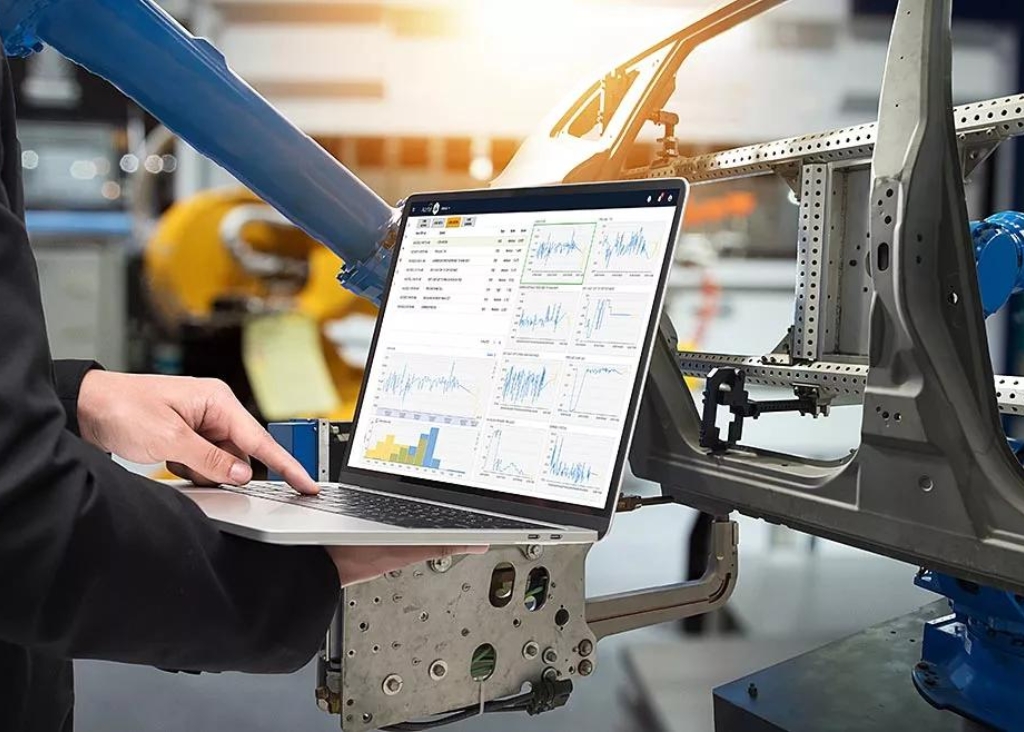
Most quality programs catch defects after they are made. AI-assisted process monitoring catches the process drift that causes them before a single out-of-spec unit exists. That distinction is the whole point: inspecting finished parts tells you how much scrap you already produced, while monitoring the process tells you a defect is coming in time to prevent it. For any plant where scrap and rework carry real cost, the shift from detection to prevention is where the money is. The technology sits on a foundation manufacturers already know. Statistical process control has monitored production since the 1930s, but traditional SPC watches one parameter at a time and reacts after a limit is crossed. AI extends it by watching many variables at once and flagging the interactions that precede a defect. Here is how AI-assisted process monitoring reduces scrap and rework, and what separates a real deployment from a dashboard nobody acts on. Why process monitoring beats end-of-line inspection The economics favor prevention over detection. A defect caught at final inspection has already consumed material, machine time, and labor, and it often forces rework or a customer concession. A process deviation caught early prevents that cost from being incurred at all. The scale of the opportunity is concrete. A single line running high volume at even a few percent scrap loses substantial money every year in direct and hidden costs. Process monitoring targets that number directly by keeping the process inside its control limits rather than sorting good parts from bad after the fact. Building this on connected business process automation is what turns monitoring data into timely action on the floor. What AI adds to traditional SPC Traditional statistical process control is powerful but limited, and understanding the limit shows what AI actually contributes. SPC is fundamentally univariate: it monitors one parameter at a time. Real defects usually emerge from interactions between machine settings, material properties, environmental conditions, and operator actions. Peer-reviewed research shows the gain from adding AI. A study on AI-enabled statistical process control documented line-yield improvements of 1.7% to 2.5% in semiconductor fabs, while reducing false positives by 38% to 46% compared to traditional control charts. Fewer false alarms matter as much as the yield gain, because they build the operator trust that makes a monitoring system get used rather than ignored, especially when connected to the analytics and reporting that gives operators context. Where AI-assisted monitoring reduces scrap The value shows up in specific, measurable places on the production line. Catching process drift before it makes scrap AI monitoring detects the gradual drift in machine parameters, temperature, pressure, cycle time, that precedes out-of-spec output. Flagging drift while the process is still producing good parts is what prevents the scrap, rather than discovering it after a batch is already ruined. Multivariate root-cause analysis Because AI watches many variables together, it supports richer root-cause analysis than single-parameter charts. When a deviation occurs, the system points toward the interacting factors that caused it, shortening the investigation that would otherwise consume engineering time, supported by the data infrastructure that connects the relevant signals. Reducing false alarms that erode trust A monitoring system that cries wolf gets ignored. Cutting false positives substantially keeps operators responding to real signals, which is what makes the difference between a system that reduces scrap and one that gets switched off. How to deploy process monitoring that works The manufacturers getting real scrap reduction follow a disciplined path rather than instrumenting everything at once. Start with one high-value or high-scrap line where the payback is clearest Identify the process variables most correlated with defects and monitor those first Validate AI predictions against actual results before trusting them to trigger action Integrate alerts into existing SPC dashboards and MES rather than forcing a new interface Add operator feedback so the models improve over time, closing the loop between human judgment and AI Deployments that follow this path typically reach production in a couple of months and show measurable scrap reduction within the first several. Grounding the rollout in a governed work and operations management approach keeps monitoring tied to how the floor actually runs. Prevent the defect instead of catching it The manufacturers cutting scrap and rework the most are not inspecting harder at the end of the line. The leaders are monitoring the process so defects never get made. AI-assisted process monitoring extends the SPC discipline manufacturers already trust, watching many variables at once, catching drift before it becomes scrap, and cutting the false alarms that made older systems easy to ignore. Started on one line, validated against real results, and integrated into the tools operators already use, it moves quality from reactive sorting to genuine prevention. That is where the cost comes out. If your operation wants to reduce scrap and rework through AI-assisted process monitoring, connect with Advaiya’s manufacturing team. Advaiya combines Microsoft Azure AI and data platform expertise with the enterprise architecture approach that integrates process monitoring into the SPC, MES, and quality systems your plant already runs. Frequently asked questions What is AI-assisted process monitoring? AI-assisted process monitoring uses machine learning to watch many production variables at once and flag the process drift and variable interactions that precede a defect. Unlike end-of-line inspection, it catches problems before out-of-spec units are made, moving quality from reactive detection to prevention. How does AI process monitoring reduce scrap? AI process monitoring reduces scrap by catching process drift, gradual changes in machine parameters like temperature, pressure, and cycle time, while the process is still producing good parts. Preventing the deviation stops scrap from being made at all, rather than sorting defective parts after material, machine time, and labor are already spent. How is AI different from traditional SPC? Traditional statistical process control is univariate, monitoring one parameter at a time and reacting after a limit is crossed. AI monitors many variables simultaneously and flags the interactions between machine settings, materials, environment, and operator actions that cause most real defects, enabling prevention rather than reaction. Does AI
What US mid-market companies get wrong about agentic AI pilots

Mid-market companies are running agentic AI pilots at a healthy rate. Getting them to production is where they consistently stumble, and the mistakes are specific enough to name. Gartner expects more than 40% of agentic AI projects to be cancelled by 2027, driven by unclear business value, runaway costs, and weak governance, and mid-market firms hit these walls harder because they lack the slack to absorb a stalled program. The encouraging part is that these are execution mistakes, not technology failures, which means they are correctable. The mid-market company that recognizes three or more of the patterns below has a design problem it can fix now, far more cheaply than after a third stalled pilot. The uncomfortable part is that most of these mistakes are baked in before the pilot even starts. Mistake 1: treating the pilot as an experiment instead of a product The single most common mid-market error is framing the pilot as a proof-of-concept experiment rather than the first phase of a production deployment. That framing builds in the conditions for failure. A well-scoped demo with curated data and an engaged team creates conditions that simply do not exist in production. When the pilot succeeds in that controlled environment and then meets real data, real edge cases, and organizational friction, it stalls. Gartner projects that over 40% of agentic AI projects will be cancelled by 2027, and this framing gap is a leading cause. The fix is to treat the pilot as a product from day one, with an owner, defined success metrics, and a path to production designed in from the start, supported by the business process automation that connects it to real workflows. Mistake 2: underestimating the integration reality Mid-market teams routinely underestimate how hard integration becomes once the agent has to touch systems the company does not fully control. The demo runs in a sandbox. Production requires the agent to authenticate, respect compliance workflows, and connect to CRMs, ERPs, and databases reliably. Integration tasks like these get pushed aside until an executive asks for a production timeline, and by then the pilot feels too fragile to scale. Planning the integration work upfront, treating it as the hard part rather than an afterthought, is what the enterprise architecture approach exists to handle. Mistake 3: skipping governance because the company is small Mid-market companies often assume governance is an enterprise concern they can defer. With autonomous agents that take actions on their own, that assumption creates real exposure. When an agent can act independently, accountability questions become urgent: who is responsible when it makes a mistake, how are its decisions audited, and what happens when its behavior drifts from intent? Most stalled projects lack answers. Governance is not bureaucracy here; it is what makes autonomy safe to deploy, and building it into even a small pilot on a governed data infrastructure foundation is what separates a scalable pilot from a liability. Mistake 4: weak or missing success metrics A pilot without specific, measurable success criteria has no basis for the decision to scale or stop, and that ambiguity is where mid-market pilots go to die quietly. Vague goals like “explore AI” or “improve efficiency” cannot be evaluated. Effective pilots define concrete targets: accuracy above a threshold, response time under a limit, hours saved per week, or error rate reduction, measured against a baseline. Connecting those metrics to reliable analytics and reporting gives leadership a clear basis to fund the next phase or redirect the investment. Mistake 5: neglecting change management The technology can work perfectly, and the pilot can still fail if the people whose work it changes were never prepared. Mid-market companies, with leaner teams, often skip this entirely. Adoption is not automatic. Workers need to understand what the agent does, trust its output, and know how their role changes. Neglecting the human side produces a technically successful pilot that nobody uses, which is why the People-Process-Technology discipline treats change management as core to the deployment, not a follow-up task. How mid-market companies get pilots right The mid-market companies that move pilots to production reliably share a discipline that addresses all five mistakes at once. They design the pilot for production from day one, with an owner and a scaling path They plan integration and data work upfront rather than discovering it at the production gate They build governance into the pilot proportionate to the agent’s autonomy They define measurable success criteria against a baseline before starting They prepare the people whose work the agent changes Getting agentic AI right at mid-market scale is less about sophisticated technology and more about deliberate thinking on how to scope, govern, monitor, and iterate. The companies applying that discipline are the ones turning pilots into production capabilities while competitors keep experimenting. Design the pilot for where it needs to end The gap between a mid-market agentic AI pilot and a production system is not a technology gap. The real gap is the set of decisions made before the pilot starts: whether it was scoped as a product, whether integration and governance were planned, whether success was defined, and whether the people were prepared. Get these right and you join the minority that reaches production. Treat the pilot as an isolated experiment and you fund exactly the stalled program the research warns about. If your mid-market company is planning or reviewing an agentic AI pilot, connect with Advaiya’s team. Advaiya brings the enterprise architecture, data, governance, and change management discipline that turns agentic AI pilots into production capabilities, scaled to what a mid-market organization actually needs. Frequently asked questions Why do most agentic AI pilots fail to reach production? Most pilots fail because of execution mistakes, not technology. The common causes are treating the pilot as an experiment rather than a product, underestimating integration, skipping governance, weak success metrics, and neglecting change management. Gartner expects more than 40% of agentic AI projects to be cancelled by 2027. What is the biggest mistake mid-market companies make with AI pilots?