
Portfolio Management vs. Project Management: key differences

Are your teams always busy, but you’re not sure if they’re busy with the right things? You see projects getting completed, but you don’t see the needle moving on your company’s biggest goals. A situation like this is common, and a situation like this comes down to a simple but powerful idea: the difference between project and portfolio management. One is about doing projects right. The other is about doing the right projects. As Larry Bossidy and Ram Charan’s Execution emphasizes, strategy without execution is worthless. Project management provides the execution discipline, while portfolio management ensures that execution energy is directed toward the initiatives that matter most for long-term success. Understanding project portfolio management vs project management is the first step to closing that gap and ensuring every bit of effort pushes your business forward. This guide will give you a clear look at the roles of Project Management and Portfolio Management, how they differ, and why you need both to succeed. What is project management? Let’s start with Project Management. A project is a temporary effort with a specific start and end date, designed to create a unique product, service, or result. Project Management is the discipline of planning, executing, and completing that work. A system like this is all about tactical project execution. Think of a project manager as the builder of a single house. The builder’s job is to: Manage the budget and make sure costs don’t spiral out of control. Create a schedule and ensure the house is built on time. Coordinate the resources—the carpenters, electricians, and plumbers—to get the job done. Ensure the final house meets the blueprint’s specifications and quality standards. The project manager’s focus is tactical. Success is measured by delivering the project on time, within budget, and according to scope. A project manager is focused on the “how” and “when” of a single initiative. A project manager worries about project risk management for a single project, like a supplier delivering materials late for their specific house. What is portfolio management? Now, let’s zoom out to Portfolio Management. A portfolio is a collection of projects, programs, and even other portfolios that are grouped together to achieve strategic business objectives. Portfolio Management is the centralized management of that collection. If the project manager builds the house, the portfolio manager is the real estate developer who decides which houses to build, where to build them, and which ones will provide the best return on investment for the company. Richard Rumelt’s Good Strategy Bad Strategy teaches us that effective strategy requires choosing what not to do as much as what to do. Portfolio Management operationalizes this principle, providing the framework to systematically evaluate, prioritize, and sometimes eliminate projects that don’t align with strategic objectives. A portfolio manager’s job is to: Select and prioritize projects that align with the company’s strategic goals. Balance the portfolio to manage overall risk and resource allocation. Monitor the performance of the entire portfolio to ensure a system like this is delivering the expected value. Make tough decisions about which projects to fund, which to put on hold, and which to cancel. The portfolio manager’s focus is strategic. Success is measured by the overall performance and value of the entire portfolio, not just the completion of individual projects. A portfolio manager is focused on the “what” and “why” of all the company’s initiatives. A system like this involves a portfolio risk assessment, worrying about having too many high-risk projects or if a market downturn will affect all construction projects. The key difference between project and portfolio management While both disciplines are crucial, their objectives and approaches are fundamentally different. Here’s a breakdown of project management vs project portfolio management. Focus: tactical vs. strategic The most important difference between project and portfolio management is the focus. Project management is tactical. A project manager is concerned with the day-to-day work of delivering a specific outcome. The main questions are, “Are we on schedule?” and “Are we on budget?” Portfolio management is strategic. A portfolio manager is concerned with the big picture and business objective alignment. The main questions are, “Are we working on the right things?” and “Is this portfolio helping us achieve our business goals?” Timeline: temporary vs. ongoing Project management deals with temporary endeavors. A project has a defined start and end. Once the house is built, the project is complete. A system like this is focused on short-term planning. Portfolio management is an ongoing process. A portfolio exists as long as the organization has strategic goals to pursue. As the business strategy evolves, the portfolio of projects changes with it. A system like this is focused on long-term planning. Scope: defined vs. dynamic Project Management works within a defined scope. A project manager’s job is to prevent “scope creep” and deliver what was originally agreed upon. Portfolio Management deals with a dynamic scope. A portfolio manager is constantly evaluating the mix of projects, adding new ones, and removing ones that no longer align with the strategy. Change is not something to be avoided; a system like this is designed to manage change. Success metrics: outputs vs. outcomes Project management success is measured by outputs and project success criteria. Was the project delivered on time, on budget, and to the required quality? Portfolio management success is measured by outcomes and portfolio performance metrics. Did the portfolio deliver the expected business value? Did we achieve strategic value realization? Resource management: project-level vs. portfolio-level Project management focuses on securing and managing resources for a single project. A project manager needs to make sure their house has enough lumber. Portfolio management focuses on resource allocation across projects. Eliyahu Goldratt’s The Goal demonstrates that every system is limited by its constraints. Portfolio Management applies this insight at enterprise scale, identifying resource bottlenecks and project resource constraints that affect multiple projects, then optimizing allocation to maximize overall throughput and resource utilization efficiency. Decision-making: execution-focused vs. investment-focused Project management decisions are about how to best execute the
Top 10 cloud migration tools for businesses in 2025

Are your on-premise servers starting to feel more like anchors than assets? You’re dealing with expensive maintenance, security worries, and a system that just can’t keep up with the speed of your business. You know moving to the cloud is the answer, but the migration process itself seems overwhelming. How do you move years of data, applications, and infrastructure without causing a major disruption? The answer is using the right cloud migration tools. As Gregor Hohpe demonstrates in Cloud Strategy, successful cloud adoption requires thinking beyond technology to embrace new operating models. The most effective cloud migration software doesn’t just move data; a system like this enables the architectural and operational transformations that unlock the cloud’s true business value. This guide will give you a clear look at the top 10 cloud migration tools on the market. We’ll cover what to look for, the different types of tools available, and how to choose the right one to make your digital transformation journey a success. What are cloud migration tools and why do you need them? Let’s start with a simple definition. Cloud migration tools are applications and platforms designed to help you move your data, workloads, and applications from an on-premise data center to a cloud environment, or from one cloud to another. Without these tools, a cloud migration is a manual, risky, and time-consuming process. With the right tools, you get: Faster migration: Cloud migration automation handles many of the repetitive tasks, which significantly speeds up the process and accelerates your migration timeline acceleration. Reduced risk: Tools like this are designed to minimize downtime and prevent data loss during the migration, supporting business continuity during migration. Cost optimization: Many tools can analyze your usage patterns and recommend the most cost-effective cloud resources for your workloads, enabling cloud migration cost optimization. Better performance: The right tool ensures your applications are configured correctly in the cloud for post-migration performance optimization. A good set of cloud data migration tools is essential for any business that wants to move to the cloud efficiently and with confidence. How to choose the right cloud migration software With so many options out there, how do you pick the right one? Here are the key features you should look for. Assessment capabilities: Before you move anything, you need to know what you have. Good cloud migration assessment tools will scan your on-premise environment and give you a detailed inventory of your servers, applications, and dependencies. A setup like this is a key part of a migration readiness evaluation. Data migration features: Look for tools that can handle different types of data and offer features like continuous data replication and validation to ensure a smooth and secure cloud data transfer. Application migration support: The tool should support the specific types of applications you need to move, whether a system like this is for legacy system modernization or application containerization. Security and compliance: You’re moving your most critical business assets. Ensure the platform has robust security features, encryption during migration, and can help you meet your industry’s compliance requirements. A security-first migration approach is non-negotiable. Minimal downtime: Look for zero-downtime migration tools that offer live migration capabilities to keep your systems running during the move. The top 10 cloud migration tools Here’s a look at some of the best cloud migration tools available today. 1. Azure Migrate Azure Migrate is Microsoft’s native toolkit for planning and executing your move to the Azure cloud. As a Microsoft Solutions Partner with deep expertise in Azure, we know how powerful a system like this can be for a seamless migration. Key features: You get a centralized hub for assessment, migration, and modernization. A system like this offers agentless discovery of your on-premise servers, dependency analysis to see how your applications are connected, and cost estimation to plan your budget. Best for: Any business planning a migration to Microsoft Azure. A system like this is the most integrated and comprehensive solution for moving to the Azure ecosystem. 2. AWS Migration Services Amazon Web Services (AWS) offers a suite of tools designed to help you move to their cloud platform. Key features: The suite includes tools like AWS Server Migration Service (SMS) for moving on-premise servers and AWS Data Migration Service (DMS) for moving databases. Best for: Businesses that have chosen AWS as their cloud provider and want to use native tools for the migration. 3. Google Migrate for Compute Engine Google Cloud’s primary migration tool helps you move virtual machines from your on-premise environment or other clouds into Google Compute Engine. Key features: A system like this offers live streaming migration to minimize downtime and automatically adapts your workloads to run on Google Cloud. Best for: Organizations that are migrating their virtual machine-based workloads to Google Cloud Platform. 4. Zerto (a Hewlett Packard Enterprise company) Zerto is a leader in disaster recovery and cloud mobility. Its platform is excellent for complex migrations that require minimal downtime. Key features: You get continuous data protection and journaling technology that allows you to rewind to any point in time, which dramatically reduces risk. A system like this offers automated, non-disruptive migration validation testing. Best for: Enterprises with mission-critical applications that cannot afford any significant downtime during the migration process. 5. Carbonite Migrate Carbonite Migrate allows you to move physical, virtual, and cloud workloads over any distance with minimal risk and near-zero downtime. Key features: A system like this uses real-time, byte-level replication to create a replica of your source system on the target server. A system like this allows you to test the new environment without impacting your production systems. Best for: Businesses of all sizes, including those looking for cloud migration for small business, that need a reliable and flexible tool for moving a wide range of workloads. 6. Fivetran Fivetran is a leader in automated data movement. While not a full infrastructure migration tool, a system like this is one of the best cloud data migration tools for moving data into a cloud
What are CRM features and why do they matter?

Are your sales reps drowning in admin work? Is your sales data scattered across a dozen spreadsheets? When you can’t get a clear view of your pipeline, you can’t forecast accurately, you can’t coach effectively, and you can’t hit your numbers consistently. You’re managing chaos, not a sales process. You need a way to bring order to your sales operation. You need a modern customer relationship management (CRM) system with the right features. Trish Bertuzzi’s The Sales Development Playbook emphasizes that sustainable sales growth comes from systematic process execution, not individual heroics. The right CRM software features operationalize this philosophy, creating a predictable engine for your sales team. A good CRM is more than just a digital address book; a system like this is a complete toolkit for planning, executing, and analyzing your entire sales strategy. But with so many options out there, which features of customer relationship management are truly essential? Our guide will give you a clear look at the core customer relationship management system functions you need to build a high-performing sales team. Essential CRM core features Let’s start with the absolute basics. Any CRM worth considering must have a solid foundation. Contact management A CRM must provide a unified, 360-degree view of every customer. A feature like this means that when a sales rep pulls up a contact record, they see everything: contact information, communication history, deal history, and any customer service issues. Having all your customer interaction history in one place is a core customer relationship management system features. A setup like this allows any rep to have an intelligent, contextual conversation. For a Fortune 500 client, we unified multiple CRM systems into a single global platform, reducing data redundancy by 65% and giving them this exact complete view of their customers. CRM dashboard and user interface If the software is hard to use, your team won’t use it. A clean, intuitive dashboard is crucial for user adoption. A good dashboard gives you a quick, visual summary of your most important metrics, like your open pipeline, activities due, and recent wins. Mobile CRM capabilities Your sales reps are often on the road. Good mobile sales applications are no longer a nice-to-have; a feature like this is essential. A mobile app allows your reps to access customer information before a meeting, update deal status immediately after, and log calls from their phone, ensuring your CRM data is always up-to-date. Advanced data and analytics features You can’t improve what you can’t measure. Robust reporting and analytics are essential. CRM analytics and reporting Thomas Davenport’s Competing on Analytics shows that data-driven organizations outperform their competitors. CRM analytics features turn sales from an intuitive art into a predictive science. You need customizable reports and a sales metrics dashboard that can show you key information like sales performance by rep, lead conversion rates, and sales cycle length. A feature like this gives you the data you need to be a great sales coach. Sales pipeline visualization A visual sales pipeline is one of the most critical features for any sales manager. A feature like this gives you a clear, drag-and-drop view of every deal, organized by the stages of your sales process. With sales pipeline visualization, you can see at a glance how many deals are in each stage, the total value, and which deals are getting “stuck” and need attention. A system like this is essential for sales funnel optimization. Sales forecasting When your pipeline data is accurate and centralized, you can forecast your sales with much greater confidence. Good sales forecasting tools use your historical data to predict how much revenue you’re likely to close in a given period. An accurate forecast helps you make better decisions about hiring and budgeting, improving your revenue forecasting accuracy. Sales management features A good CRM is a sales manager’s best friend. Look for these specific features to help you lead your team. Lead management and lead scoring A CRM should help you manage new leads from the moment they come in. A system like this should also include lead scoring algorithms. A feature like this automatically ranks your leads based on their demographics and engagement level, helping your team focus on the ones most likely to close. A system like this is a key part of an effective lead qualification process. Sales opportunity management An opportunity management system is where your reps will spend most of their time. A system like this allows them to track every deal, associate contacts with a deal, log activities, and see a clear path to closing. Employee performance tracking Jason Jordan and Michelle Vazzana’s Cracking the Sales Management Code demonstrates that sales managers must focus on leading indicators, not just results. CRM sales activity reporting and performance dashboards provide this forward-looking visibility, enabling you to coach the behaviors that drive results. You can track calls, emails, and meetings per rep to see who is on track and who needs help. Automation and AI features Automation is one of the most powerful aspects of a modern CRM. Automated workflows and approvals Your sales reps should be selling, not doing data entry. Sales workflow automation can handle the busywork. David Allen’s The Discipline of Getting Things Done emphasizes that trusted systems enable peak performance. CRM workflow automation creates this trusted system for sales teams. You can set up rules to automatically assign leads, create follow-up tasks, and send notification emails, ensuring no opportunity is lost due to poor execution. Artificial intelligence (AI) and machine learning The most advanced CRMs now include AI. Predictive sales analytics can analyze your data to provide insights that help your team sell smarter. AI can help you score leads, forecast sales, and even recommend the next best action for a rep to take with a prospect. Our AI-enabled teams are experienced in embedding AI-based use cases into solutions like this to create better experiences for our clients. Communication and collaboration features A CRM should be the central hub for all your
9 best Sales Management Software & Tools

What is sales management software and who is it built for? Are your sales reps drowning in admin work? Is your sales data scattered across a dozen spreadsheets? When you can’t get a clear view of your pipeline, you can’t forecast accurately, you can’t coach effectively, and you can’t hit your numbers consistently. You’re managing chaos, not a sales process. You need a way to bring order to your sales operation. You need modern sales management software. Mark Roberge’s The Sales Acceleration Formula proves that sustainable sales growth comes from systematic optimization, not individual heroics. A good sales management system provides the infrastructure to implement a data-driven methodology, turning sales from an art into a predictable science. A system like this is more than just a digital address book; a system like this is a complete toolkit for planning, executing, and analyzing your entire sales strategy. This guide will give you a clear look at the best sales management software on the market and help you choose the right one to build a high-performing sales team. Who uses sales management software? Individual sales reps: Reps use a sales management solution to manage their leads, track their activities, and automate follow-ups, freeing them up to spend more time selling. Sales managers: Managers use a system like this for sales pipeline management, performance tracking, and coaching their teams to improve sales quota attainment. Sales directors and executives: Executives rely on a sales management system for high-level sales performance analytics, accurate revenue forecasting, and ensuring the sales strategy aligns with business goals. Which industries use sales management software? Virtually every industry benefits from a structured sales process. A sales management software is crucial for SaaS companies managing subscriptions, real estate agents tracking properties and clients, e-commerce businesses looking for lead conversion optimization, and consulting firms managing long sales cycles. Top sales management software tools for 2025 Here’s a look at some of the top sales management tools available today. 1. Microsoft dynamics 365 sales Microsoft Dynamics 365 Sales is a powerful and intelligent sales management software that is deeply integrated with the Microsoft ecosystem. As a Microsoft Solutions Partner, we have deep expertise in helping organizations implement and customize a system like this to fit their unique needs 1. Key features: You get AI-powered sales assistance to guide sellers, a configurable sales process, and seamless integration with Outlook, Teams, and Power BI for advanced analytics. A system like this is built on a flexible platform that can be extended with custom apps 1. Best for: Businesses of all sizes that are already using Microsoft products and want a single, unified platform for their sales, marketing, and customer service operations. 2. Salesforce sales cloud Salesforce is the market leader in the CRM and sales management software space, and for good reason. A system like this is incredibly powerful and customizable. Key features: You get robust tools for lead management, opportunity tracking, and sales forecasting. The Salesforce AppExchange offers thousands of integrations to extend the platform’s functionality. Best for: Companies of all sizes, from startups to large enterprises, that need a highly scalable and customizable sales management solution. 3. HubSpot sales hub HubSpot is famous for its inbound marketing platform, and its Sales Hub is a top-tier sales management system that is incredibly user-friendly. Key features: You get a free CRM to start, plus tools for email tracking, meeting scheduling, and pipeline management. The paid versions add powerful automation and reporting features. Best for: Small and medium-sized businesses, especially those that want to tightly align their sales and marketing efforts. 4. Zoho crm Zoho offers a massive suite of business applications, and its CRM is a powerful and affordable sales management software. Key features: You get tools for sales force automation, process management, and performance management. Zoho’s AI-powered assistant, Zia, can help with predictions and suggestions. Best for: Businesses of any size that are looking for an all-in-one solution that goes beyond sales and includes tools for marketing, support, and finance. 5. Pipedrive Pipedrive is a sales management tool that is built around the concept of a visual sales pipeline. A system like this is known for its simplicity and ease of use. Key features: You get a clear, visual interface that helps reps focus on the activities that drive deals forward. A system like this also has features for lead management, communication tracking, and reporting. Best for: Small and medium-sized businesses that want a simple, intuitive, and pipeline-focused sales management system. 6. Freshsales (by Freshworks) Freshsales is an all-in-one sales management software that includes a built-in phone and email, making it easy for reps to communicate with prospects without leaving the app. Key features: You get automated lead scoring, a visual sales pipeline, and intelligent workflows to automate tasks. A system like this is part of the larger Freshworks ecosystem of business software. Best for: Small and medium-sized businesses that want a single platform to manage sales, marketing, and customer support. 7. Zendesk sell Zendesk is a leader in customer service software, and Zendesk Sell is its sales management solution, designed with the user experience in mind. Key features: You get tools for email tracking, call logging, and sales reporting. A system like this integrates seamlessly with Zendesk’s support platform, giving you a complete view of the customer journey. Best for: Sales teams that want a simple, user-friendly CRM, especially if their company already uses Zendesk for customer support. 8. Salesloft Salesloft is a leading sales engagement platform. While not a traditional CRM, many teams use a system like this as their primary sales management tool for prospecting and pipeline generation. Key features: You get powerful tools for building multi-channel outreach cadences, tracking engagement, and coaching reps based on call recordings and analytics. A system like this is one of the top prospecting automation tools. Best for: Sales teams that are focused on high-volume outbound prospecting and want to improve the effectiveness of their outreach. 9. Outreach Outreach is another top player in
10 best Project Portfolio Management PPM software & tools in 2025
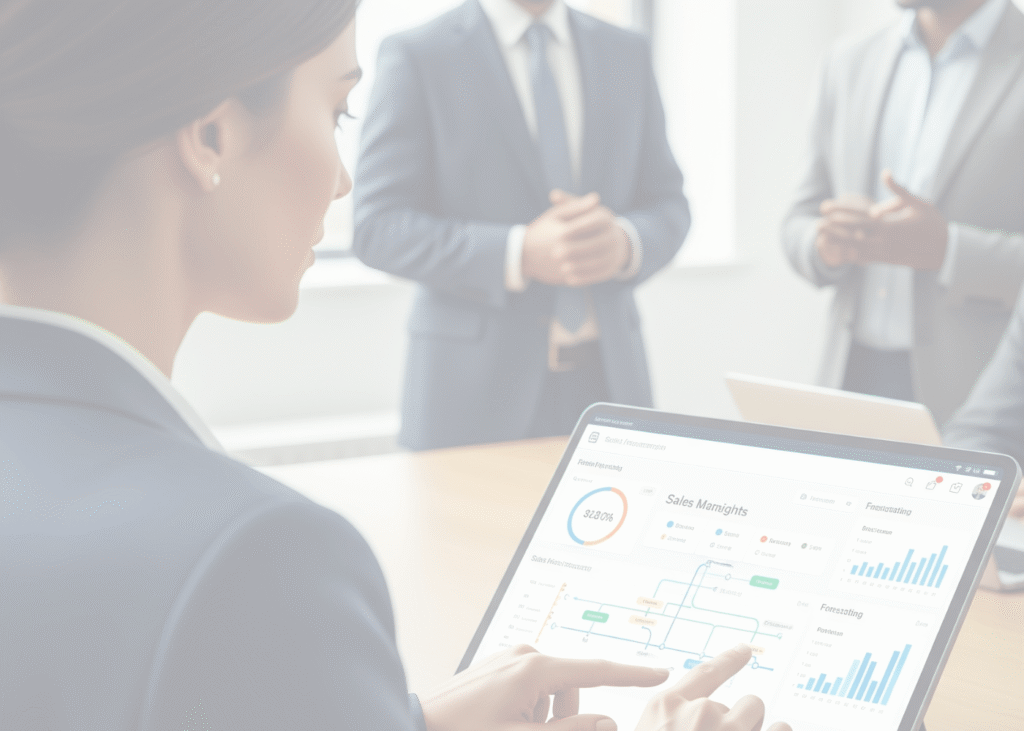
What is project portfolio management (PPM) software? Are you juggling too many projects with too few resources? Do you feel like your teams are working hard, but you’re not sure if they’re working on the right things? When you can’t connect your projects to your company’s strategic goals, you end up wasting time, money, and effort. You need a way to see the big picture. You need project portfolio management (PPM). As Lawrence Hrebiniak demonstrates in Executing Strategy, the most brilliant strategies fail without proper execution mechanisms. Modern PPM software serves as the critical bridge between boardroom vision and project-level reality, ensuring every initiative contributes to strategic objectives. A good PPM tool helps you select and manage the right mix of projects—your portfolio—to maximize your business value. This guide will give you a clear look at the best PPM software on the market and help you choose the right one to align your projects with your goals. Top project portfolio management software for 2025 Here’s a look at some of the top PPM tools available today. 1. Microsoft Project Microsoft Project is one of the most well-known names in project management, and its modern cloud-based version is a powerful PPM solution. As a Microsoft Solutions Partner, we have deep expertise in helping organizations get the most out of a system like this 1. Key features: You get robust scheduling, portfolio optimization techniques, demand management, and detailed financial planning. A system like this integrates seamlessly with the rest of the Microsoft ecosystem, including Power BI for intelligent portfolio dashboards and Teams for collaboration. Best for: Organizations of all sizes that are invested in the Microsoft platform and need a comprehensive, enterprise PPM solution. 2. Jira Align Jira Align is an enterprise agile planning platform from Atlassian. A system like this is designed to connect your business strategy to your technical execution. Key features: You get features for strategy mapping, portfolio roadmapping, and tracking the flow of value. A system like this provides strong support for the scaled agile framework portfolio. Best for: Large enterprises that have adopted agile at scale and need to align multiple agile teams to a common strategy. 3. Planview Planview offers a suite of solutions for strategic portfolio management and enterprise agile planning. A company like this provides tools for the entire strategy-to-delivery lifecycle. Key features: You get capabilities for strategic planning, investment and capacity planning, and project portfolio management. A company like this has strong financial management and scenario planning software. Best for: Large enterprises that need a comprehensive solution for connecting strategy to execution across different work methodologies. 4. Broadcom clarity Clarity is a long-standing enterprise PPM tool that provides comprehensive capabilities for managing large and complex portfolios. Key features: You get robust features for portfolio planning, resource management, and financial tracking. A system like this is known for its powerful investment planning and what-if analysis tools. Best for: Large, mature organizations, particularly in industries like finance and government, that need a highly structured and powerful PPM solution. 5. Smartsheet Smartsheet is a flexible work management platform that can be configured to handle project and portfolio management. Key features: You get a familiar spreadsheet-like interface with powerful features like automated workflows, reporting dashboards, and resource management. A system like this is highly customizable. Best for: Businesses that need a flexible, easy-to-use platform that can be adapted for a wide range of use cases, including PPM. 6. Wrike Wrike is a versatile work management tool that offers features for project and portfolio management, designed to improve collaboration and visibility. Key features: You get customizable dashboards, Gantt charts, resource management, and automated workflows. A system like this has strong features for cross-functional collaboration. Best for: Marketing and professional services teams, as well as any organization looking for a collaborative platform with solid PPM capabilities. 7. Monday.com Monday.com is a visual and flexible Work OS that can be customized to serve as a PPM tool. Key features: You get highly visual dashboards, multiple project views (like Kanban and Gantt), and powerful automation capabilities. A system like this is known for its ease of use and customizability. Best for: Teams and organizations that want a flexible, user-friendly platform they can tailor to their specific PPM processes. 8. Asana Asana is a popular work management tool that has expanded its features to support portfolio management. Key features: You get portfolio-level views to monitor the status of all your key projects in one place. A system like this offers workload management to see team capacity and real-time reporting dashboards. Best for: Organizations that are already using Asana for task and project management and want to add a layer of portfolio visibility. 9. Planisware Planisware provides a comprehensive PPM solution that is particularly strong for R&D, engineering, and new product development. Key features: You get robust features for strategic roadmapping, cost management, and resource planning. A system like this excels at managing complex product portfolios. Best for: Large organizations in manufacturing, life sciences, and other product-driven industries. 10. Sciforma Sciforma is a flexible and scalable PPM software that can be adapted to different project management methodologies, from waterfall to agile. Key features: You get tools for demand management, portfolio simulation, resource management, and financial tracking. A system like this is designed to be configurable to your specific needs. Best for: Organizations that need a single tool to manage a hybrid project methodologies portfolio. Benefits of using PPM software A dedicated PPM software is more than just a fancy to-do list. A system like this is essential for any organization that wants to make smart, data-driven decisions about its projects. Higher visibility and control: You get a complete, real-time view of your entire portfolio, from end to end. Strategic portfolio management: You can score and rank potential projects based on how well they support your business goals. A setup like this ensures you’re investing your limited resources in the work that matters most. Compliance and risk management: A PPM tool helps you
The role of ERP in Supply Chain Management

Is your supply chain running on disconnected spreadsheets, endless emails, and guesswork? When your inventory data doesn’t talk to your sales data, and your warehouse doesn’t know what procurement is doing, you get delays, costly errors, and unhappy customers. You’re constantly reacting to problems instead of getting ahead of them. There’s a better way. The key is integrating your enterprise resource planning and supply chain management. An enterprise resource planning (ERP) system acts as the central nervous system for your entire operation, connecting every link in your supply chain into a single, intelligent system. As Brad Stone revealed in The Everything Store, Amazon’s dominance stems not from better products, but from superior supply chain orchestration. Modern ERP systems provide the same strategic advantage—turning logistics excellence into an unassailable competitive position. This guide will give you a clear look at what is ERP in supply chain management, the real-world advantages of ERP in supply chain management, and how to choose the best ERP for supply chain management to build a more resilient and efficient operation. What is enterprise resource planning (ERP)? An ERP system is a software platform that integrates all your essential business functions into one place. Instead of having separate tools for finance, sales, and operations, an ERP creates a single, unified database. A setup like this gives you a complete, real-time picture of your business. How ERP integrates business functions and processes The core idea of an ERP is to break down information silos. When a sales order is entered, the system automatically updates inventory levels, notifies the warehouse, and creates an entry in the financial ledger. Every department works from the same live data, which eliminates manual data entry, reduces errors, and speeds up your entire operation. On-premise vs cloud-based ERP deployment options You have two main ways to deploy an ERP. On-premise means you buy and maintain the servers and software yourself. A cloud-based ERP is hosted by a vendor, and you access a system like this over the internet for a subscription fee. For most modern businesses, a cloud ERP offers more flexibility, lower upfront costs, and better security. Core components of an ERP system A modern ERP is made up of different modules that handle specific business functions. Financial management and accounting: The financial module is the core of any ERP, managing your general ledger, accounts payable, accounts receivable, and financial reporting. Supply chain management (SCM): A crucial component, the SCM module handles everything from procurement and inventory to warehouse management and logistics. We’ll focus heavily on supply chain management in ERP here. Manufacturing and production: For companies that make products, a module like this manages production scheduling, quality control, and shop floor operations. Sales and customer relationship management (CRM): A CRM module helps you manage your customer data, track sales opportunities, and run marketing campaigns. Human resources management (HRM): An HRM module handles payroll, employee records, and talent management. Business intelligence and analytics: An analytics module turns the vast amount of data in your ERP into actionable insights, helping you make smarter decisions. The role of ERP in supply chain management Michael Porter’s Competitive Strategy identifies logistics as a key component of competitive advantage. An ERP system operationalizes this insight, providing the coordination and visibility needed to turn supply chain management from a support function into a strategic differentiator. Integration and centralization: An ERP provides end-to-end supply chain integration. Your procurement, manufacturing, and logistics processes are no longer separate; they are part of a single, coordinated flow. Process automation: An ERP automates countless manual tasks. Procurement process automation, for example, can handle everything from creating purchase orders to paying suppliers. Real-time visibility: You get supply chain visibility and control like never before. With real-time supply chain monitoring, you can see inventory levels, production status, and shipment locations instantly. Improved efficiency: Eliyahu Goldratt’s The Goal teaches us that a chain is only as strong as its weakest link. An ERP system applies this principle at scale, providing the visibility to identify constraints and the coordination to eliminate them across every stage of the supply chain. Agility and responsiveness: When disruptions happen, real-time data allows you to pivot quickly. You can adjust production schedules, find alternate suppliers, and reroute shipments to minimize impact. Analytics and intelligence: Thomas Davenport’s Competing on Analytics demonstrates how data-driven organizations outperform their competitors. An ERP system provides the integrated data foundation that turns supply chain management from intuition-based to evidence-based decision making. 13 ways to use ERP to improve supply chain management Planning: An ERP improves demand forecasting and planning. Using historical data and AI-powered supply chain analytics, you can predict future demand with greater accuracy. Purchasing: You can automate the entire procure-to-pay cycle, from creating requisitions to approving invoices, which speeds up the process and reduces errors. Procurement: A system like this helps you manage supplier collaboration platforms, track performance, and negotiate better terms, leading to improved supplier relationships. Supply chain execution: An ERP coordinates all the moving parts of your supply chain, from the factory floor to the customer’s door, ensuring smooth and efficient execution. Monitoring: With supplier performance monitoring and real-time dashboards, you can track key performance indicators (KPIs) and quickly spot any issues that need attention. Maintenance: For manufacturing companies, an ERP can schedule preventative maintenance for machinery, reducing downtime and keeping production on schedule. Measurement: You can easily measure critical metrics like on-time delivery rates, inventory turnover, and order fulfillment costs to drive continuous improvement. Collaboration and communication: An ERP acts as a central hub for communication, ensuring that all stakeholders, both internal and external, are on the same page. Inventory management: You can implement advanced inventory optimization strategies to reduce carrying costs while preventing stockouts. A system like this is essential for multi-location inventory tracking. Warehouse management: An integrated warehouse management systems (WMS) module optimizes picking, packing, and shipping processes for maximum efficiency. Material management/material requirements planning (MRP): An ERP ensures you have the right materials in the right place at the right