
What benefits does business process automation (BPA) offer?

In the landscape of business, business process automation (BPA) is a game-changer. Picture a day where routine tasks are managed autonomously, data is processed without the need for human intervention, and business procedures are executed with unparalleled efficiency. This is not a futuristic concept, but a present reality made feasible by BPA. Welcome to the forefront of business innovation, where BPA is the catalyst for streamlined and effective operations. What is business process automation (BPA)? BPA is the strategic use of technology to automate repetitive tasks within a business process. Imagine streamlining workflows, eliminating errors, and freeing up your team’s time for higher-value activities. That’s the power of BPA. Advaiya: your trusted partner in business process automation At Advaiya, we understand the transformative potential of BPA. We don’t just offer generic solutions; we take a deep dive into your unique business needs and craft customized applications that seamlessly integrate with your existing infrastructure. Explore the benefits of business process automation So, what exactly can BPA do for your business? Let’s explore some of the key benefits: Enhanced efficiency: Imagine automating tasks like data entry, approval processes, and report generation. BPA streamlines workflows eliminates manual errors and frees up your team to focus on more strategic initiatives. Improved productivity: With repetitive tasks automated, your employees can dedicate their time and skills to higher-value activities. This leads to a significant boost in overall productivity. Reduced costs: Manual processes are prone to errors, which can lead to rework and lost time. BPA minimizes errors and streamlines operations, resulting in significant cost savings. Increased scalability: As your business grows, your BPA solutions can grow with you. Advaiya’s low-code automation tools and Microsoft Power Platform expertise ensure your systems are adaptable and scalable to meet your evolving needs. Improved decision-making: BPA can automate data collection and analysis, providing valuable insights to support informed decision-making. Enhanced customer satisfaction: Streamlined processes mean faster turnaround times and fewer errors. This translates to a more positive customer experience. Boosted employee morale: Repetitive tasks can be tedious and demotivating. By automating these tasks, BPA empowers your employees to focus on more engaging and fulfilling work. Advaiya’s approach to business process automation We take a multi-pronged approach to BPA, ensuring your success: Leveraging the Power of Microsoft Power Platform: Our team is adept at utilizing the robust capabilities of Microsoft Power Platform to build scalable and secure automation solutions. Inaccurate calculations: Manually calculating metrics like greenhouse gas emissions is prone to human error. Inconsistent methodologies across departments further compromise data accuracy. Staying Ahead of the Curve: We constantly stay updated on the latest advancements in BPA technology and integrate them into our solutions. This ensures you have access to the most cutting-edge tools. Maximizing Existing Investments: We don’t believe in rip-and-replace solutions. Our experts seamlessly integrate BPA with your existing technology and data infrastructure, maximizing your return on investment. Phased Implementation for Agility: We understand that business needs can evolve rapidly. Our phased approach allows for flexible implementation, adapting to your changing requirements. Conclusion: Investing in business process automation In today’s competitive business environment, embracing innovative solutions like BPA is no longer a choice, it’s a necessity. Advaiya can be your trusted partner in this transformation journey. We offer a comprehensive suite of BPA consulting and implementation services, tailored to your unique needs. Ready to unlock the power of business process automation? Contact Advaiya today for a free consultation! References: https://learn.microsoft.com/en-us/training/paths/automate-process-power-automate/ https://access.redhat.com/products/red-hat-process-automation-manager/ Additional Resources: Advaiya business process automation Solutions: https://advaiya.com/solutions/work-and-operations-management/business-process-automation/
Microsoft Syntex – Simplifies document management with AI brilliance!

As organizations go digital, they’re accumulating a lot of digital stuff. Businesses use content like proposals, contracts, invoices, designs, plans, and training videos. But here’s the thing: important info is scattered everywhere, and digging it out from thousands of documents each week is a real hassle. In the age of AI, can’t we simplify the process? Instead of sorting through hundreds or thousands of files, imagine one smart solution extracting data, streamlining searches, and understanding content automatically. Can we directly build content understanding and classification capability into the content management flow? SharePoint stands out as a leading platform for efficient document management, widely adopted by organizations. Having utilized it for years, I appreciate its robust features—streamlining the loading, storing, organization, and retrieval of documents. SharePoint excels in sorting files to your preference, facilitating easy search and retrieval. Beyond these essentials, it offers crucial document management features such as version control, configurable permissions, and onboard editing tools. What sets SharePoint apart for me is its user-friendly customization, allowing the addition of custom columns for capturing file metadata. Moreover, creating multiple tailored views caters to diverse business roles, enabling filtered and sorted displays. These customizable views can be strategically placed within a SharePoint site, efficiently directing individuals to the precise information needed for their tasks. Hello, I’m Kamal. I’m an experienced communications and learning professional with a background in SharePoint. I’ve been an end-user and a designer, creating solutions using SharePoint and Microsoft 365 services. Extracting valuable insights from documents within SharePoint libraries has been one of the most challenging tasks I’ve tackled. On the SharePoint platform, when storing documents or filling out forms, it would be ideal if information could automatically be extracted into SharePoint libraries. For instance, imagine automatically importing numerous proposals into a document library and having SharePoint recognize clients, participants, costs, and timelines. You could also extract totals from a group of contracts and add that data directly to a SharePoint library column. While possible, it currently demands significant manual effort, time, and technical skills. Some users have started using Power Automate workflows to extract limited information from specific document types, but this requires technical expertise and a separate workflow for each document library. I have a solution for you! So, I have a treat for you. Welcome to Microsoft’s SharePoint Syntex. Microsoft Syntex is a Microsoft 365 service that uses advanced content artificial intelligence (AI) and machine learning to provide an end-to-end intelligent document processing solution for your organization. Microsoft Syntex is a set of content Artificial Intelligence (AI) services available as a premium offering with Microsoft 365 to help you discover information, process content, and ensure content compliance with your organization’s documents stored in SharePoint. SharePoint Syntex. Welcome to Microsoft’s SharePoint Syntex! Syntex, part of Microsoft 365, is a powerful service that leverages advanced artificial intelligence (AI) and machine learning to offer a comprehensive solution for intelligent document processing in your organization. SharePoint Syntex. This set of content AI services, available as a premium feature with Microsoft 365, is designed to assist you in discovering information, processing content, and ensuring compliance with your organization’s documents stored in SharePoint. SharePoint Syntex. Syntex simplifies the extraction of information from various documents and forms, providing a fast and efficient way to access essential business data. The best part? It doesn’t require coding, making it accessible to users without a developer background. With automation and machine learning, you can effortlessly transform business content into valuable knowledge. SharePoint Syntex. If that sounds intriguing, you’re not alone – it’s captivating to me too! Syntex utilizes AI to automatically read, tag, and index large volumes of content, connecting it where it’s most needed – in search, applications, and as reusable knowledge. Syntex manages your data throughout the content lifecycle with robust analytics, security features, and automated retention. SharePoint Syntex. Exciting, isn’t it? SharePoint Syntex. Conclusion SharePoint Syntex. I believe Microsoft Syntex is a great way for companies to unlock valuable information from their content without the hassle of manual effort. However, it’s still in its early stages and evolving quickly. For the latest tips, troubleshooting, and updates, I recommend checking the Power Apps Community Forum and Microsoft Tech Community resource page for Syntex. SharePoint Syntex. Remember that Syntex may not be suitable for everyone due to its cost and setup time. Yet, its potential is evident, and I anticipate many businesses will find value in this powerful tool. I hope you enjoyed reading about Microsoft Syntex and got some ideas to try!
Improve workplace productivity with Teams document management

Many factors affect workforce productivity. One of these is the ability to find the right documents, resources, and files at the right moment. This affects enterprise productivity, the pace of work, and employee productivity. It also allows employees to concentrate on more valuable activities like innovation, strategy, training, and skill enhancement. Research shows that employees are spending more time searching for critical documents in cluttered online document management systems than they are focusing on providing workplace value. The research found that 54% of US office workers surveyed said they spend more time looking for files and documents than responding to emails and other messages. In their day-to-day business, organizations generate a lot of documentation and data that includes details about business transactions. This includes key information such as the transaction’s details, names of parties, amounts paid, dates, and the nature of the transaction. These documents, also known as source documents, must be stored in a way that is easy to locate. Organizations fail to address this crucial aspect, resulting in inefficiency and inefficient routine operations. This is compounded when you consider the documentation and information created by remote teams or dispersed workers in a hybrid work environment. It is not about just storing and cataloging but also accessing the information quickly for correct decision-making. To make accurate decisions on pricing, delivery, and overall experience, the procurement department needs to have instant access to real-time and historical data from different locations. However, it is not possible to delay the decision-making process while you search for information. Time is an important component of any business outcome. Therefore, procurement must have instant access to both historical and current information. Office 365 document management allows you to build highly scalable workflows. It also lets you say goodbye to clunky papers once and for all. You can create your own Office 365 document management software with minimal effort and all the customization options that you want. Is Microsoft using a document management system? It is. You can bet your bottom dollar! Microsoft 365 document management has become a reality due to the combination of solutions such as SharePoint Online, Microsoft Teams, and OneDrive. These services allow users to share, store, and collaborate on documents anywhere they are. It’s easy to overlook Microsoft’s document management skills on paper. This is until you discover the many perks that this ecosystem offers: There are countless search and filter options It can be difficult to find what you are looking for when there are many folders and documents. This problem isn’t solved by many document management search systems. However, Microsoft offers a number of search and filter options to find your document easily. Team collaboration It’s not easy to maintain project-specific documents. Document management systems today do a poor job of managing project documents and keeping relevant teams informed. Microsoft’s offerings, like Office 365 and Teams, are certainly different. Permission management and security Most document management systems do not allow users to restrict who has access to certain documents. Only certain users should be allowed to view documents. One department might not want members from another department to have access to their files. A department or group of users may have to add/edit permission, while another group might only have read-only permission. You might also want to share files with people outside of your organization. For instance, a member of the marketing team might wish to show the client advertising receipts or sales reports. Microsoft Team’s private and public files features are here to help. Depending on the type and content of communication, teams can categorize files as private or public documents. Public document sharing Files that are sent to the channels (team) automatically become available in SharePoint. Here, the files are saved in the cloud and available to everyone. SharePoint stores files that are shared with a larger group. This allows everyone to access all files. Private document sharing Contrary to team-focused SharePoint, OneDrive stores the files that are shared in private chats. OneDrive is the best way to save files that are private. Each employee can access his OneDrive account and use it to store his files. Teams then filter files that are exchanged via a group chat or 1:1 chat with OneDrive for Business. Employees have the assurance that their personal files and documents are kept private or only shared with a select group of people. Reliable version control functions Have you ever made changes to a document only to have to restore the previous version? Many users find it frustrating that legacy document management systems do not allow them to save the document history or restore previous versions. Microsoft offerings have saved history to check what changes are made and by whom. Keep the folder structure and naming. Document management systems tend to use the same folder structure and naming conventions throughout the space. Users are unable to name or organize folders in a way that makes the most sense for them. All changes made to the system have automatically reflected all users. Notification and approval Some documents need executive approval before being sent to others (think invoices, performance appraisals, etc.). This is a major problem with most digital document management software. This problem is not an issue with Microsoft Teams. As Microsoft makes use of advanced automation like ChatGPT, Copilot, etc. Automation allows Teams to offer suggestions for various tasks, such as suggesting a file to be included in a conversation or reminding to follow up on an important message. Copilot may suggest files or documents included in a chat about a project. This can streamline communication and ensure all information is included. Document management with Microsoft Teams Microsoft Teams is one of the most effective modern workplace solutions to the question of “how to create a document management system.” Microsoft Teams was launched in 2017. It consolidates all aspects of document management so that there are no duplicated files or scattered records. It is important to know that Microsoft Teams document management occurs via SharePoint. A
How the HR sector is leveraging data better using HR analytics

Companies produce a lot of HR data. Especially in larger organizations with a big employee base, HR is a significant part of operations. Human resource data can be used by businesses to track trends and measure productivity or identify growth areas. Many businesses don’t leverage this data enough. This can lead to decisions that are not in line with the capabilities or capacities of the human capital. In manpower-oriented companies, particularly in the service sector, HR KPIs are very relevant to business goals. Business leaders and managers can use human resource analytics and KPIs to make the most of valuable insights. KPI reports are visual representations of key performance indicators data. This format makes it easy to analyze and provides immediate insight. Advaiya’s BI and analytics solutions provide HR Analytics dashboards that include reports, and analytics features. In HR analytics software, all your reports can be found in one location. All your data is consolidated, and you can access it all at once, which speeds up data collection and improves efficiency. Using data analytics in human resource management The HR department in traditional terms is often seen as old-fashioned and most HR work is based on intuition. For a long time, HR has done things in the same way and because HR is not known for bringing in revenue like sales or operations we typically don’t think about measuring or quantifying its success. However, this is possible through HR data analytics. Many of the problems we have just mentioned can be solved by being more data-driven and knowledgeable about HR and analytics. Let’s ask a few questions: What is the annual turnover of your employees? What percentage of your turnover is due to regrettable loss? Are you able to predict which employees are most likely to leave your company in the next year? These questions cannot be answered without HR data. The first question is easy to answer for most human resource professionals. However, answering the second question can be more difficult. This second question requires you to combine data from multiple sources, such as Human Resources Information System (HRIS), and a performance management system. This is where HR analysis tools and dashboards come in. Analytics in HR provides insights into the best ways to manage employees and achieve business goals. It is crucial for HR teams they first identify the most relevant data and how to use it to maximize ROI. An HR analysis software can help you understand your business and assist you in developing plans to optimize talent investment while effectively monitoring recruitment, development, accountability, retention, and other workplace initiatives. How can HR Analytics help organizations track their employee KPIs? Employee engagement KPI – Absenteeism rate The absenteeism rate is an indicator that measures the absence rate for employees due to delays, sick leave, or excused absences. This indicator will help you plan for future absences and adjust your business strategy in order to avoid them. The average hour worked data can be used by HR managers to calculate key HR KPIs. This will allow you to see the cost impact of absenteeism. It will be much easier to budget for preventative strategies once the true cost of absenteeism has been established. Talent rating HR analytics can help identify high-performing new hires. This meaningful insight helps to determine if they should move into fast-track programs. Average stay Many employees leave because they don’t have enough time to stay in the same job. Many employees will look for opportunities outside the company if they aren’t promoted. HR analytics help you identify the average time it takes an employee. It will ascend, simply count the time it takes each employee to complete the same task. To divide the result by all employees. It might be a good idea for you to talk with management if there are not many opportunities for growth in the company. Explore our live HR analytics dashboard example Productivity KPI – KPIs that measure the efficiency of your workforce include the employee productivity rate. This KPI measures efficiency by calculating how long it takes employees to accomplish a task or achieve a goal. It determines the efficiency of each employee’s output and the speed at which they can complete the task. It can be used by HR departments to determine if operational adjustments are necessary to improve employee as well as enterprise productivity. This KPI is difficult to quantify as it only measures the work done. Some sectors may find it difficult to add quality measures to the output. It’s often difficult to measure quality. However, with business intelligence tools for HR, HRs can measure the metrics and indicate how productive a team is. Sociological KPI– Sociology gives managers the necessary knowledge to understand their customers and employees. Sociology knowledge allows business leaders to respond to employee problems and meet customer needs in a way that is not possible for others. Sociology at work can help you cultivate innovation and increase your competitive advantage. Companies are working to reduce gender inequality and reap the benefits of gender diversity within their companies. It is important to understand the size of the gap and its causes in order to close it. Many companies lack sociological data about their talent pipeline and their workforce over time. They are unable to pinpoint problems and launch targeted interventions to address them. While monitoring the gender pay gap is a useful baseline measure, it doesn’t provide enough information. Advanced analytics is required to enable organizations to measure sociological metrics such as gender diversity by role and female-to-male ratio, ethnic diversity, and turnover rate per group. This will help them improve their work culture. Recruitment KPI – The recruitment KPIs enable HR professionals to optimize their recruiting process, increase productivity, and improve their performance. In-the-moment actionable insights such as employee turnover rate and cost per hire, conversion rates, dismissal rates, time-to-fill, part-time employees, and other metrics allow HR professionals to make smart strategic decisions in order to achieve their recruitment goals.
How to utilize Microsoft Teams to manage projects more efficiently

We’ve received inquiries like the one above, asking if Microsoft Teams can be utilized as a project management tool. Why use Microsoft Teams for project management? Many are familiar with Microsoft Teams as a hub for communication. They understand it allows users to voice and video calls their coworkers, but that is often where their understanding ends; Microsoft Teams offers much more than simply keeping people connected. Microsoft Teams’ top intuitive features: Microsoft Teams is an all-inclusive communication and collaboration platform. It features document collaboration, presentation, whiteboarding, and other renowned communication tools. Stay informed with Teams and channels Microsoft Teams offers a platform for open, transparent communication between project managers across all aspects of the projects they manage. Let’s assume you’re a project manager in an IT company and have three projects for each customer. Create a team for each customer using the Teams tab, then create communication channels within those teams for each project you need to manage. It takes only a click of your mouse to add appropriate people or resources from within your staff members to each of these channels and teams. Make work accessible to everyone. Time tracking is of the essence when managing a project. Are you spending too much time trying to locate and work on essential documents in multiple folders or repositories? Doing so could be costing you valuable hours in the long run. MS Teams can save you time! To access and co-author Word documents and Excel spreadsheets from within Teams, just connect it to SharePoint. Don’t miss another deadline! Project management professionals understand the importance of deadlines. Microsoft Teams provides you with the ability to share an Outlook group calendar from within its platform. You can utilize Planner to assign task lists and stay organized. With Microsoft Planner integrated into your Teams platform, you’ll have another means of keeping tabs on tasks and project timelines. Be brave and customize your teams for maximum efficiency! Teams offer numerous integrations that can be customized. Don’t be intimidated to explore those options to make Team truly yours – there are countless third-party apps and services available in Teams’ Apps tab that you can choose from! Check out our blog Apps for project management in Microsoft Teams to explore some wonderful apps for efficient project management. Microsoft Teams can assist in solving project management issues. Project management challenges present themselves on a regular basis. As a project management professional, your role is to overcome these obstacles and deliver the desired business outcomes. There are various tools and techniques that can be employed for this purpose. Let’s examine some of the most pressing project management challenges Microsoft Teams can assist you with. Lack of communication Project managers face many difficulties, including poor communication. Poor communication can cause major delays to projects and cost overruns. Many times, different stakeholders in a project work in silos. This means they don’t share important updates with the entire team. MS provides numerous features that promote open working. Poor data management Project teams deal with a lot of data. It can be challenging to keep it organized and structured, leading to chaos in storage if not handled properly. Navigating and searching for accurate documentation becomes challenging due to these inefficiencies which cost valuable time essential for project management; ultimately leading to reduced business productivity levels as a result. Microsoft Teams’ seamless integration with SharePoint, OneDrive, and other Microsoft products enables you to efficiently manage your data while ensuring its security. Stakeholder alignment Project management involves many stakeholders. Internal stakeholders such as your project team, managers, and executives are important; but you also have external stakeholders like customers, suppliers and contractors, investors, and vendors – the list is endless! Coordinating all the different project stakeholders can be challenging. Sending different messages to each person involved in a project isn’t effective – make sure everyone is on the same page about project progress without needing mediators between parties. Microsoft Teams makes this possible. Teams allows you to bring together multiple departments and teams in one workspace where they can collaborate and communicate more efficiently. Knowledge management Sometimes, knowledge sharing is insufficient after a project’s completion. All the lessons learned from past and future endeavors can serve as valuable teaching points. Knowledge management is fundamental for successful project management. It allows you to identify best practices and provide reference points for your teams. Microsoft Teams can assist in solving this problem, by creating a knowledge base where all business documents can be stored securely. Project budgets and timing Any project manager should strive to finish within budget and on schedule. Various reasons could go wrong, causing delays or additional costs that should not have occurred in the first place. Microsoft Teams can assist in solving silo work, miscommunications, lack of accountability, and collaboration failures by helping solve these issues head-on. Microsoft Teams offers an easy-to-use integration with both native and third-party project management software, so you can communicate and collaborate with anyone regardless of the platform they use. To guarantee everyone stays aware of their tasks, Teams allows for connecting task management applications. Furthermore, Teams record all conversations for accountability purposes – making it simpler to hold everyone accountable for the project. Adherence to project management guidelines Every team working on a project should have clear project management guidelines with detailed instructions and steps. Collect best practices and create these guidelines; share them with your team members and give them all of the tools they need to automate certain tasks so they can focus on the project at hand. However, it is possible to disobey these guidelines and continue using antiquated techniques which bog down project management. Microsoft Teams can assist in solving this issue. It allows you to transform your project management guidelines into an action plan that your team can follow. Final thoughts on Microsoft Teams for project management Microsoft Teams has revolutionized the way project managers work. Teams require a solution to address all stakeholders involved in the project management
Build productivity by integrating Dynamics 365 and Power Platform
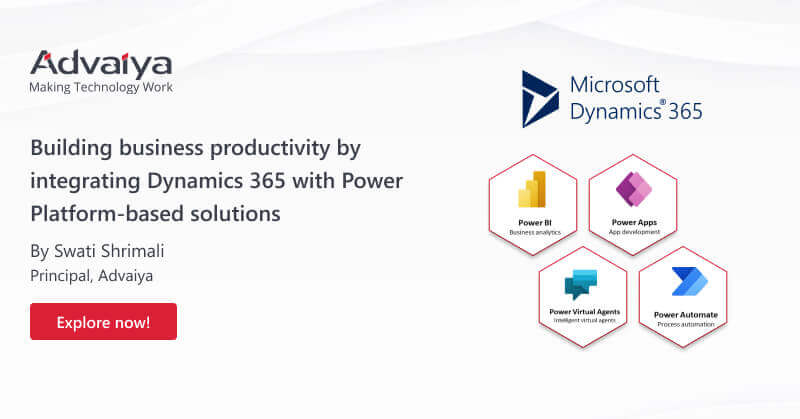
Microsoft Power Platform and Dynamics 365 were designed to help businesses optimize their operations. You’ll be amazed at what these technologies can do for enterprises; you may even gain an edge over your competition due to their impressive features! Power BI, Power Automate, Power Apps, and Power Virtual Agents are the four offerings from Power Platform that help enterprises automate processes, develop solutions, and analyze data. This blog post will demonstrate how businesses can utilize data for improved operations and examine how these business solutions interact with Dynamics 365. How can Microsoft Dynamics 365 and Power Platform integration help your business achieve growth? Microsoft Power Platform tools are well-known by many businesses, yet many still face obstacles when applying them to their operations. Let us examine how the integration of Power Platform with Dynamics 365 applications can help modernize business operations. Power Apps’ Form Processor – The Form Reader component allows you to train a model that can read data from an image or document. Automating AP operations with invoices is one popular use case; create an app that takes a photo of your invoice and reviews it before sending it off with standard connectors to Dynamics 365 for Finance. Alternatively, Power Automate flows can take an invoice from email and send it straight away via Outlook Connector. Power Virtual Agent – Virtual assistants can free up employees to focus on more important tasks. Power Platform allows you to build Power Virtual Agent integrations that facilitate sending invoices, accessing project documents, and running test scripts. The Virtual Agent provides support by answering users’ questions and directing them toward SharePoint sites or Microsoft Documents websites. You may even send an email alert if users are having difficulty finding the information they require. Make CRM easier – While Microsoft Dynamics 365 CRM is probably one of the best CRM solutions for enterprises, often the sheer amount of customer data might make it challenging for employees to effectively access and utilize the information stored in the CRM for their purpose. There, a peripheral automation approach could make your CRM very effective. Let’s say a sales representative gets an advanced dashboard that allows them to access customer insights easily to cater to their specific needs without having to search through the CRM for the customer profile and the conversations. Such peripheral automation using Power Platform could find many applications in improving customer experience. Increased mobility – There has been a lot of pressure to meet the growing mobility requirements of businesses, particularly in sales and marketing. Manual updates from front to back don’t cut it anymore – instead, Dynamics 365 integration and other tools offer a comprehensive solution for businesses and customers alike, regardless of location. Features like staff mapping, scheduling appointments, managing service agreements, and providing users with better data are just some of the capabilities offered by Dynamics 365. Take your business to the next level with Microsoft Dynamics 365 and Power Platform integration. Let’s take a look at some examples of how these two comprehensive productivity solutions can benefit you in the short term. Power BI + Dynamics 365 Integrating Power BI and Dynamics 365 gives you deeper insights that will enable better business decisions. Power BI in Dynamics 365: Use Cases Sales Power BI utilizes Dynamics 365 Sales data to help you improve and comprehend your sales performance by: Analyzing your sales cycle duration Assessing and identifying employee performance Examining opportunity-to-lead conversion rate Generating sales forecasts and pipelines by month, quarter, and year as well as by salesperson, region, and product – drilling down into data for customer service improvements. Customer service Power BI utilizes your Dynamics 365 Customer Service data to help you enhance and develop your customer service practices. Recognize dips and spikes when customer communications aren’t running smoothly Analyze customer satisfaction levels Analyze case resolution times Compare service activities to last week/month/year. Marketing Power BI gives your marketing department valuable insight into campaign performance, evaluates engagement value, tracks budget spending, and keeps tabs on it. Furthermore, Power BI enables you to: Conduct a cost analysis of your campaign and identify any cost variance. Compare campaign effectiveness with ROI Measure lead conversion per month/year/etc Identify the most profitable and responsive market segments. Field service With Power BI solutions, field service organizations can bring data to life. The solution when integrated with Microsoft Dynamics 365 Field Service can provide detailed and high-level reporting on field service performance. With these integrated dashboardsthe company’s leadership can get better visualization of data which can help analyze data faster and more efficiently. Field service managers and dispatchers can easily use dashboards, interactive reporting, and draw valuable insights that will help them take best course of action to improve customer experience. Power Automate + Dynamics 365 Power Automate is a solution designed to automate workflows, business processes, and tasks in Dynamics 365 as well as other business applications. Use case of Power Automate integrated with Dynamics 365 Request approval for new documents or requests. Many tasks in a business require approval – from customer quotes to holiday leave requests – which can be challenging to manage with so many people and systems involved. Power Automate offers Dynamics 365 approval management so you can save time, ensure compliance, create audit trails, and streamline your request process for improved productivity and efficiency. Automating email To guarantee that no new information is lost, automated emails can be generated and sent out to the appropriate personnel after comments are made to a case or record. Power Apps + Dynamics 365 Microsoft Power Apps allows businesses to design custom apps tailored to their individual requirements. Your stored business data can be quickly connected with the apps you use, whether it is stored in an underlying platform like Microsoft Dataverse or an on-premise/online source like Dynamics 365. Use cases of Power Apps integrated into Dynamics 365 Application for employee onboarding Many businesses utilize the Power Apps template to create an app to assist new employees and HR with their
How BI is revolutionizing manufacturing operations daily

Manufacturing processes are becoming more intricate, from inbound materials to tracking details. This necessitates informed decision-making based on accurate information by using business intelligence solutions. Leading companies have been utilizing meaningful insights from data to create data-driven stories, and this allows end users to consume data easily and make informed decisions. The manufacturing sector generates a large amount of data, so BI software (such as Microsoft Power BI) is an ideal fit. BI software can assess and identify inefficiencies in your operations while streamlining workflows by processing large amounts of digital information and creating easy-to-read reports. Analytics is becoming more widely adopted among process manufacturing companies, with the market projected to grow from $8.6 billion in 2021 to $27.6 billion by 2027 at an annual compound growth rate of 21.4%. Furthermore, 76% of manufacturing businesses have already adopted artificial intelligence-driven robust solutions such as manufacturing analytics since 2021 – up from just the previous quarter. Distinguish between ERP systems and business intelligence software Before we continue, let’s not forget that business intelligence software is distinct from an enterprise resource planning (ERP) system you may already possess. ERP platforms provide a solution to break away from data silos. They create one centralized data architecture to store, manage, and collect digital information. You can integrate data from accounting software, CRM platforms, and supply chain monitoring solutions into this comprehensive strategy for improved data quality and insight. Business intelligence platforms, however, analyze all data, anticipate future patterns, and create dashboards for easy interpretation of manufacturing insights. ERP tools collect enterprise data, while business intelligence software analyzes it and can make predictions about future business performance. ERP systems integrate information from various departments, while BI tools present this combined digital information so company leaders can quickly make informed decisions. Real-world use cases of business intelligence in manufacturing Enhancing facility efficiency Analytics tools are an indispensable resource for judging and enhancing efficiency. Managers should utilize BI first to establish a baseline performance level, identify problems, then assess how changes over time affect employee outputs individually and collectively. It provides invaluable insight into employee productivity levels. Manufacturers use business intelligence to enhance their quality control efforts. BI can analyze metrics like yield percentage, process uptime, and capacity utilization to predict assembly line failures due to ineffective quality control by analyzing the line’s end results and returns. This predictive analytics component of BI enables corrections before costly recalls or discards occur – helping protect a company’s reputation in the process. There are many BI-related metrics that can be used to detect inefficiencies within a manufacturing environment. BI can even help businesses determine optimal warehouse configurations, helping them save money and ensure efficient operations. A manufacturer might track how far workers must travel within the warehouse to retrieve materials; using analytic solutions, managers could decide if the material should be moved closer to workers to reduce transit times and delays or if another aspect of their process should change. Manufacturing teams will gain deeper insight into different actions and uncover new strategies based on this interconnectedness. Predictive maintenance and fault prediction Manufacturing has relied on preventive maintenance for decades. Manufacturing BI can be utilized to avoid unplanned breakdowns, with prescriptive analytical dashboards offering even greater insight. With predictive maintenance, technicians can anticipate when a breakdown will happen and how likely it is. By making repairs when convenient, technicians also save time ordering spare parts ahead of time which reduces downtime and boosts productivity. Robotization – AI-powered tools Robotic Process Automation (RPA) is powered by data from manufacturing analytics. This information is then converted into instructions using AI algorithms and used to identify potential opportunities for automating or robotically altering a factory, helping executives decide where best to begin and ensuring the most valuable business processes are automated first. The ‘Food & Beverage’ and ‘Oil & Gas industries often have many intricate processes that could potentially be automated. Utilizing analytics for an informed decision-making process will enable leaders to implement RPA successfully. Revenue growth and cost reductions Managers of manufacturing rings should assess whether they possess the data necessary to accurately gauge the financial consequences of their decisions. Business intelligence (BI) provides valuable business insights that demonstrate how changes in inventory, processes, and financial outcomes are connected. Business intelligence is perfect for illustrating profitability and risk profiles, such as the potential rewards or risks of introducing an intricate (but profitable) product range. By easily calculating overhead costs like inventory turns and dollars-per-unit before expanding operations, manufacturers can achieve economies of scale. Managers are able to keep an eye on competition using BI data like retention penetration rates, customer acquisition metrics, and market share. Manufacturing is no different; profit margins are the foundation of every successful business. Business intelligence tools enable you to delineate the profit contributions from each manufacturing segment and customer. Furthermore, data about the overall margin spread provides a comprehensive picture of profitability. The supply chain refinement Factories still struggle with broken supply chains, which can cause delays or damage to shipments and raw materials. With advanced analytics, factories gain visibility into their entire supply chain so they can better assess risks due to adverse weather or traffic issues, measure supplier reliability cost-effectively, negotiate more advantageous contracts, and track shipments from suppliers through the customer to identify any problems in the chain. This provides them with valuable insights for making informed business decisions and optimizing processes. Want more information about our BI solutions? Connect with us! Food and beverage factories must take special care with their supply chains, which are often long with components that must be kept at specific temperatures or environments. Delays in shipment or prolonged exposure to sunshine, dampness, or cold can cause damage and/or pose a health hazard. Factory owners are kept informed via manufacturing analytical tools when raw materials arrive late so they can find alternative suppliers or switch up their current provider. Enhancing internal and external communications Advanced business intelligence software tools like Power BI that integrate multiple data sources
Why is your business losing out on productivity?

Organizations have always prioritized keeping employees connected and providing them with the tools to do their jobs efficiently and effectively. Technology has become an invaluable asset in recent years, contributing significantly to improved productivity levels. Today’s workplace is witnessing more disruption than ever before. Employees desire the flexibility to work from anywhere on any device with tools that boost productivity and enhance their work experience. These issues have driven organizations to embrace modern workplace solutions to provide seamless data and app delivery across multiple locations while safeguarding their endpoint devices. What are the advantages of this digital workplace era, and what workplace solutions should we expect? Here is our list of five modern workplace solutions. Modern workplace solutions offer numerous advantages. Over the past several years, digital technologies have rapidly advanced to enable people to work on the go. Now we can work from anywhere with cloud-based and mobile solutions. These are just a few of the numerous advantages modern workplace solutions provide. Five digital workplace solutions you must consider Intranets were once the go-to way of communication among colleagues. But as technology has progressed and changed, there are now numerous technological options for meeting, chatting, and working that you may not have considered before. Let’s take a look at the five top choices in modern workplace solutions today. 1. Communication tools Communication is fundamental for any company’s success. Communication plays an integral role in enterprise productivity and the success of employees and organizations – no matter how successful they become. Digital communication platforms offer more security than email since they eliminate the risk of misplacement or incorrect distribution of information. By centralizing all relevant data, these systems become a one-stop source for corporate communications. Setting up dedicated work groups using tools such as Slack or Microsoft Teams allows everyone to stay informed. This simplifies communication and maximizes participation from key stakeholders. Every member of the team can contribute by suggesting solutions, offering feedback, and answering questions – engagement is essential in motivating teams and helping them reach their objectives. 2. Collaborative suites According to TravelPaerk, 76% of businesses have already made the switch to a hybrid workspace model. If your company is following suit, then you will require a digital workplace tool in order to facilitate this transition. Digital workplace suites are modernized alternatives to traditional office spaces that can be utilized by distributed teams. They can replace traditional offices and offer more features than what a traditional workspace environment can provide. So, which are the ideal digital workplace tools for you? Cloud-based collaboration suites are a no-brainer when searching for the ideal solution. Mobility has become essential in today’s workforce, as employees require constant access to data and other resources. You must be able to adapt and utilize a collaborative suite in order to maximize the potential of your digital workplace. For instance, Google’s G Suite provides a suite of digital transformation tools such as Gmail, Docs, and Drive. Employees can easily share information and gain access to an expansive set of tools designed to enhance communication and collaboration at work. Want more information about our workplace productivity solutions? Connect with us. Dynamics 365 suite is Microsoft’s collaboration suite that facilitates communication, storage, and management of information as well as business activity. Word, Excel, and OneDrive are essential productivity tools for your employees. 3. Business process automation software Selecting the appropriate business process automation solutions is essential for businesses in today’s digitalization era. Companies are always on the lookout for technology solutions that will enable them to run their operations more efficiently and effectively. Over 80% of corporate leaders report increasing work process automation and using remote labor. Selecting the appropriate tools to accelerate intelligent Automation is essential, as these solutions can produce quicker outcomes with fewer programming skills required. 4. CRM tools Cloud CRM solutions are an integral component of digital transformation. A cloud CRM solution acts as a hub of tools that support companies’ sales, marketing, and customer service operations. Enterprise CRM systems are not limited to CRMs alone. Many CRM tools give salespeople and marketers all of the features they need in one convenient place – even including CMS software! As a small business or early-stage startup, it’s wise to opt for simpler solutions like Super Office or SugarCRM.Large enterprises can benefit from various CRM platforms like Salesforce CRM or Microsoft Dynamics CRM. 5. Project portfolio management tools Achieving project management success means increased efficiency, faster time to market, and beating your competition. Selecting the ideal digital tool for your company and ensuring its widespread usage are essential factors in making it successful. PPM solutions that are effectively utilized will enable your team to create tasks, plan timelines, monitor progress, and increase efficiency. It also gives managers and team members visibility into project activities which in turn leads to happier customers, more productive employees, and successful projects. Microsoft Project Online, Jira, Monday, and Trello are some of the top project management solutions. Research your options carefully so you can choose one that best meets your requirements. Adopting digital workplace trends Innovation is inevitable in the IT industry. Organizations that embrace digital transformation solutions often experience cost savings, enhanced security, and an improved employee experience. Yet it must not just be about using cutting-edge technology to boost productivity – each organization must have a personalized digital workplace tailored specifically for its needs – from design and optimization to taking into account people and processes. These tools can make people more productive and enable the digital transition strategy. Adopt the mantra “Work Smarter not Harder” with these capabilities that enable organizations to automate repetitive tasks, freeing employees to focus on more intellectual projects. Talk to our team today about modern workplace productivity solutions. We’ll help you work efficiently and stay connected with your team without a glitch from anywhere in the world.
5 ways telecoms benefit from project portfolio management

Project Portfolio Management (PPM) isn’t just an IT method; it’s a valuable management process that allows organizations to achieve their full potential. Project portfolio management in the telecom industry Many different companies are involved in the telecom industry. They all have their own products, goals, and work methods. Telco employees are required to work in constantly changing environments and various organizational structures. Diversification is a challenging task, that’s for sure. While project managers from all industries may have similar backgrounds, telco project team members are comprised of professionals from different departments. The essential skill for a telco project manager is to recognize and utilize all team members’ expertise and skills, trust them all, and delegate appropriately. What are the characteristics of telecommunications projects when it comes down to services? Projects to add capabilities to an already existing public network Establishing a network of businesses specialized in your field Projects for the establishment and dissolution of a temporary network The relative importance of each category’s constraints on quality, time, and cost varies greatly! In reality, quality is the primary condition for public services. For enterprise networks, the cost is the primary concern. Temporary installations are crucially important. Projects in telecom industries have complex interfaces, both internally and externally, international orientation, multidisciplinary activities, no mass production but many user requirements, and a long planning stage (even temporary installations). Project portfolio management solutions can address all these challenges. The proper foundation and maturation in portfolio management strategies and capabilities will allow telecom organizations to manage their IT departments as a business. This means that they can think and act in terms of business outcomes and business values and provide flexibility for workflows. Telecom companies should be able to adapt PPM best practices and develop and implement a well-defined, end-to-end portfolio management process, capabilities, and services. PPM solutions can provide a wide range of capabilities if done correctly. Facilitates leadership-level enterprise goals & objectives planning Coordination with senior leadership in order to identify areas of strategic and operational growth Leadership guidance through strategic discussions Through enterprise/IT exercises, empowers strategic investment planning Develops program and project delivery frameworks Implements governance processes for portfolio and program management. Delivers projects and programs using a comprehensive and efficient PMO catalog of services Why is project portfolio management valuable in the telecom sector? Project portfolio management is valuable and necessary in the telecommunications sector for many reasons. Organizations that adopt PPM solutions achieve their strategic business goals. They also experience greater productivity, cost savings, and less chaos. This allows them to deliver high-quality results that give their team the best chance to serve the clients. Let’s take a closer look at the reasons why PPM is so important in the telecom sector. To clearly define the objective of projects If the scope of a project is unclear, problems can arise because the most important thing, which is the goals, tasks, costs, deadlines, and costs for each project, was not completed. Insufficient resources may also cause a project to lose money rather than make it rich. The initially unattainable budget means that success is not on the horizon. Project justification and governance are critical components of project portfolio management. PPM solutions allow organizations to evaluate ongoing and proposed projects and programs to accurately assess the allocations of resources, time, and budget. PPM can help improve an organization’s return on investment (ROI) and on-time delivery. Looking for a project portfolio management solution implementation partner? Connect with us. To enable automation Automation is a key feature of PPM. The program management module eliminates multiple-point tools and paper manuals. It automates processes to manage scope, risk and quality, budgets, schedules, and other details. Provides scalability Setting unrealistic deadlines is a bad idea. Not even close. No one expects tasks to be completed in perfect condition. PPM can help telecom companies to scale up or down as required based on critical factors such as unplanned spikes or changes in project estimates, shifts in enterprise strategy or priority, resource constraints that cannot be mitigated, inability to secure the right resources or allocate the right skill sets at the right time, and inability to obtain or allocate the right amount of resources. PPM can guide project managers to help them implement the most appropriate levels of project and program management. Reduces time spent on low-value projects Organizations often fail to stop lower-value projects and instead spend more time on work that doesn’t add value. PPM covers the entire project life cycle, from idea generation through to operation. With project portfolio management solutions, telecom teams can collect more information earlier in the project life cycle, allowing them to drive projects and programs faster and execute them more efficiently. Alleviates Resource Planning Challenges Resource planning is an essential aspect of project and portfolio management. It’s crucial to ensure the best resources are available for the right projects at the right time. Enterprise PPM solutions collect vital information from cross-functional teams (IT Finance, HR, etc.). Portfolio management and IT management teams can align resources at an earlier stage in the project management cycle. This allows for proper analysis and resource reservation. Then resources can be allocated to prioritized projects according to organizational needs. Final thoughts: Project management in the telecommunication industry requires a high level of skill and knowledge. Project managers are responsible for managing and controlling work execution and wave rolling plans, analyzing new constraints and requirements, and reducing time and costs. Effective communication between stakeholders across the globe is essential for team management. It is time-consuming and can be frustrating. The telecom industry has been able to meet all of these challenges thanks to digital transformation. Telcos are taking advantage of AI-powered PPM solutions to simplify their work and give employees a chance to live a more humane life, which increases the likelihood of reaching the project’s goals and allows you to respond to the needs and expectations of project stakeholders proactively and healthily. Looking for PPM partners to get a custom PPM solution ready to cater to your telecom business needs? Connect