
Construction cost overruns are a data problem you can solve

Earned value management answers three questions simultaneously: how much work was supposed to be done by now, how much was actually completed, and what did it cost? In construction, those three data points, planned value, earned value, and actual cost, produce the metrics that determine whether a project finishes on budget or spirals past it. The cost performance index (CPI) tells you how efficiently money is being spent. The schedule performance index (SPI) tells you whether physical progress matches the timeline. The estimate at completion (EAC) projects that the final cost will be incurred if current trends continue. And baseline variance tracks drift from the original approved budget. These are the differences between catching a 5% overrun at month three when corrective action is affordable and discovering a 20% overrun at month twelve. The problem: most Indian construction firms don’t have these numbers in real time. They have them in retrospective reports, compiled manually, weeks after the data was relevant. The cost of delayed visibility in Construction As of December 2025, 1,392 Indian infrastructure projects reported cumulative cost overruns of ₹5.42 lakh crore, above the original estimates of ₹29.68 lakh crore, ballooning to ₹35.10 lakh crore (MoSPI / Devdiscourse, January 2026). Railway projects overran by 54%. Water resources have increased by over 200%. Of 1,873 monitored projects, 779 were delayed an average of 36 months. An IIT Madras study found that 68% of cost overrun originates in the detailed design stage, long before the first pour. Top drivers: scope creep, construction delays, rework, and awarding contracts to the lowest bidder. McKinsey’s analysis of 500+ capital projects globally found the average large project runs approximately 70% over budget (McKinsey, 2022). Predictive CPI monitoring can detect cost risks up to six weeks in advance and reduce overruns by up to 35% (TrueProject, 2025). Why does the overrun happen before anyone sees it? Cost overrun doesn’t arrive suddenly at completion. It accumulates through design and early execution in forms that spreadsheet-based tracking can’t detect fast enough. A project manager in one city works from a budget that doesn’t reflect procurement updates made in another. Change orders modify scope without triggering baseline revisions. Material price escalation compounds weekly but gets reconciled quarterly. By the time someone calculates CPI manually, the index has already dropped below 0.95. And in construction, once CPI falls below 0.95 in the first 20% of a project, the probability of recovering to 1.0 by completion drops sharply, a pattern documented across decades of earned value research (PMI). What’s missing isn’t the methodology. It’s the data infrastructure that makes EVM continuous rather than periodic. Where the industry is heading: predictive cost analytics The shift is from retrospective EVM, calculating CPI and SPI after the reporting period closes, to predictive EVM, where ML models analyze performance trends and forecast EAC before the next cost milestone. AI-powered systems detect subtle CPI degradation signaling procurement bottlenecks or SPI decay correlating with resource conflicts across concurrent work packages. They don’t replace the project controls team; they give it a six-week head start on problems that used to surface as surprises. The technology stack: Microsoft Fabric + Power BI + OnePlan Microsoft Fabric provides the data foundation. Cost data from ERP, procurement, timesheets, subcontractor invoices, and site progress flows into a unified lakehouse, eliminating the reconciliation gap where overruns hide. OnePlan provides the project and portfolio management layer on the Microsoft platform. It connects work breakdown structures to financial baselines, making earned value calculation native to the workflow. CPI, SPI, and EAC update as actuals flow in, not when someone refreshes a spreadsheet. Power BI surfaces the intelligence. Site PMs see work package CPI with variance alerts. PMO leads see portfolio SPI trends. CFOs see EAC projections and baseline variance updated continuously, not quarterly. How Advaiya builds construction cost intelligence Advaiya’s project portfolio management practice brings the discipline of earned value into organizations that have historically tracked costs through disconnected systems. When Advaiya implemented a centralized permissions and data management system for an infrastructure company, the results reflected what construction portfolio analytics require: 90%+ reduction in manual work, 95% data quality index, and 90% reduction in project setup time. The approach starts with mapping existing data sources, ERP, procurement, and site reporting, and connecting them through Fabric into a single cost truth. EVM baselines are established in OnePlan. Power BI dashboards are configured so CPI drift triggers an alert to the project controls team, not a quarterly surprise to the CFO. Connect with Advaiya about construction cost analytics → FAQ How is this different from tracking costs in our ERP? ERP records actuals. EVM compares actuals against planned and earned value to calculate CPI, SPI, and EAC, forecasting where the final cost will land. Does earned value management work for Indian construction contracts? Yes. EVM applies to any project with a defined scope and budget baseline, EPC, item-rate, lump-sum, or hybrid. How quickly can a construction firm implement this? Most reach a working EVM dashboard within 3–4 months, starting with the highest-value projects. What if our data is scattered across multiple systems? That’s what Fabric’s lakehouse solves: ingesting from ERP, procurement, and site systems into one governed layer.
Intelligent Document Workflows for Construction

Construction projects generate thousands of documents from RFIs and submittals to change orders and compliance forms. Manual routing creates bottlenecks that delay approvals, increase costs, and put project timelines at risk. Construction professionals spend an average of 13 hours per week searching for the right documents and data. Intelligent document routing and approval workflows address these challenges by automating how documents move through your organization. When paired with enterprise platforms like Microsoft Power Automate and SharePoint, construction firms can cut approval cycle times in half, eliminate paper-based bottlenecks, and maintain complete audit trails for every project document. Why manual document routing fails construction projects Traditional document approval processes rely on email chains, physical signatures, and manual handoffs between field teams and office staff. A project manager receives an RFI from the job site, prints it, walks it to the appropriate reviewer, waits for feedback, and then manually updates the document management system. Each handoff introduces delays and potential errors. Manual routing also creates visibility gaps. Project stakeholders cannot see where documents are stuck in the approval chain, making it impossible to identify bottlenecks until delays have already impacted the schedule. Without automated audit trails, disputes over who approved what and when become time-consuming investigations that pull teams away from productive work. Construction firms operating across multiple job sites face additional coordination challenges. Field teams need immediate access to current drawings and specifications, but manual document distribution means they often work from outdated versions. Version control errors lead to rework, safety incidents, and compliance failures that could have been prevented with centralized, automated document routing. How intelligent document routing works Intelligent document routing replaces manual handoffs with automated workflows that move documents to the right reviewers at the right time. When a field engineer submits an RFI through a mobile device, the system automatically routes it to the appropriate reviewer based on document type, project phase, and approval hierarchy. Reviewers receive instant notifications and can approve, reject, or request changes without leaving their current application. The system tracks every action in real time. Project managers see exactly where each document sits in the approval chain, how long it has been pending, and who needs to take action. Automated escalations trigger when approvals exceed defined timeframes, ensuring urgent documents never get lost in someone’s inbox. Cloud-based platforms like Microsoft SharePoint and Power Automate integrate with existing construction management systems, eliminating data silos between field operations and back-office functions. Documents flow seamlessly from the job site to the office without manual data entry or duplicate file management. When an RFI gets approved, the system automatically updates project schedules, notifies affected stakeholders, and archives the document with a complete audit trail. Mobile optimization ensures field teams can initiate and respond to approvals without returning to the office. Superintendents review submittals from the job trailer, safety managers approve permits from their phones, and project executives sign change orders while traveling between sites. The entire approval workflow operates in real time regardless of where team members are located. Key benefits of automated approval workflows Faster cycle times Automated workflows reduce approval delays by up to 30% compared to manual processes. Documents move through approval chains without waiting for email responses or physical signatures. Parallel routing sends documents to multiple reviewers simultaneously when sequential approval is not required, further compressing cycle times. Construction firms implementing automated document management report faster response times through centralized workflows and instant notifications. Faster approvals translate directly to improved project schedules, fewer delays, and reduced carrying costs for labor and equipment. Reduced errors and rework Automated validation rules catch common errors before documents enter the approval process. Required fields must be completed, proper attachments must be included, and documents must meet format specifications before routing begins. Conditional logic routes documents based on content, ensuring specialized reviews happen automatically when specific conditions are met. Version control becomes automatic. Teams always work from the current approved version because the system distributes updated documents instantly upon approval. Wrong-revision errors that lead to costly rework disappear when everyone accesses documents from a single source of truth. Complete audit trails Every document action generates a timestamped record showing who took what action when. Compliance reviews and dispute resolution become straightforward when you can produce a complete approval history for any document. Automated audit trails protect firms during litigation by providing irrefutable evidence of proper review and approval processes. Regulatory compliance improves because the system enforces consistent approval workflows for documents requiring specific review chains. Safety permits must go through environmental, health, and safety reviews before reaching the approval stage. Change orders must include an estimator review before going to project executives for signature. The system prevents shortcuts that could create compliance exposure. Enhanced visibility and control Real-time dashboards show approval status across all active projects. Project managers identify bottlenecks at a glance and take corrective action before delays impact schedules. Executives gain portfolio-level visibility into document processing metrics, enabling continuous improvement of approval workflows. Automated reporting quantifies approval cycle times, identifies frequent bottlenecks, and tracks performance against established benchmarks. Data-driven insights help construction firms optimize workflows, allocate review resources effectively, and set realistic schedule expectations based on actual approval performance. Implementing intelligent routing with Microsoft Power Platform Microsoft Power Automate provides pre-built approval actions that integrate directly with construction document management systems. Construction firms can implement approval workflows without custom development by configuring flows that match their existing processes. Power Automate supports multiple approval types, including single approver, sequential approval chains, parallel approvals where any reviewer can approve, and everyone-must-approve scenarios. Construction companies configure approval routing based on document type, dollar thresholds, project phase, and stakeholder roles. A typical implementation might route submittals through project engineers, then project managers, then client representatives in sequence. Change orders under $10,000 might require only project manager approval, while change orders over $50,000 escalate through operations managers to executives. The platform handles routing logic automatically based on document metadata and business rules. Power Automate integrates with SharePoint document libraries, Microsoft
Construction Delay Analysis Tools & Methods

According to construction industry research[1], organizations with systematic delay analysis capabilities recover 75-85% of legitimate delay costs through claims, compared to less than 30% for firms relying on manual processes. Yet most mid-market AEC firms lack the integrated systems and methodologies required to capture this value. Organizations[2] without systematic delay analysis typically recover less than 30% of delay-related costs through claims. Those with structured forensic capabilities and integrated project management systems recover 75-85% of legitimate delay impacts. The difference lies in data quality, analytical rigor, and documentation discipline throughout the project life cycle phases. Why delay analysis drives competitive advantage Financial protection through forensic rigor Construction delays create cascading financial consequences. Direct costs include extended overhead, equipment rental extensions, and prolonged labor expenses. Indirect costs encompass liquidated damages, lost revenue from delayed occupancy, and reputational damage affecting future bid opportunities. The financial impact of inadequate delay analysis is substantial. Organizations without structured forensic capabilities forfeit significant recovery opportunities because courts and arbitrators increasingly demand sophisticated analysis demonstrating causal relationships between events and project impacts. The difference between 30% and 85% claims recovery lies in data quality, analytical rigor, and documentation discipline throughout the project life cycle phases. Strategic risk mitigation through early detection Forward-thinking construction executives recognize that delay analysis shouldn’t begin when projects are already behind schedule. Real-time schedule analysis identifies emerging delay risks before they materialize into critical problems, enabling corrective actions that prevent delays rather than merely documenting them for claims. Modern construction project automation enables portfolio managers to spot patterns across multiple projects. When similar delay types recur systematically, you can implement preventive measures at the portfolio level rather than fighting the same battles on every project. Contractual leverage in dispute resolution Extension of time (EOT) claims and delay damages require evidentiary foundations that withstand legal scrutiny. Critical path methodology (CPM) analysis, time-impact analysis, and as-planned vs. as-built comparisons provide this foundation when supported by integrated project management tools that capture baseline schedules, change orders, daily logs, and actual performance data. Organizations that can’t produce defensible delay analysis operate from positions of weakness in negotiations and arbitration, often settling claims for fractions of legitimate costs. Key components of a delay analysis strategy 1. Establish forensic-grade documentation standards Successful delay claims begin with documentation discipline established during project execution, not forensic reconstruction after disputes arise. You’ll need to implement: Comprehensive baseline schedules with logical relationships using proven project scheduling techniques Automated schedule archiving, preserving contemporaneous snapshots at regular intervals Delay event capture workflows with timestamps, responsible parties, and impact assessments Integrated document management linking schedule activities to supporting evidence Photographic documentation and daily logs establishing actual conditions This documentation framework creates the evidentiary foundation for multiple delay analysis methodologies while minimizing administrative burden through automation. 2. Select defensible analytical methodologies Different delay analysis methodologies serve different purposes and carry varying degrees of legal defensibility: Critical path method (CPM) analysis identifies the sequence of activities determining project duration. Any delay to critical path activities directly extends project completion, establishing clear causal relationships between specific events and schedule impacts. Time impact analysis (TIA) models delay event effects by inserting them into contemporaneous project schedules. This “but-for” analysis demonstrates what would have happened without the delay event, providing compelling evidence for claims. Windows analysis divides projects into discrete time periods and analyzes delays within each window. This approach works particularly well for long-duration projects with multiple delay events occurring at different times, enabling accurate responsibility determination. As-planned vs. as-built analysis compares original baseline schedules against actual project execution. While simpler than time impact analysis, this methodology provides valuable insights into delay patterns. Understanding work breakdown structures strengthens baseline schedules and improves analysis accuracy. Collapsed as-built method starts with actual project completion and works backward, removing delay events to determine what project duration would’ve been without delays. This method proves useful when baseline schedules are inadequate or missing. 3. Implement integrated technology infrastructure Modern delay analysis requires platforms connecting scheduling, cost management, document control, and communication. Microsoft Project provides comprehensive scheduling capabilities with integration across the Microsoft ecosystem, enabling automated data flows between project schedules, financial systems, and collaboration platforms. You should evaluate the project portfolio management software offering: Automated baseline preservation and schedule archiving Real-time critical path calculation and float analysis Integration with cost management for time-cost impact analysis Document management linking schedule activities to supporting documentation Dashboard visualization for portfolio-level delay monitoring 4. Deploy business intelligence for pattern recognition Power BI delivers portfolio-level delay analytics that surface systemic issues requiring organizational attention. Business intelligence capabilities in the construction industry enable you to analyze delay patterns across multiple projects and identify: Recurring delay types requiring process improvements Subcontractors or suppliers with consistent performance issues Weather impact patterns by geography and season Design delivery delays indicate coordination problems Permitting delays suggest regulatory relationship challenges These insights enable strategic interventions at the portfolio level rather than reactive problem-solving on individual projects. Understanding broader AEC industry trends helps you benchmark delay performance against industry standards. 5. Establish peripheral automation for documentation Peripheral automation approaches identify delay management processes suitable for automation while preserving critical human judgment. Automated workflows capture delay event data, trigger notifications based on threshold exceedances, generate preliminary impact assessments, and compile supporting documentation packages. This automation frees project managers to focus on strategic delay mitigation and recovery planning rather than administrative documentation tasks. Organizations implementing peripheral automation for delay management reduce documentation time by 70-80% while improving documentation quality. AI-powered project management capabilities further enhance predictive analytics for delay risk identification. How to build delay analysis capabilities with expert support Strategic capability development Building organizational delay analysis capabilities requires more than implementing software—it demands systematic development of processes, skills, and data discipline across project teams. Our team brings proven methodologies from deploying project management solutions for construction and engineering firms. We help organizations: Establish baseline schedule standards, ensuring claim-defensible documentation Implement automated schedule archiving and change tracking Design delay event capture workflows that ensure completeness Develop delay analysis templates
Balancing Skilled Labor & Automation in Construction
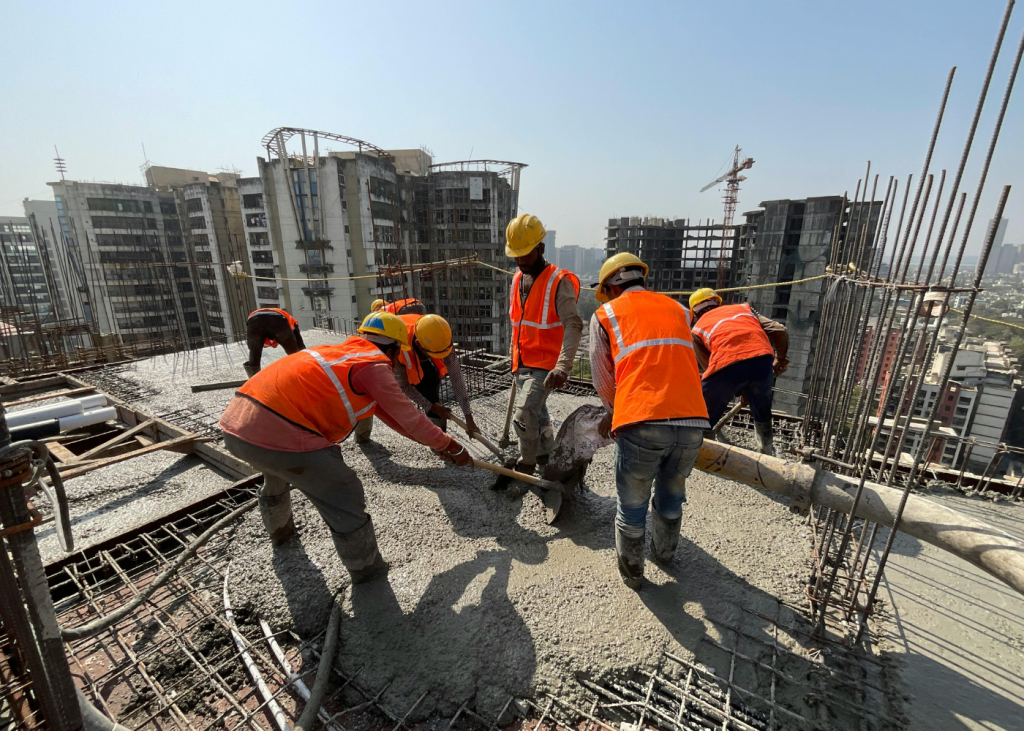
You can’t find enough qualified workers. The ones you have are aging out or leaving for less physically demanding work. Projects are falling behind because crews can’t keep up. Safety incidents keep happening on dangerous tasks. Meanwhile, you’re hearing about construction robotics and automation but wondering if you’re about to make your own workforce obsolete. Here’s what construction companies actually dealing with labor shortages are learning: automation doesn’t eliminate jobs. Construction workforce development combined with smart technology creates more capable teams who accomplish more while staying safer. The companies solving construction labor shortage solutions aren’t choosing between people and machines. Both work together, and workers who embrace technology are commanding higher wages for more interesting work. Will construction robotics actually replace your workers Let’s address the fear directly: no, robots won’t take all construction jobs. But yes, construction robotics will change what construction work looks like. What robots can and can’t do on job sites Current automation handles specific, repetitive tasks: Robots excel at: Laying bricks in consistent patterns Tying rebar at production speeds Grading sites to precise specifications Welding identical joints repeatedly Moving heavy materials without fatigue Robots struggle with: Adapting to unexpected site conditions Making judgment calls about quality Coordinating with other trades Solving novel problems Reading situations and adjusting approaches A bricklaying robot places 3,000 bricks in eight hours about six times human speed. But someone still needs to set up the robot, load materials, apply finishing mortar, and handle the countless variations every job site presents. Why construction still needs human workers Construction projects face constantly changing conditions. Weather shifts, materials arrive damaged, inspectors find issues, designs change, subcontractors show up late. Handling that unpredictability requires human judgment. One steel manufacturing facility achieved 99% project data accuracy through digital systems but skilled professionals made decisions, coordinated stakeholders, and solved problems automation couldn’t handle. Construction workforce development programs now teach workers how to operate alongside robots rather than compete with robots. A bricklayer who learns to supervise robotic equipment becomes more valuable not less valuable to employers. Jobs most at risk from automation Some roles face higher displacement risk: Workers doing highly repetitive tasks Positions involving primarily physical labor without decisions Jobs easily standardized across all projects But even workers in at-risk categories can transition to technology-enabled roles through proper construction training programs. How construction workforce management software solves labor shortages Construction workforce management software addresses labor shortages in ways robots can’t helping you do more with the workers you already have. Getting more from your existing workforce When you can’t hire enough people, you need existing teams working more efficiently. Workforce management software delivers: Better scheduling Match skills to tasks automatically Reduce downtime between activities Balance workloads across projects Identify scheduling conflicts before they cause delays Resource optimization See which crews are available when Track equipment location and utilization Reduce time wasted looking for tools or materials Share resources across multiple job sites Productivity visibility Understand which activities take longer than planned Identify training needs based on performance data Make data-driven decisions about crew assignments Spot bottlenecks before falling behind schedule One landscaping company reduced billing time from 30 hours to 4 hours through workflow automation. That freed 26 hours per cycle for value-adding work instead of administrative tasks. Real-time coordination solves understaffing problems When you’re short on workers, coordination becomes critical. Construction workforce management software keeps everyone aligned even with lean teams. A real estate consulting firm achieved 80% improvement in billing accuracy and 60% reduction in approval dependency after implementing integrated workforce systems. Automation handled repetitive coordination tasks, letting managers focus on problem-solving. Key capabilities that help: Mobile access so field crews update status instantly Automatic notifications when tasks complete or issues arise Integrated communication so information flows quickly Dashboard visibility showing entire workforce status Tracking compliance with smaller safety teams Labor shortages often hit safety teams hard. Construction workforce management software helps maintain compliance even when safety staff is stretched thin. A marine offshore provider achieved 99% read acknowledgment on safety procedures through mobile document access. Workers could review safety information offline, and the system tracked compliance automatically. What construction training programs prepare workers for automation Construction training programs determine whether automation helps or hurts your workforce. Workers who gain technology skills move into higher-paying roles. Workers who don’t face declining opportunities. Skills workers need for automated construction Tomorrow’s construction workers need different capabilities than yesterday’s: Technology operation Running tablets and mobile apps for work orders Reading digital plans and BIM models Operating construction workforce management software Understanding sensor data and alerts Working alongside robots Safety protocols around automated equipment Knowing when to intervene in robotic processes Optimizing workflows between humans and machines Troubleshooting technology failures Data-driven decision making Reading productivity dashboards Understanding quality metrics Acting on real-time information Using analytics to improve performance Advanced problem-solving Handling exceptions automation can’t manage Adapting to novel situations Coordinating complex activities Making judgment calls based on incomplete information Programs that actually work Effective construction training programs combine hands-on practice with real equipment, not just classroom lectures. Successful training approaches: Apprenticeship evolution Traditional craft skills plus technology operation Pairing experienced workers with technology specialists Gradual skill building on actual projects Certification in both craft and technology Equipment-specific training Hands-on time with robots and automation Understanding maintenance requirements Troubleshooting common problems Optimizing technology performance Software proficiency Construction workforce management software training Mobile app usage for field documentation Data entry and quality standards Reporting and analytics interpretation Organizations partnering with experienced implementation teams can develop construction training programs that match specific technology deployments ensuring workers learn exactly what jobs require. Upskilling existing workers versus hiring new ones You face a choice: invest in training current workers or hire workers who already have technology skills. Most construction companies find upskilling existing teams works better. Why upskilling works: Current workers already understand your operations Craft expertise combined with technology creates unique value Workers appreciate investment in development Retention improves when people see career growth paths Culture stays intact with familiar
Construction Technology Benefits: A Strategic Guide

Most construction firms operate with outdated decision-making processes, relying on weekly or monthly data from disconnected systems. Organizations implementing integrated technology solutions achieve measurable results: 90%+ reduction in manual administrative work, 7x faster billing cycles, and 99% project data accuracy. The difference isn’t the technology itself, it’s the strategic implementation that targets your specific operational bottleneck. Why construction technology adoption matters Profitability through labor recovery A landscaping company spent 30 hours each week on billing processes: timesheet transcription, invoice generation, approval routing, and accounting entry. By implementing automated workflows, they reduced this to 4 hours per week. This 7x productivity improvement represents meaningful financial impact: 26 additional hours weekly freed for project delivery Ability to handle substantially more projects without proportional staff growth Direct improvement to operational margins For a 50-person construction firm, this represents significant labor recovery. For organizations with $10M+ in revenue, improving payment cycles from weeks to days unlocks working capital currently tied up in the payment-to-receipt gap. Accelerated decision-making through real-time data Construction managers historically make critical decisions on incomplete information. Budget status requires digging through spreadsheets. Schedule risk involves phone calls and site visits. Safety compliance status emerges only during quarterly audits. Real-time technology consolidates project data into unified dashboards showing: Actual cost variance against budget Schedule performance and delay risk Resource utilization rates Compliance status and documentation gaps A real estate consulting firm achieved 80% improvement in billing accuracy and 60% reduction in approval cycles not through working harder, but through eliminating manual data handling and approval delays. Compliance automation that prevents audit gaps Manual safety tracking through paper logs and monthly compilations creates visibility gaps. An offshore marine service provider implemented automated compliance tracking and achieved: 99% read acknowledgment on critical safety procedures 100% version control accuracy on all documentation 85%+ training and adoption rates Compare this to traditional paper-based systems where procedures get lost, training verification is incomplete, and compliance gaps surface only during audits. Ready to eliminate manual overhead from your operations? Schedule a brief consultation to discuss your specific construction technology challenges How technology transforms core workflows Workflow 1: Billing and cash acceleration Traditional process (multiple days per invoice): Crews submit timesheets (often delayed and incomplete) Manager transcribes into spreadsheet Project costs manually looked up and entered Invoice created and routed through email approvals Finance manually enters into accounting system Client receives invoice days after work completion Modern automated workflow: Field crews enter time via mobile app (real-time, no manual transcription) Costs pulled automatically from integrated system Invoices generated automatically with all data populated Digital approval routing (parallel, hours instead of days) Automatic transmission to client The impact: A landscaping company reduced weekly billing time from 30 hours to 4 hours a 7x productivity improvement. This translates to measurable operational advantage: the ability to handle more projects without hiring additional administrative staff, improved cash flow from faster invoice delivery, and better accuracy (elimination of manual transcription errors). Workflow 2: Project scheduling intelligence Traditional static schedules become outdated quickly. Modern systems apply AI analysis to task dependencies, crew availability, material delivery timing, and other variables. When delays occur, the system recalculates automatically. What this achieves: Real-time visibility across all active projects simultaneously Delay identification within hours instead of weeks Automatic recovery path suggestions Historical performance data for accurate future planning A steel manufacturer implemented BIM-based design coordination and achieved 99% project data accuracy. This precision in project information enables: Faster final invoice resolution (no disputes over scope or timeline) Elimination of costly rework caused by miscommunication Improved vendor relationships through accurate scheduling Workflow 3: Safety compliance tracking Traditional approach: Paper checklists, manual monthly compilation, quarterly audits only. Compliance gaps discovered after incidents. Modern approach: Mobile app completion with automatic timestamping, real-time issue escalation, automatic compliance documentation, predictive safety analytics. Results achieved: 99% read acknowledgment on critical safety procedures (vs. ~60% with paper-based systems) 100% version control accuracy (preventing outdated procedures from causing incidents) Automatic audit trail ensuring zero lost documentation Compliance status visible in real-time instead of discovered during audits An airport document management system achieved 95%+ compliance index and 85% reduction in document retrieval time. The operational benefit: audits complete faster (all documentation automatically organized), regulatory compliance demonstrated proactively rather than scrambled together reactively. Traditional vs. modern implementation approaches Traditional approach: Spreadsheet-based Characteristics: Centralized spreadsheets, email-based communication, manual data entry, limited mobile access Error rate: 5-8% from manual transcription Best for: Single projects with simple requirements Limitations: Breaks down at 10+ concurrent projects. No real-time visibility. High costs from manual errors and delayed decisions. Cost structure: Low initial investment ($0-5K), but high ongoing operational costs from manual labor, rework, and delayed decisions. Modern approach: Cloud-based, mobile-enabled Characteristics: Centralized cloud data, mobile-first workflows, automated validation, real-time visibility across unlimited projects Error rate: 0.1-0.5% (automated validation prevents most errors) Best for: Mid-market to enterprise organizations with multiple concurrent projects Advantages: Real-time dashboards, automatic audit trails, predictive issue identification Cost structure: Higher initial investment ($50,000-150,000+), but dramatic operational savings. Most construction organizations recover this investment within 12-18 months through labor efficiency gains. Authority perspective: Organizations that continue using spreadsheets are investing in manual labor and error recovery. Organizations that implement modern platforms invest in automation and predictive capability. Over three years, the financial difference becomes substantial. How to successfully adopt technology with expert support Construction technology adoption requires strategic sequencing. Organizations that try to implement everything simultaneously experience change fatigue and poor adoption. Phase 1: Identify your bottleneck (weeks 1-2) What is your single most painful operational problem? Billing delays? Scheduling misses? Safety compliance documentation? Choose where technology would create the most measurable impact. Map your current process: How many manual steps? How many people are involved? Where do errors occur most frequently? This baseline enables you to measure improvement. Phase 2: Evaluate and pilot (weeks 3-8) Test your top solution with real data from recent projects. Including skeptical users in testing if they adopt it, broader adoption becomes easier. Document what works smoothly and what requires workarounds. This real-world testing prevents
Transform your construction operations with Microsoft Power Platform

The construction industry is the oldest and fastest-growing industry but it still faces many challenges in day-to-day tasks, whether it is an absence of a single tool for asset or inventory management or doing daily manual, repetitive admin tasks. Nowadays, automation is at a very high pace either it might be in the construction field or offices. Repetitive task not only affects timeline but also have a huge impact on the budget. Companies are backing on technologies that can play a huge role and impact their business. Also, in the construction industry, projects run at various locations, and many assets are being used, making it difficult for the business to keep track of their projects and assets. And many more such challenges, such as their data not being used at full pace, a lot of paperwork, no platform for performing audits and inspection, no reports and dashboard to know the status of any projects or status budget, and timewise. Citing all the challenges, companies are moving and upgrading their infrastructure with Microsoft Power Platform. As the name suggests, it’s the one-stop solution that can overcome all the challenges and help one to get all the data insights that will help them to make any future decision or update the current progress Power Platform would be the best solution to overcome these challenges and can be used on a desktop or mobile device. Power Platform is a powerful set of applications that allow you to automate processes, build solutions, analyze data, and create virtual agents. Power Platform help you be one step ahead of your competitor and provide solutions to help you take on the modern challenges i.e. Automation for manual and repetitive tasks Dynamic and automated approval processs Asset managements Data insights with interactive reports and dashboards A single app to perform multiple audits. Get better insights for lead generation and conversion, and many more. Microsoft Power Platform incorporates mainly three technologies Power Apps, Power BI and Power Automate. Power Platform prepares your business for digital transformation; also there are several other services, tools, and platforms that you can consider integrating and combining with Power Platform. These can be implemented as individual apps or as part of a larger product suite. How Power Platform can benefit your business 1. Self-regulating Platform to transform your business: You would often see the large pile of files that make you anxious and make your work lengthy and slow. With Power Platform integration, companies can automate their processes and functionalities, leaving aside the manual entry of specific data. Automating manual or paper-based forms and workflows, such as a single app for performing quality control inspection, performance audits, or app to report any accidents or blockage and many more processes. This will reduce time spent on manual and repetitive tasks and will result in client satisfaction 2. Real-time resource and asset management: Generally, organizations have multiple projects running at various locations. So, creating a single app where you can request and track the resources would be just icing on the cake. You will be able to keep track of the resources and help you get a better idea of their future allocation. With the help of an interactive dashboard, you would track the project’s timelines and give a better idea of your asset location and its future availability. 3. All enterprise business processes in a single platform: Given the importance of data in our digital age, it’s crucial to have a single and meaningful narrative from your data, reporting, and silos. The power platform comes with 250+ data connectors so that you can connect data residing at different places and get additional insights using Artificial intelligence. You would be able to segregate your data and can get meaning complete insights from it by creating reports or dashboards in Power BI . 4. Empower your work with intelligent chatbots: Whenever there is a need to save time and money, a Chatbot suits best for the purpose. Chatbots will be the first place to interact with your client or your team member. So you can create customer loyalty by giving them an experience they will remember, and also you can personalize the user experience and boost customer satisfaction. You can also integrate chatbots with the power apps that can help the user ease navigate through the system and share the useful links that might help them solve their query and smoothen the process. 5. Integrating AI for additional insights: Adapting Power Platform in your organization brings you certain capabilities of AI and machine learning. AI Builder integrated with PowerApps can quickly help you simplify tasks using AI models such as prediction, form processing, object detection, category classification, and entity extraction via a simple, intuitive interface. Integrating IoT with power automate flow will keep you updated with machine efficiency and help ease of maintenances. In Power BI you can leverage the functionality of Data QnA where you can ask a question to your data or report and get results in the form of interactive visuals which will also help you in proper decision making. You can also visualize trends in revenue for past months and predict for the coming future months using predictive analysis. Businesses that have nested modern technology can thrive on opportunities and adapt to challenges at any stage of a project from tender right through to delivery. Being agile can be the difference between finishing a project with margin intact or operating at a loss. In the future days to come, BI and automation will radically transform the business of construction business. The companies that embrace data analytics and the latest technologies will innovate and help them stay ahead of their competitors. Arpit Vijayvargia Arpit Vijayvargia is a data science enthusiast who has a piece of sound knowledge in the field of data analytics. He has worked in the areas of Natural Language Processing, Computer Vision and also has good experience in machine learning. This blog has been written by him to guide organizations