
Key benefits for SMBs looking to switch to cloud-based ERP solutions

Enterprise resource planning (ERP) solutions are often used by businesses to help consolidate and organize information within an organization. ERP software was traditionally installed on company servers or other infrastructure. These on-premises solutions were able to make businesses more efficient and provide major benefits. However, they are imperfect in certain areas, such as cost, agility, and maintenance. Cloud based ERP solutions solve many of the problems that are associated with traditional on-premises solutions and provide many advantages over their counterparts on-site. The key benefits of Cloud ERP software: Lower initial cost Cloud-based ERP systems are significantly cheaper than traditional on-premises systems. Additionally, ongoing costs are often lower. The subscription costs for cloud ERP software can be reduced after deployment. This is because maintenance and support costs are typically 20% of initial license costs. These costs include hardware costs, as well as the cost to upgrade and maintain the system and IT staff. These costs can be eliminated for smaller companies that cannot afford the upfront costs of on-premises ERP, even though the technology could benefit them. Simplified compliance Businesses in highly-regulated industries such as finance, healthcare, and defense must regularly update their ERP software on-site to comply with regulations. To remain compliant and avoid expensive fees and other legal consequences, companies must be able to keep up-to-date with all the latest federal, state, and international rules updates. The company must then incorporate the changes in its existing system and upgrade hardware and software as required. Cloud ERP software providers, on the other hand, are proactive in complying with international, state, and federal provisions like HIPPA, GDPR, and GAAP. These regulations and others are already integrated into cloud ERP software. They are automatically updated to ensure businesses meet or exceed compliance requirements. Cloud ERP software often includes localization functionality, which allows companies to change between different countries’ regulations to ensure compliance across all global operations. Increased data security Business applications like ERP hold all confidential information of the company. It is, therefore, vital to keep it safe. Many people mistakenly believe that an on-site server is safer than a cloud-based one. However, this is completely false. Cloud based ERP solutions provide multiple layers of encryption to increase the security of your data and ensure that they are safely stored. Employees can access this through an individual account managed from the admin panel. Avoid the trap of ERP implementation by streamlining the deployment strategy High-profile ERP disasters are often caused by difficulties in planning and coordinating the rollout across departments and systems. On-premises ERP deployments can be a difficult and tedious task. Each department has to deal with its own problems while the IT department tries to keep up. Implementation problems can lead to production slowdowns, increased costs, and a halt in innovation. Cloud ERP software was created to address these issues directly. These systems are designed to create solutions that are more flexible, adaptable, and easier to use. Related: Six steps to a successful ERP implementation Maintenance and upgrades Businesses don’t need to worry about software upgrades or maintenance because the ERP solutions company hosts and maintains the entire system infrastructure. The provider manages all the infrastructure, including the database and servers, and pushes updates to all customers. This ensures that the software is safe and compliant with all regulations. Having one vendor handle all issues can increase accountability. Cloud ERP software providers offer 24/7 support, which is a subscription-based service. This allows them to respond quickly to any problems that may arise. Cloud ERP vendors can often provide more uptime and security for their customers than in-house IT staff because their business depends on availability. Get access to additional business intelligence capabilities Cloud ERPs make data storage and collection much simpler. This is crucial for data analysis. Many cloud-based ERPs have built-in analytics features that can be powered by real-time information. This allows your team to spot changes in business conditions, evaluate possible strategies, improve business performance, and make data-driven business decisions that reduce risk, cut costs, and increase revenue. Contrary to cloud ERPs, on-premise ERP software is more susceptible to compatibility issues and may have data silos. Cloud ERPs can easily be integrated with third-party business intelligence software if you need specific capabilities. How can cloud ERP systems help small businesses? We explained above that cloud ERP is a great option for small businesses because it is easy to use. Although ERP systems have the same benefits regardless of the size of the company, cloud ERP systems can be more cost-effective and easy to use for small businesses. Cloud ERP solutions are a great alternative to on-premise solutions that can be expensive and difficult to implement. Small businesses may not have the resources to support on-premise software. Cloud ERP software providers can be an extension of your staff, handling updates, maintenance, monitoring, and other tasks for you. This allows you to focus on the software and your business rather than worrying about how it runs. Related: Microsoft Business Central: The next step for SMEs Better agility for your business A growing business needs agility. Companies must be able and willing to take advantage of opportunities such as new locations, new products, services, acquisitions, and responding to market changes. Cloud ERP systems allow companies to expand their business by providing instant access to data from all departments. Cash flow visibility in the cloud Any growing company needs cash flow to survive. Cloud ERP software integrates accounting processes with business operations to increase information availability, such as working capital, operating costs, and investments. This ensures that every aspect of the company is accurately accounted for, which ultimately leads to growth. Seamless integration in the cloud To keep up with consumers and market demands, small businesses must adapt frequently. Cloud-based ERP solutions like Dynamics 365 Business Central simplify the integration of new software, processes, and solutions. This helps with frequent adjustments. Are you ready to make the switch to a cloud ERP? Advaiya can help. Cloud migration brings better best-practice data, new
Modernize field services organization with AI and automation
The field service industry is rapidly changing with the advent of cutting-edge technology. This evolution is enabling field service businesses to become more profitable and provide a better customer experience. This evolution includes automation, AI, and mixed reality in order to assist technicians in achieving their work goals with minimum effort. How AI and automation are transforming field service management operations. Modernizing field services organizations require the ability to collect, analyze, and derive actionable insight from data. Field service businesses will continue to use AI and machine learning for leveraging data better to make more informed decisions. AI-driven predictive analytics systems allow them to automate time-consuming tasks. With AI, organizations can automate tedious tasks such as collecting data, diagnosing issues, and finding the best solution. AI gives organizations the ability to optimize field service delivery by providing – Enhanced customer experience – Customers who use field service need to feel secure and reliable in their business. Customers expect their problems to be solved quickly and with minimal downtime, all while feeling informed, respected, empowered, and supported. Before AI-powered systems, customers had to reach out to service providers to report that their device is malfunctioning. Depending on the type and extent of the failure, the work may slow down or stop until the technician arrives. AI allows remote, automated self-healing, predictive forecasting, monitoring,, and analysis of connected devices for potential problems. With AI-driven field service technology, the system can identify the problem and remotely resolve it using self-healing methods. This reduces downtime and also cuts down the time it takes for a technician to arrive. AI-driven FMS systems can leverage historical data and predictive analytics to recommend technician visits. It will notify the customer to plan around any downtime. It can also track the technician’s arrival and appointment in real-time. This will allow customers to have more control over their assets, and enable field service organizations to deliver better service. Optimized resource management – Field service organizations face a major challenge in managing their resources. This includes inventory and technician availability on time. An AI-driven field services management solution can automate work processes and streamline the entire process, from scheduling to customer communications. With the traditional field service management, field technicians are usually dispatched according to availability and not experience with the device. The technician might also arrive without the necessary equipment and customer information, which could impact the ability to complete the task in a single visit. Intelligent scheduling allows you to assign the most qualified technician to work orders. The mobile apps provide the technician with all the information they need, including maintenance history and instructions for servicing equipment. This also enables technicians to track and monitor resource inventories so that they can have all the necessities they need to complete the job. Empowering field techs – While the customer experience is certainly important, field service businesses need to pay attention to their technicians’ experience as well. This includes the assurance that technicians are equipped with the necessary information, tools, and abilities to do their best work, without any accidents, health risks, or biased scheduling. This will not just increase customer satisfaction and retention, but reduce the organization’s cost for returning visits too. The AI-driven field services management and automation solutions enable technicians to better manage their appointment schedules and get turn-by-turn driving instructions to customers. High-quality AI-driven FSM software can identify the most qualified technicians for each job and eliminate bias in scheduling. Dynamics 365 Field Service to improve field management and automation Dynamics 365 Field Service allows technicians to manage their appointment times and get turn-by-turn directions to customers. Chatbots integrated with Dynamics 365 Field Service can help locate customer, product, or work order information. Integration with mixed reality tools like Dynamics 365 Remote Assist allows for 3D renderings to be overlayed directly onto the device. This can highlight missing or damaged parts and allow the technician to access performance data. Integration with Microsoft Teams will allow technicians to obtain assistance from a more experienced technician if the problem is not within their skill set. Final thoughts: AI empowers field service organizations by providing them tools and solutions they need to improve customer experience, optimize resources, and remove the break-fix model. AI-driven digital transformation solutions for services businesses like Microsoft Dynamics 365 Field Service offer a unique combination of IoT, intelligence, and scalability that ensures field service organizations are ready for technological evolution. Kirti Sethiya Kirti, Senior Consultant at Advaiya, is a technology enthusiast specialized in business applications and analytics. She has been an integral part of Advaiya for over seven years, contributing to myriad deliverables involving business intelligence, technology marketing, and business consulting.
Managing field workforces from home
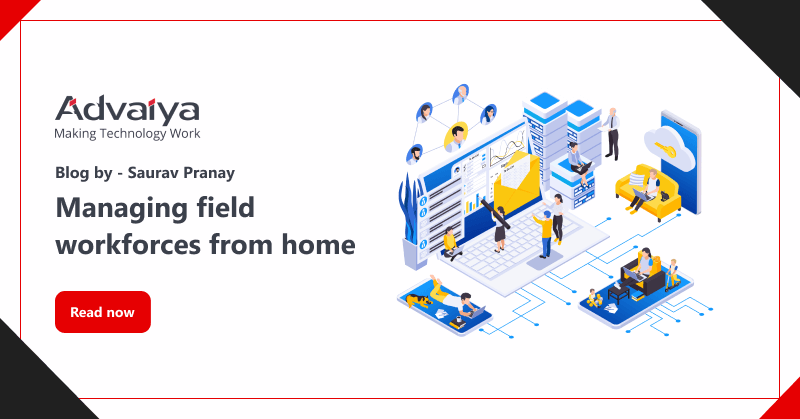
Field workforce management is integral to the success and business continuity of the utility industry and is a growing part of the service industry. The overarching goal of field workforce management is to ensure that people are in the right place at the right time with the right information. Current practices in the industry are manual, disconnected, and missing customer expectations. Organizations need to change the way their field workforce is managed and operated. Field services teams are an integral and critical component for an organization to drive business growth and develop superb customer service best practices. In order to help field services team, reach their full potential, they need to be armed with cutting-edge technological resources. This will allow them to better meet customer demand and manage these distinct customer channels on one unified platform and this can all be managed in a remote setting. With the growth of tools such as mobile phones and tablets, technicians can work from anywhere. This provides an opportunity for companies to reduce costs while increasing productivity. However, managing this workforce requires remote requires careful planning and control through trusted enterprise tools and services. Although managing field service firms presents its own set of issues and is increasingly complex and costly. One of the biggest issues service companies faces is effectively managing their field employees as they may struggle with field management such as remote asset maintenance and repair issues, the loss of critical knowledge from seasoned to newer technicians, and building trust across the organization to create a transparent and unified field force. Some of the common issues organizations face with field service management are – Keeping track of the field technicians’ output Field superintendent views are limited, making it harder to track the production and efficiency of field workers. The majority of the time, there is either a gap in the assigned jobs completed or jobs submitted to service managers on time. As a result of this discrepancy, managers have difficulty understanding the productivity and performance of field technicians and scheduling intervention in the event of a work reschedule required. Want information about our field service management solutions? Click here. Other issues, such as “how productive technicians are,” “how long did he take to complete the work,” “how courteous was he with the client,” “when did he check in or check out from the job,” and so on, are not addressed. Scheduling jobs for field servicemen Scheduling jobs for field technicians is another difficult task that a Field Superintendent encounters. It goes without saying that evenly allocating field jobs can be a nightmare for field superintendents. Furthermore, task scheduling necessitates precision to ensure that a job is assigned to the most qualified specialist who is familiar with the job and proficient in its execution. That implies the manager must distribute jobs based on expertise while also considering considerations such as technician availability, proximity to the project site, and so on. In brief, the scheduler must manually handle a variety of aspects while limiting risk in the event that the team is large. This means that scheduling every single technician’s workday before they arrive on site can take up hours of valuable time when dealing with large amounts of data collection equipment being hauled around town each day! Hassle-free communication with field technicians Real-time information unavailability is one of the leading causes of poor field efficiency and productivity. Field technicians cannot constantly connect with the back office and ask for information or cannot move from one location to another searching for information. Field technicians need ready access to the customer database via the field service management app on their phones or personal devices for real-time access to data such as warranty and guarantee, service history, inventory details, and so on is feasible, increasing efficiency. Overcoming field service management challenges To overcome the challenges elaborated above, organizations need to move to an automated field management solution that will help connect the field technician and office together more efficiently. With the procurement of automated field management software such as Dynamics 365 Field Service, organizations can benefit in many ways stated below: – Field superintendents and technicians can connect them in real-time using the field management platform technology to identify and track jobs, routes, time, and feedback, among other things. Also, can benefit from this in several ways, as the software helps to track and monitor the field serviceman’s performance and assist the field serviceman in reporting his tasks on time. Scheduling for field technicians is a complex process because there are so many factors that play into such as“how long it takes and what type of equipment needs to be used during each appointment” the availability hours, and the expertise required to execute the job, etc. Field service management solution AI-based model determines the equipment required along with the field technician’s availability by taking into account several factors such as his current schedules, scanning skillsets from a workforce data source, and pairing the proper technician to a certain job thus making the scheduling and rescheduling of job easy and automated. It also uses GPS to track the technicians’ locations so that the appropriate field technician may be found nearby depending on the work requirements. Field workforce management solutions establish an automated platform for standardized communication flow, giving field superintendents a conduit to connect with technicians in the field in the event of a crisis. In general, Field solutions can send field technicians automated messages concerning schedule changes, plan changes, inventory data, client specifications, and so on, keeping technicians aware of the latest information and planning the work & routes accordingly. One single view of market, territory, and field technicians working on the job is an unmatched benefit offered by Dynamics Field Service solution that makes it very easy for the field superintendents & schedulers to manage, plan, and shuffle the jobs. Want information about our field service management solutions? Click here. Conclusion The benefits of using Microsoft Dynamics 365 Field Service to manage
Six steps to a successful ERP implementation
An enterprise resource planning or ERP implementation solution offers significant benefits, especially in today’s mobile-savvy marketplace & complex business processes. If your corporation needs a software suite to manage its financial, human resources, supply chain, and other business operations, a centralized and integrated comprehensive business management system like Microsoft Dynamics 365 Business Central may be the useful and advantageous choice to go to. Dynamics 365 ERP enables your organization to access a shared database on any device reliably and offers easy customization, reduced technical costs, and improved productivity. However, there are a few key phrases in the ERP adoption process, each with its own objectives. These phases could be distinct or overlap, depending on the specific requirements of the company. Successful ERP implementation & upgradation of new business processes Phases of an ERP implementation plan – A typical ERP implementation life cycle includes six stages starting from discovery and planning, design, development, testing, and deployment to support and updates. Phase 1: Discovery and planning ERP offers comprehensive solutions to a wide range of business problems. It’s important to determine the true reason for putting ERP into place for your company, though. Your ERP implementation partner assesses your existing systems and procedures to identify the requirements, project scope, milestones, and modifications required. Once your vision and requirements are identified, the implementation partner will prepare the project plan. Want information about our ERP solutions? Consult with our experts As per the study by Panorama, 61.1% of ERP implementations take longer than expected and 74.1% of ERP projects exceed the budget. Although the primary cause of delay and overbudgeting is unclear definitions of ERP implementation. The ERP features must be evaluated in accordance with the barometer of synchronization within the needs of the company. The ERP demand list should be created in accordance with the budget and fundamental requirements to ensure a seamless and obstacle-free ERP deployment. Phase 2: Design phase ERP deployment includes several goals, including improving financial control, supporting organic growth, mergers, and acquisitions, as well as other typical procedures. The team will work on the specific criteria here in order to create the precise design of the new ERP system that your business needs. This entails creating a new, more effective business procedure and workflow. Since they have the most detailed knowledge of the current business process, users must be involved in the design of the new workflow. Additionally, it will also ensure that they will accept and use the new ERP solution. Phase 3: Development The development teams put up the standard solution using agreed-upon configurations and customizations of the ERP solution to support the newly specified process after they had clear design requirements. ERP software is designed after a significant amount of research and according to the needs of the specific industry. In some cases, there may be no need for customization. Additionally, the development phase also entails creating integrations with other work management and business productivity tools that ERP systems won’t be able to replace. Phase 4: Testing Testing is an important phase of the implementation process, which takes care of system and user acceptance testing. In many cases, testing and development can occur concurrently. For instance, the team may test-specific modules and features while implementing fixes and adjustments based on test results or may test one module while the other is in development. Sometimes this phase also includes beta testing, where some employees test the system for their day-to-day activities. This process ensures the ERP solution meets the requirements and is ready for deployment. During the pilot testing, management must evaluate the realization of the value of the system against the desired value of the company. After the successful testing and ensuring the ERP readiness for deployment, data migration activity should be performed before go-live. Under this process, the data from the old system is mapped to the new ERP. To ensure a smooth transition and future use of the software, only the most essential data should be transferred, and great care should be taken to ensure the data will be retrieved from the software whenever required. Training is also the most important aspect of the ERP software implementation process. It ensures there are fewer issues and more success, especially when ERP is implemented for the first time in the company or when the platform is changed from one ERP solution to another. Phase 5: Deployment This is the phase you’ve been striving toward: the go-live date! This is the day when you can officially get started with your new ERP software. Be ready for problems because, despite your best attempts to prepare for them, there may be many moving pieces and confused staff. Your ERP implementation partner will give your staff the necessary instructions and directions to comprehend the system, and they’ll be on hand to respond to inquiries and try to resolve any problems. The majority of data will be moved in the development and test phase. However, other information such as current open transactions should be transferred immediately before it goes live. Phase 6: Support and updates As you become more accustomed to the software, you might need help to create a plan to scale up your ERP solution along with your business. After deployment, your ERP partner will help to keep you satisfied and ensure your business achieves the desired benefits. During this phase, your implementation team may still be in charge of the ERP solutions, but they will now be more concerned with gathering feedback and making necessary adjustments to the system. Some organizations aim to focus on specific high-priority modules or processes and add others later, thus, some additional development and configuration will be integrated into the system later whenever needed. Implementing an ERP solution is a big investment decision by the company involving a large number of resources, therefore, management must continuously maintain tabs on the ERP software and maintenance schedule. Bottom line – Successful implementation of ERP software requires a significant amount of time and effort. The
Automate business processes with Dynamics 365 Business Central

As your business grows in size and complexity and your accounting software isn’t able to keep pace with increasing demands, you are most likely putting your business at risk. Standalone applications, information silos, and manual processes are significant challenges that small and mid-size companies face. As a leader of a growing organization, you always look out for an easy-to-use, secure, scalable, customizable, affordable comprehensive business management solutions that can help you accelerate your organization’s digital transformation journey, something which is a prerequisite to driving your business forward. Deciding to overhaul your accounting software may seem daunting and can confuse you with questions like what kind of solution is right for your business today and for future growth! How can you prepare for change, and how will you know if it’s the right time for a move? But think about the cost of maintaining systems that no longer keep up with what your business demands. The results could be customer disappointment, productivity loss, incomplete or incorrect information, lost opportunities and sales, and much more. There’s never been a better time for businesses to update their legacy systems. The cloud has opened new opportunities for companies of all sizes to affordably expand capabilities, establish greater efficiency and mobility, and be prepared for ever-changing business needs. Upgrading your systems to an integrated and modern cloud solution is easier and more cost-effective than you might think. With several business management solutions available in the market, Dynamics 365 Business Central is an all-in-one business management solution by Microsoft specifically designed for small and medium-sized businesses, connecting people and processes like never before. It offers a range of rich features and advanced functionalities that help businesses get perfect aid to achieve their business goals, transform more rapidly, and deliver better results. Also, as your business will run in the cloud, it is always easy to scale and adapt at your own pace. Comprehensive integration: Deploy one solution to manage your financials, sales, service, and operations with the ability to connect applications like payroll, banking apps, CRM systems, or custom APIs. Connects your entire business: Automatically pulls your systems and processes together, so your people don’t have to. Automates and secures business processes: Improve productivity and get more done with easy-to-create workflows, audit trails, and enterprise-level security—features that essential accounting software can’t provide. Provide an end-to-end view of your business: Centralize your data from accounting, sales, purchasing, inventory, and customer interactions to get an accurate end-to-end idea of your business. All data stays up to date so you can spot trends, prevent issues, and deliver great customer experiences. Enables mobility: Empowers a mobile workforce by delivering the same experience across devices, regardless of their location. Fast from the start: Delivers an easy-to-learn solution that people intuitively know how to use. Despite recognizing the significance of a unified business management solution, companies often fail to implement or upgrade it. Because as important as selecting the right solution is choosing the right implementation partner. You are relying on this company for their expertise and experience in implementing and getting the best out of the software your company has invested in. Advaiya, a Microsoft Certified Gold Partner, is a technology consulting and implementation services company that provides tailored digital transformation solutions with business applications, cloud, and analytics. At Advaiya, we believe that technology is a great enabler of productivity, creativity, and effectiveness, but only if fully adopted. To learn more about how Dynamics 365 Business Central can streamline your business, request a free consultation with our experts. Kirti Sethiya Kirti Sethiya is a Microsoft certified business applications and analytics consultant at Advaiya. Kirti is a highly experienced technology enthusiast, who has been involved in a wide array of tailored digital transformation projects. Her dedication to solving challenges and identifying new opportunities has provided valuable business-focused results for clients. Most recently, she’s been engaged in helping organizations benefit from Microsoft Dynamics 365.
8 reasons to choose Dynamics 365 Business Central for your business

Is Dynamics 365 Business Central right for you? Want to know whether it is right for your business or not? Let us get familiar with Dynamics 365 Business Central and its advantage to help you make the right decision. What is Dynamics 365 Business Central? Microsoft’s latest business management solution for small and medium enterprises is Dynamics 365 Business Central. D365 Business Central is a cloud-based ERP (Enterprise Resource Planning) facilizing every user can access ERP through any device anywhere in the world. It is accounting software to manage critical business functions, including finance, operations, sales, payments, dues, inventory, purchases, and customer service. It can also be easily integrated with other Dynamics 365 applications, which can help you scale your business further. It originated from Microsoft Dynamics Navision, which further evolved into D365 Business Central. Business central comes with multiple Microsoft integration such as Office 365 PowerApps, Field Services, and Power BI (Business Intelligence). Additionally, Business Central provides you with a two-way sync as a bonus. Business Central is the most cost-effective ERP in its segment, and it is a viable option for a cloud-based ERP solution. Let us now check how Business Central can streamline your business: Reason #1 Customer Relationship Management (CRM) The CRM feature of Business Central helps you to keep a healthy relationship with your customer. It helps you look at customer sales and provides the right quotation. Best decision making at right time is always a better practice in Sales and marketing, Business Central always helps to provide a timely overview to your contact and customer for their satisfaction. With Business Central, you can do contact management, opportunity management, campaign pricing, and many more. In a business system, it is essential to get a 360-degree view from the customer’s perspective. This can help to determine the correct approach for successful purchasing and holding the client., Reason #2 Easy way to investigate with sales and receivables Business Central helps you keep a hold of your sales data through their sales quote, sales orders, and sales invoices. It even provides an opportunity feature to keep investigating your new feasible customer. Also, it gives a campaign method to attract more customers. Through the Sales sales posting option, you can investigate how many Items were shipped and invoiced, also you can keep track of how many items are shipped or not yet shipped and how many invoiced must be raised. In Business Central you can also keep a record of the number of items returned and their reason. With Business Central you can provide a discount to the customer or provide a special discount based on set criteria based on the amount or quantity purchased. Reason #3 Able to handle vendor purchase & its payable In Business Central, handling vendors is more convenient. With the help of Business central, we can make a purchase order to the vendor whenever we find it short on inventory. We can always make the inventory adjustment with the Purchase order and Purchase Invoices. We can also return the item if the product is found to be wrongly placed or damaged. Based on the Invoices, we can also move to the paying part of the vendor to pay the vendor for its service. We can also keep track of all the discounts that can be available on our order. With Business Central, you can create an overview of the company’s purchases and make the daily buying routines clear and manageable. You also get instant access to an overview of your suppliers’ purchase history, outstanding orders, and trade statistics. Reason #4 Easy to track payments and dues With Business Central you can keep a log of all the payments that are done or are due and or those payments that need to be made in the future with all the payment data, we can send the receipt to the customer or vendor. Also, we can send a reminder to the customer to pay the due amount. With the help of the payment log, we can see where we are getting more profit and where we have fewer sales. Payment posting is the simplest thing that we get in Business Central. With the help of vendor payment and cash receipt journal, we can easily maintain all the payments from customer and vendor. Reason #5 Reporting & user-friendly dashboards Reports are the main aspect in the ERP world. With the help of Business Central, we can do the reporting at such an excellent level where we can do multiple things like chequeCheck printing, taking taking customer statements, take out the receipt, getting the tax iInvoice, and many more. In Business Central you can take out the data in multiple formats like PDF, EXCEL, WORD. Business Central also provides dashboards where you can see the graphical representation of your data like your purchases till date, sales till date, profit area, etc. As Business Central supports integration so we can take the Business Central data in Power BI and provide a more attractive dashboard and graphical orientation to the customer. Reason #6 Communication & HR (Human resource) management In Business Central, you get enhanced eEmail sending capabilities. Through the email Sending facility, you can send the invoice directly to the customer or vendor to their respective email ID. You can also send the reminder mail or the custom mail according to your need. Even we can schedule mail based on day, week, or month so users do not have to come to the system, schedule email will automatically send by Business Central. Business Central provides human resources functionality, so you keep the details of your employee, their record of accomplishment, manage salary, leaves, employment contract, and employee code. Reason #7 Track of item and its inventory With Business Central, keeping track of items and its inventory is easier. We can easily record of accomplishment of iItem, we can see which item is getting more demand, and if have a shortage of supply for any item. We get the notification and then we can order accordingly through the business central. With
Microsoft Dynamics 365 – Getting started with ribbon workbench

While using Dynamics 365 CRM, have you ever come across a situation where you are re-entering the same data on different locations or forms? If yes, then you are in the right place; let’s get your problem solved. In our blog, we will get you through the detailed process by which you can pass parameters & data from one form to another form using a single button click, with the addition of JavaScript on the ribbon workbench button’s command. Let’s look at a quick example of how you can do so. Follow the steps below: Open ribbon workbench. Select the solution that contains the source entity. 3. Add a new command of type Actions. Under that, add JavaScript Action. 4. Add a JavaScript action and call OpenDestinationEntityForm function, which is available in existing JS web resources 5.Now, add the ribbon button and fill in the necessary details. Also, link the command to the button. 6. Publish the changes. 7.Once done, navigate to the account and click the button to view the alert. Congratulations, you have successfully passed parameters from one form to another form using the ribbon button with customized ribbon workbench. If you are planning to customize Dynamics CRM or create custom workflows, business rules, plug-ins, ribbon workbench customization, etc., get in touch with our team of experts or add your comments below in case of query.
Manage mobile teams efficiently with D365 Field Service
Various enterprises have branched out all over the world. As a result, they globally attract not only customers but also employees. It results in people working from all around the world, which makes it significantly difficult to keep track of their progress. Dynamics 365 Field Service is here to help you efficiently manage the mobile workers. In the recent past, Field Service management has become an essential requirement in offices. It provides the right set of tools to complete the job regardless of workers’ location. While it is additionally about being able to remain associated with your most essential resource, your clients. Dynamics 365 Field Service is best-in class platform for businesses who deals with on-site work at different locations – it may include any installations, scheduled or recurring maintenance, or responding to break/fix issues. The platform provides enhanced capability to maximize efficiency of day-to-day work – it can be from optimized work order scheduling to predictive maintenance. The extensive inventory management capabilities in Dynamics 365 Field Service also helps businesses to collect real-time details from supplies and technicians to ensure that the correct parts are always available and in-stock. The Capabilities: Dynamic 365: Field Service has various capabilities that significantly improves their efficiency. Capabilities such as: Service Agreements Provide clarity into terms and expiration dates of assets. Also, track warranties against assets . Manage terms, conditions, and automated renewals of contracts and Service Level Agreements. Ensure the assistance and charging adjust to guarantee demands. Sort out resources and track area, fix history and upkeep plans. Schedule and dispatch Recognize and organize available resources by category to logically balance workloads and resources. Reduce driving time between work by creating a schedule with geography, customer preference, accessibility and SLAs in mind. Match skill sets of the technician against the requirements of the work order. Inventory management Perfectly track service stock at mobile and fixed locations. Manage updates and stock history for any location including updating truck stock. Provide mobile access to inventory and parts information. Manage inventory information for part transactions like requests, return material authorizations, stock adjustments or transfers. Mobile Ensure technicians are on time with best schedule and turn-by-turn driving directions. Get 360-degree customer preferences and history and follow step by step instructions on how to complete the task at hand. Provide technician the capability to take photos of the completed work, get customer sign-off and even collect payment. Ending Thoughts Deliver excellent on-site customer interactions with Dynamics 365 Field Service, while maximizing resources and costs by dispatching technicians when and where they are needed the most. Additionally, create customer trust and loyalty by having the right resources and knowledge that technicians and service managers need to fix issues for the first time.
Moving to Microsoft Dynamics 365 in 2021
As organizations will undoubtedly be looking for ways to increase efficiencies, lower costs, and improve productivity for 2021, one of those initiatives to consider should be Microsoft Dynamics 365. Over the years, many businesses have purchased CRM and/or ERP systems to manage their business operations, while others are still relying on spreadsheets and word documents. With Dynamics 365, businesses can manage, drive, simplify, optimize and streamline their business processes much more efficiently, while enabling a true vision for digital transformation to come alive. Dynamics 365 also allows a company to break down silos, connect disparate systems, integrate stand-alone apps and consolidate them as one unified, intelligent suite. Ask yourself the following questions: Did your business face productivity challenges either before or during the lockdown? Are you spending too much time and too many resources collecting data from all of your various systems to try to get a clear picture of your business? Are you using multiple applications to manage your different business processes? Are some in the cloud while others remain on site? Do you spend a lot of time collecting and organizing customer and sales data? Does your company have spreadsheets and other documents that are used to track and manage tasks and activities? If you answered “yes” to any of these questions you could be an ideal candidate for Dynamics 365. People who use documents, spreadsheets and multiple versions of business productivity software to manage their business have a big challenge on their hands. For example, let’s consider a company that uses a CRM and a ERP system to oversee its business. With CRM, you could create a customized a view of all your related information such as marketing, sales, customers and service offerings. And with your ERP you could monitor HR, commerce, projects, inventory, accounting, finance, and supply chain. Okay, these traditional methods sound good so far. Ask yourself the following questions: First, these are isolated systems that operate with disconnected business code and logic. Second, these platforms are complex, slow, cumbersome, and very expensive to deploy and integrate — especially if they are not cloud based. Third, they are also difficult and costly to operate, maintain and update. The good news is that Dynamics 365 accounts for all these challenges as it eliminates complexities and unifies disparate systems. It eliminates the need to operate and maintain all of these local systems individually and it removes the challenge of trying to get a holistic view of all your business data. Instead of living in a world that is spread out throughout your business in various documents, calendars, different contact lists, schedules, emails, forecasts, inventory, and so much more, why not take advantage of enterprise-grade-level, cloud technology? If price is your concern, these world-class technologies are quite affordable nowadays. Dynamics 365 can bring together and unify your CRM and ERP systems and their respective capabilities. This will enable you to streamline your business, break down silos, connect intelligent services, join business apps, establish a digital transformation roadmap and reduce costs for deployment, upgrades and maintenance. You’ll achieve a 360-degree view of your operations as all of your business data flows seamlessly within one platform and across your enterprise – it uses a common database so that all entities and data are tightly connected. Next, let’s consider the cloud. With Dynamics 365, you can take advantage of one central cloud-based, intelligent business app that is all-in-one. The SaaS model (Software as a Service), is ideal for small and medium-sized businesses to take advantage of an enterprise-grade technology that has traditionally been cost prohibitive to them and enjoyed exclusively by larger-sized organizations. With SAAS, strategies, people, processes, systems, apps and data are tied together. And you pay for only what you use with the “pay-as-you-go” model. In summary, this becomes your business management solution to run your entire ecosystem and with the cloud, you could provide approved users access at any time from any location. Another advantage of Dynamics 365 is that it provides extensibility with Microsoft Power Platform to extend its capabilities and functionality even further; specifically: Microsoft Power Apps is a low code app that helps you modernize your processes. You can integrate third-party apps right inside Dynamics 365. Microsoft Power Automate provides digitization and robotic process automation of workflow to eliminate repetitive and manual tasks. Microsoft Power BI enables you to receive real-time analytics, easy-to-understand visualizations, infographics, dashboards and reports that can be shared with all business levels to make informed decisions. Microsoft Power Virtual Agents allows you to utilize plug and play virtual chat bots so that you can address internal and external customer needs. One of the issues that companies often ask about is security. What’s great about Dynamics 365 is that it’s all unified so that an administrator only needs a single sign on to access. It has a full security model that restricts non access once inside. For example, someone from shipping viewing delivery information would not have access to HR records. Dynamics 365 also has multi-level approvals that can be defined within the system to enable approval at every appropriate stage – this is also supported by email notification. Another advantage of Dynamics 365 is that you can start small and grow as desired. For instance, you could start by utilizing the technology to only manage your field service operations, your projects, or your marketing effort. With the new year upon us, this could be the right time to consider this powerful business management solution. With the flexibility to start small and scale, and with the advantages as outlined such as lower costs, unification, and ease of use, why not? Also Introducing Microsoft Dynamics 365 Project Operations for project or service-oriented businesses How to create Quick Email Campaigns with Microsoft Dynamics CRM? Kirti Sethiya Kirti Sethiya is a Microsoft-certified business applications consultant at Advaiya. Kirti has been involved in a wide array of tailored digital transformation projects over the years. Contact us by filling the form below for Microsoft Dynamics 365